|
ConvertersTotal Image ConverterTotal Audio ConverterTotal Movie ConverterTotal HTML ConverterTotal PDF ConverterTotal PDF Converter OCRTotal Doc ConverterTotal Excel ConverterTotal Mail ConverterTotal CAD ConverterTotal GIS ConverterTotal Outlook ConverterTotal CSV ConverterTotal VectorizeTotal Thunderbird ConverterTotal Outlook Express ConverterTotal Webmail Converter
TIFF and PDF ToolsTiff PagingTiff SplitterTiff CombineTiff TellerPDF SplitterPDF CombinePDF Combine ProTiff Pdf CleanerTotal PDF PrinterTotal PDF to DXF Converter
MultimediaEpisode PlayeriPod AudioBookTotal iPod ConverterTotal Video JoinerCDukeFolderShinePhoto Music
System ToolsTotal Server MonitorTotal Folder MonitorSpace SearcherQuick UnplugTotal Resource Changer
|
![]() Total mail Converter has an easy-to-follow interface. It does not require any significant experience or training. It takes minutes for novice users to learn how to handle this mail converter. If you would like to make your emails viewable via IT browsers, you can convert emails to HTML.
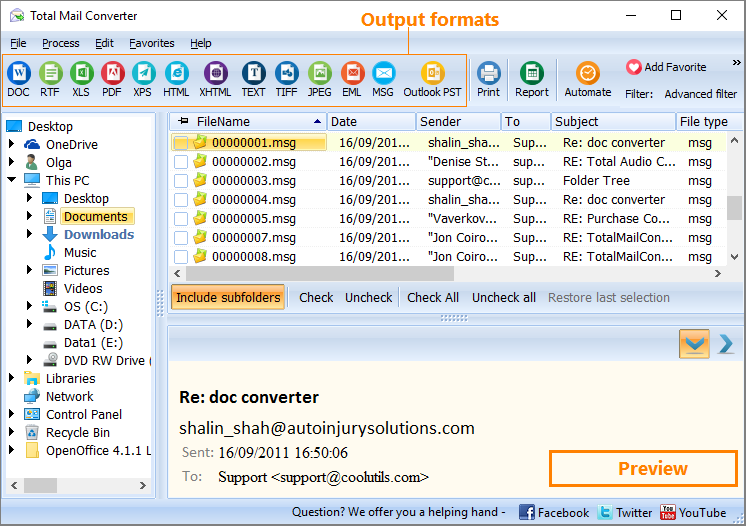
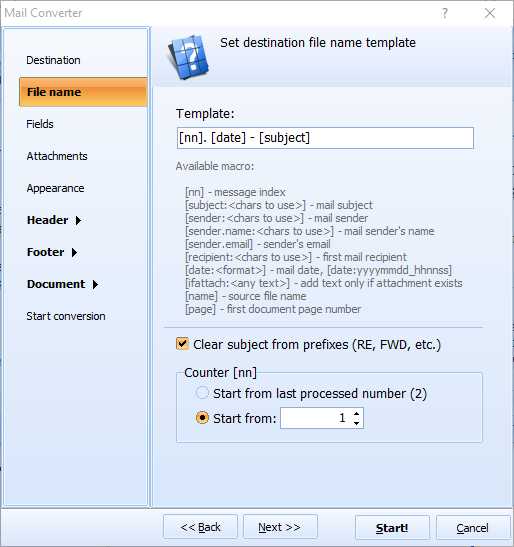
How to Convert MSG to HTMLTo convert mail to HTML, run the utility and select the folder with your emails in the folder tree. Then check-mark the messages you wish to convert to HTML. If you would like to render all the messages in HTM, click Check All. Then select HTML.By aid of the Wizard, you can specify fields you want to export: Body, Date, Subject, Sender and Recipient. Also, you can select the destination folder, so that you can locate your converted messages any time you need to. The Wizard is really handy, and it actually keeps you to the right track.

![]() Total Mail Converter integrates into Windows. Once installed and downloaded, Convert to option is added to the right-button popup menu. This enables you to convert emails selectively right from the desktop. All you need to do is right-click on a message, select Convert to and follow the procedure. The program also features command line support, and therefore it can be launched from within other programs. There is hardly a more advanced MSG converter in the whole world than Total Mail Converter. Apart from HTML, the program also converts emails to TXT, PDF, RTF, DOC, and TIFF. Total Mail Converter is available online. You can place an order right now, and we shall send you the activation code. We offer the best price-quality proportion imaginable. If you wish to test our product, please, download the free trial version, which is valid for 30 days.
|
Related topicsConvert MSG to Text freeConvert EML to Text free Convert Email to XHTML in Batch Convert MSG to XHTML in Batch Convert EML to XHTML in Batch Convert Emails to ODT In Batch Convert MSG to ODT In Batch Convert EML to ODT In Batch Convert MSG to XHTML in Batch Convert EML to XHTML in Batch Convert Email to XHTML in Batch Total Mail Converter Video Tutorial Email to HTML free How to Convert Email to Text How to Convert Email to TIFF How to Convert Email to JPEG How to Convert Email to RTF How to Convert Email to DOC How to Convert Email to PDF How to Convert MSG to JPEG? How to Convert EML to JPEG? MSG Converter To Convert Your Emails Effectively EML Converter To Convert Your Emails Effectively Convert MSG to EML Convert EML to TXT free Convert EML to HTML free Convert EML to TIFF free Convert EML to RTF free Convert EML to Doc free Convert MSG To TXT free Convert MSG To PDF free Convert MSG To RTF free Convert MSG To TIFF free Convert MSG to Doc free Convert EML to PDF free |