Need help? Reach us at 

 +1 (855) 418-2323
Need help? Reach us at
+1 (855) 418-2323

 File Converters TIFF and PDF apps Forensic Freeware
There are several unique options to convert Doc to PDF:
Total Doc Converter strictly preserves all document properties (author, creator, key words, subject, title) when you convert Doc to PDF.
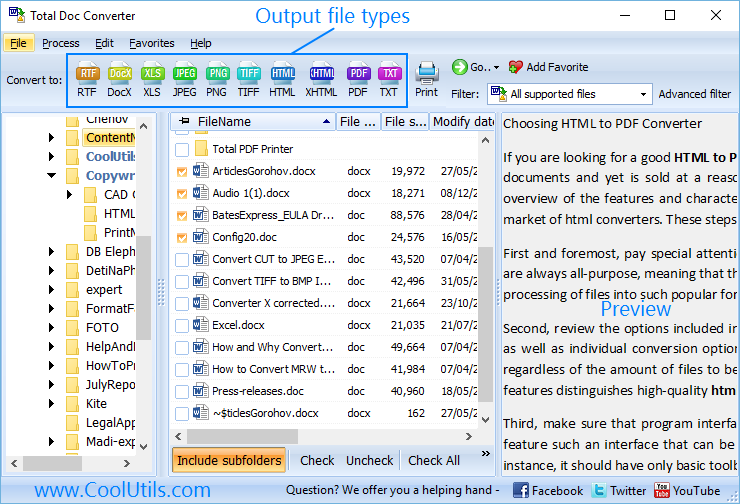
Doc (Word) to PDF transformation is as fast a process as it is simple. Select a folder from the left-hand column of the interface. The files and folders contained in the folder will be shown in the middle section. To convert them, check one or more files or folders in this section. The content of the selected file will be shown in the right-hand section. After you have performed these simple actions, select PDF from the set of formats above.


"I tried a couple of MS Word converters before I downloaded and tested your product. And I have to say, that it works perfectly. I converted about 300000 Word documents without any error. The resulting PDF documents look good and are reasonably small. This is a great product!"
 Klaus Droeder
MAC Software Design, www.msdesign.de
Klaus Droeder
MAC Software Design, www.msdesign.de
"We've been using the TotalDocConverter for a few years and just purchased the upgrade to X. It has been working very well for us and we are very satisfied with the product. We use it to convert our documents to PDF format. I will need to look through the documentation to see if there is anything else we could utilize it for."
Todd Braley
IT Manager, DRI Title And Escrow
The ability to add digital signatures to a DOC file is an increasingly common requirement online. Whether it's for finalising contracts or signing off on a particular stage of a project, it's essential to have a verifiable record of agreement tied in to non-editable version of the document in question.

Word documents by themselves - though great for layout and rough drafts - do not offer this functionality and the days of relying on faxes are very much drawing to a close. If you need to convert DOC files to PDF, and ensure the security of the results, you should really pick up a copy of Total Doc Converter to handle the job quickly and reliably.
Your digital signature won't be modified by third parties but it doesn't restrict access on the view level. Don't worry, we have you covered there as well!
Simply take advantage of Total Doc Converter to password-protect your PDF and you'll be able to have fine-grained access over exactly who is able to see what. You are even able to assign one password for the document owner and another for document viewers.
No additional software is required for signing converted files or editing their style. Everything you need will be taken care of right from within Total Doc Converter.
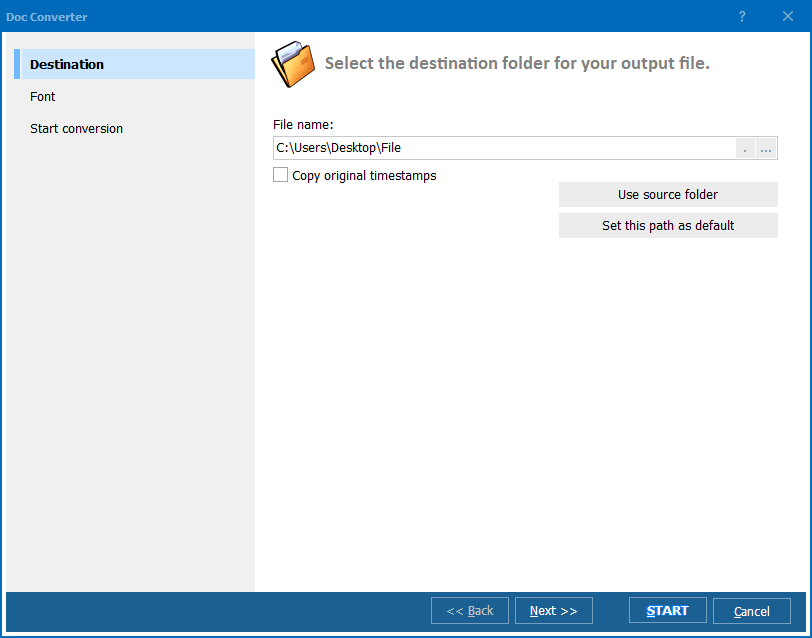
Total Doc Converter handles a huge range of document file types and uses the same intuitive interface to process them all. If you're looking to convert DOC to PDF and add a digital signature, it's as simple as working through the following steps:
You're also free to fine-tune the functionality on offer with a full set of access restrictions that can be applied, for example, to decide who is able to print the document and who is merely able to view.
Document level PDF properties such as author, creator, subject and other parameters can also be set within the tool prior to conversion and applied to multiple copies. It's exactly the sort of batch processing functionality that makes Total Doc Converter such a great all-purpose PDF converter.
Take it for a test drive today with our free 30-day trial and start discovering how much time and effort this tool can save you and your team.
End-users of DOC files are accustomed to seeing page counters available to help them navigate the document and refer to specific pages. For reasons of practicality, and as a courtesy to your readers, it is extremely useful to be able to see equivalent page counters in your document after converting DOC to PDF.

Total Doc Converter is specifically designed to handle this requirement along with a huge number of other common conversion scenarios.
It's a fully featured office tool, capable of exporting DOC and DOCX files to various image and text formats. The page counter option is available for all conversion formats that support it and PDF is most certainly one of them.
With Total Doc Converter you are free to add the page counter to the header or footer of the document, or even both if you prefer, using the handy [page] tag. That is in addition to being able to customise a number of further output options such as which number you want to start counting from.
Have a look at an overview of the full range of functionality on offer in the video below. We think you'll be impressed!
Total Doc Converter is built with the ability to handle batch DOC files conversion built in. This is a huge timesaver when it comes to adding page counters in bulk as you can simply define your requirements once and then blast through any number of files at your leisure.
You are also able to edit and define common document level parameters such as the following:
All of these parameters are handled via an intuitive wizard-based interface but you can also run the program via the command line if that suits your workflow better.
Total Doc Converter handles both DOC and DOCX files so you are covered across all generations of MS Word documents. It also respects existing folder structures, a feature which can save you a lot of pre- and post conversion reorganising.
Download a completely free 30 day trial version of Total Doc Converter today and start discovering the difference it could make for you and your team!
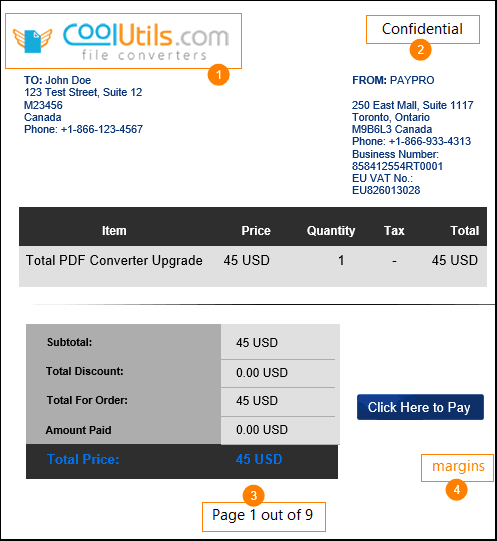
What you can expect when you convert Doc to PDF with Total Doc Converter? Here is the sample output for you to get a better idea of how powerful our app can be.
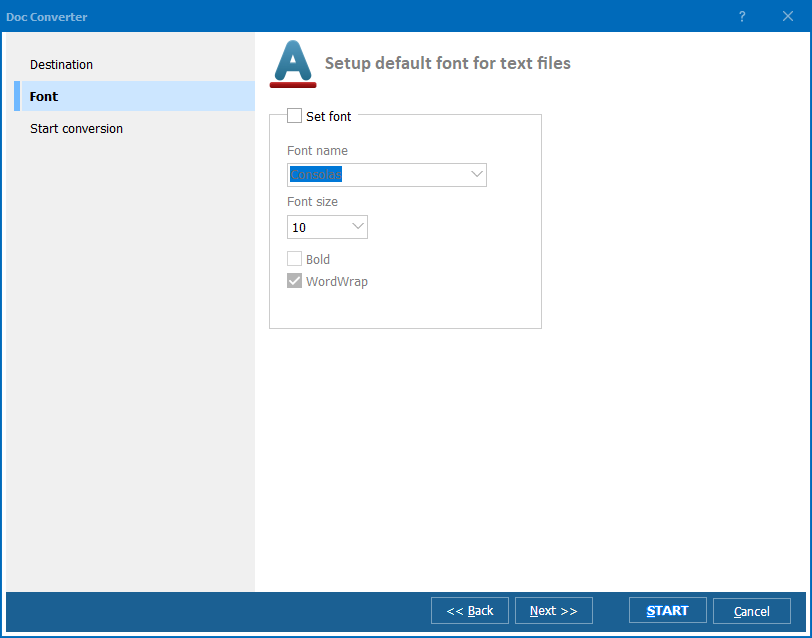
What else? Total Doc Converter can combine several Doc files into one multi-page PDF. If you are converting TXT files, you may set the default font for your output PDF copies. Note that you can get PDF, PDF/A and non-searchable PDF.
Worried about the security of your files? Total Doc Converter will help you to password-protect your files to make sure unauthorized users don't get access to them.
Sign your PDF files with your digital signature right in the converter!
We are sure you won't find a better value. Total Doc Converter has been online since 2005. It has been polished by thousands if not millions of users. We offer several types of licenses to suit every need (personal, commercial, server, site, royalty-free). Select yours and get the neat PDF copies in minutes!
|
PDF (Portable Document Format) is intended for viewing and storing written documents, which can contain thousands of pages. This is a resolution independent format, and PDF documents retain their original shape, whatever original software was used to create them. PDF files represent pages with all sorts of graphics, fonts and images.
Total Doc Converter allows you to convert Doc (Word) to PDF in a twinkle of an eye. It saves all the formatting you have done in your original Word document. By aid of this utility, you can save thousands of files almost as promptly as one file and combine them into multi-page PDF documents. So far, this is the safest Word-to-PDF conversion tool today's software industry can come up with. With our Total Doc Converter, you can create password protected documents and secure your information against unsanctioned use and plagiarism. We offer you a unique opportunity to test our tool with no pain and without paying a dime! You can download a trial version of Total Doc Converter and use it for a 30-day trial period. You are not supposed to use it for commercial purposes. However, this is long enough for you to wholly familiarize yourself with the utility. |
|
© 2024. All rights reserved. CoolUtils File Converters