|
Coolutils ConverterTotal HTML ConverterTotal PDF ConverterTotal Doc ConverterTotal Excel ConverterTotal CAD ConverterTotal CSV ConverterTotal XML ConverterTotal Mail ConverterTotal Outlook ConverterTotal Thunderbird ConverterOST to PST ConverterTotal Image ConverterTotal Audio ConverterTotal Movie Converter
|
 If you have found some interesting web content and want to make it suitable for reading without web browser, you can print HTML to PDF format. It is very convenient to combine a range of HTML pages into one PDF file, especially if these are parts of one entire document, book or article. In such a way you can significantly optimize your HTML document storage. Moreover, if you want to make your HTML files password protected, to restrict the access to some important information, you can easily do this by exporting HTML to PDF. PDF allows to set two level password protection and limit the use of files according to your requirements. All this is available with the help of Total HTML Converter.
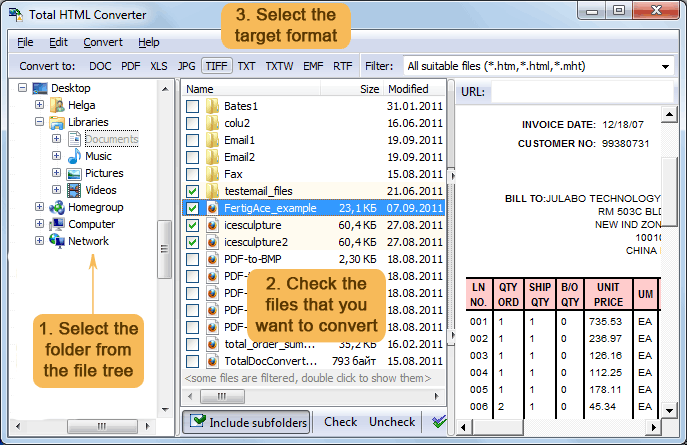
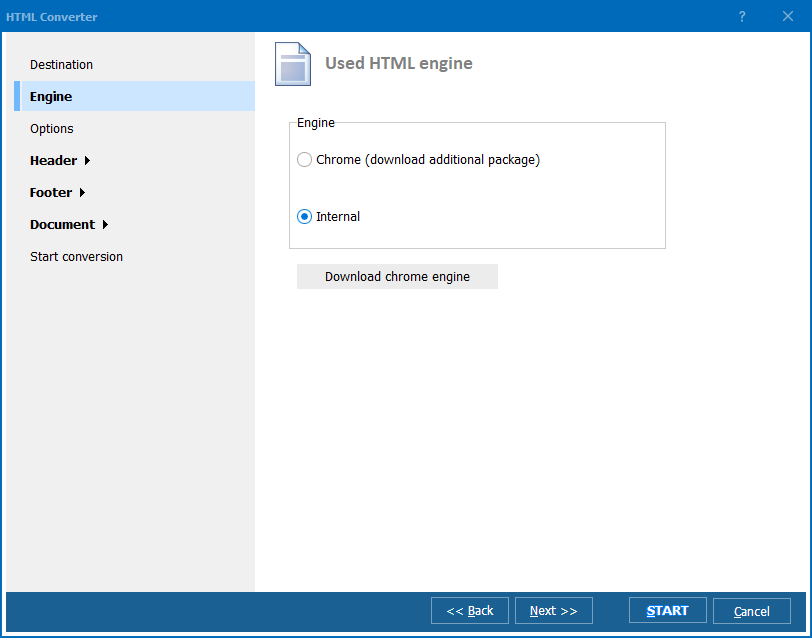
This application from CoolUtils features powerful HTML PDF converter that does a lot of tasks in one click. Its simplicity contrasts with wide functionality, making all conversion problems easily solvable. Printing HTML to PDF means saving web pages in PDF format virtually, adjusting their look to the format you need. There are the following format adjustments available in the converter:
Moreover, you can even compress the future files for optimizing their size. When you export HTML into PDF, sometimes it is important to protect the document from unauthorized use. The HTML converter from CoolUtils offers a few measures, like adding a digital signature and PDF encryption. With their help you can restrict the access to future PDF files and limit permissions for using them. If you don’t want your files to be modified, just uncheck the ‘Modify’ item from User permissions list. Try the newest features of Total HTML Converter in its updated trial version for free - download the evaluation version.
|
  Related articlesTotal HTML ConverterConvert files from HTML to PDF Convert HTML to Doc in batches easily Convert HTML to XLS. It is 100% safe! Convert HTML to XHTML with comfort. Convert HTML to JPEG and get a neat output Convert HTML to TIFF and get a neat output Convert HTML to Text with comfort Convert HTML to Unicode Text professionally. Convert HTML via command line. Save time, it's easy. Turn HTML to PDF in batch. Save time, it's easy. Convert HTML to PDF And Add A Watermark |