Logo
Home Products Support Contact About Us

Convert XLSX to DOC Via Command Line


Getting Excel-based content into Word format can be a struggle at the best of times and if you are faced with a mountain of data to process the task can quickly become extremely problematic. It is a common conversion requirement in companies around the world though and one that cries out for the power of a programmatic solution.

Quick answer: To convert XLSX to DOC via command line, install Total Excel Converter X, then call its executable with the source XLSX path, the output folder, and the -c doc switch. The server tool processes whole folders in one run, can be scheduled in a .bat file, and integrates into web apps through ActiveX, with no GUI step required.

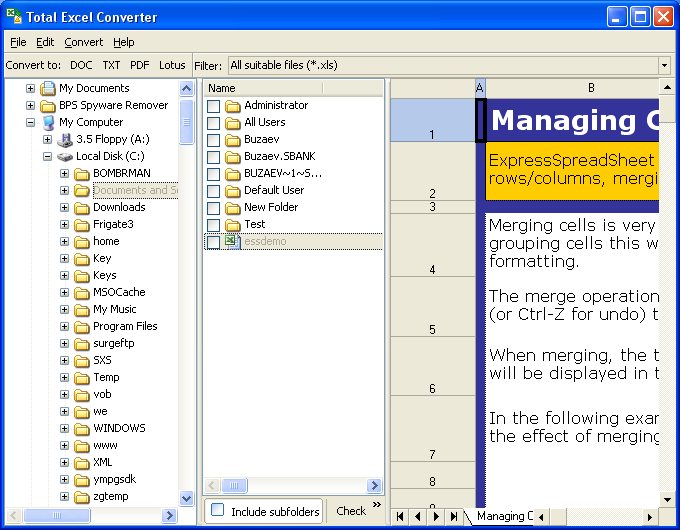
Our Total Excel Converter X software is the perfect tool to tackle this and many other tasks. In contrast to Total Excel Converter - the desktop version of the software - this version is a server XLSX DOC converter which can be run over a network or even integrated into your own web-based applications via its support for ActiveX.

The advantages of having a server based XLSX converter are numerous and the software comes packed full of power features designed specifically to handle DOC content:

  • Take advantage of the option to convert every page to a new file.
  • Use the powerful built-in renamer to add counters or worksheet names to your file names.
  • Add logos or barcodes to the header or footer of pages.
  • Use the built-in fit-to-page option to avoid tedious manual post-conversion processing.

Total Excel Converter X handles a huge range of input and output formats. Pretty much any requirement you might have across the Excel and OpenOffice suites will be supported as an input file. You can also work directly with SQL and XML files. In addition to DOC conversion, the software also supports output to PDF.

In addition to ActiveX support, the software can also be called directly from the command line, a very handy option for quick tasks. The ability to convert XLSX to DOC via command line with just a few simple keystrokes is an enormous timesaver and you can fly through tasks without having to step through a GUI.

Over ten years of continuous development and extensive user testing have gone into making Total Excel Converter X the most advanced Excel conversion solution on the market. The software's affordable one-time license fee is trivial compared to either competing solutions or the cost of developing similar functionality yourself.

We are confident the software will be a perfect solution for your conversion needs and encourage you to try it for yourself by downloading our fully functional 30-day trial today!


quote

Total Excel Converter X Customer Reviews 2026

Rate It
Rated 4.7/5 based on customer reviews
5 Star

"We needed to convert XLSX exports to DOC as part of an automated reporting pipeline with zero GUI interaction. The -c doc switch in Total Excel Converter X dropped straight into our .bat scheduling with no changes to the rest of the workflow."

5 Star Vincent Okafor Backend Developer, enterprise reporting team

"Integrating the ActiveX component into our internal web app let us trigger XLSX to DOC conversions on demand from the server side. Whole folders convert in one command line call, which is exactly what a server tool needs to be."

5 Star Simone Aubertin Systems Integrator, web application vendor

"Scheduling nightly XLSX to DOC batch jobs through a .bat file has worked reliably since we set it up. Documentation on the exact command line switches took a bit of trial and error to get right, but once configured the server process never needed a GUI step."

4 Star Radoslav Petrovic IT Operations Engineer, logistics company

Convert XLSX to DOC Via Command Line — FAQ ▼

How do I convert XLSX to DOC from the command line?

Install Total Excel Converter X and call its executable with the source XLSX file or wildcard, the destination folder, and the -c doc switch. The conversion runs without opening a window, so it works in scripts and on servers.

Can I convert a whole folder of XLSX files at once?

Yes. Use a wildcard such as C:\Data\*.xlsx as the source and Total Excel Converter X processes every spreadsheet in the folder in a single run. This is the main reason to use the command line instead of converting files one by one.

What is the difference between Total Excel Converter and Total Excel Converter X?

Total Excel Converter is the desktop GUI version for interactive use on one PC. Total Excel Converter X is the server edition, built to run from the command line, over a network, or inside web applications through ActiveX.

Can I schedule XLSX to DOC conversion automatically?

Yes. Put the conversion command in a .bat file and run it with Windows Task Scheduler, or trigger it from your own code through ActiveX. New XLSX files dropped into a watched folder can be converted to DOC with no manual steps.

What input and output formats does Total Excel Converter X support?

It reads a wide range of Excel and OpenOffice spreadsheet formats and can also work directly with SQL and XML data. Besides DOC, it can output formats such as PDF, so one tool covers many conversion needs.

Do I need Microsoft Office or Word installed to convert XLSX to DOC?

No. Total Excel Converter X performs the conversion on its own and does not depend on Microsoft Office being present, which makes it suitable for clean server environments.

Is there a free trial of Total Excel Converter X?

Yes. The 30-day trial is fully functional and requires no email or credit card, so you can test command-line XLSX to DOC conversion on your own files before buying a one-time license.


Start working now!

Download free trial and convert your files in minutes.
No credit card or email required.

⬇ Download Free Trial Windows 7/8/10/11 • 122 MB

Support
Total Excel Converter X Preview1

Latest News

Newsletter Subscribe

No worries, we don't spam.


© 2026. All rights reserved. CoolUtils File Converters

Cards