Need help? Reach us at 

 +1 (855) 418-2323
Need help? Reach us at
+1 (855) 418-2323

Your PDF pipeline runs on wkhtmltopdf, and it worked for years — until the project was archived. The repository went read-only on January 2, 2023, so no more security patches are coming, and the aging WebKit engine it wraps renders modern CSS (flexbox, grid, custom properties) unpredictably. If your reports now come out misaligned, or you can no longer justify shipping an unmaintained binary on a production server, you need a supported replacement. On Windows, that replacement is Total HTML Converter X.
Quick answer: For simple, static HTML, wkhtmltopdf still works and stays free, but its project is archived — no security patches, and modern CSS renders unpredictably. For maintained production on Windows servers, Total HTML Converter X gives current CSS rendering, live URL and file conversion to PDF, DOC, TIFF and JPEG, a silent command line, and a COM/ActiveX API callable from ASP, PHP, and .NET.
| Total HTML Converter X | wkhtmltopdf | |
|---|---|---|
| Actively maintained | Yes — commercial product with ongoing updates | No — repository archived and read-only since January 2, 2023 |
| Rendering engine | Current engine with full CSS 1/2 support, page breaks, fit-to-width, plus an optional Chrome render engine | Aging WebKit build; modern CSS (flexbox, grid) often renders incorrectly, with no further fixes |
| JavaScript handling | Yes — via the Chrome render engine (-engine chrome) | Limited to the frozen WebKit engine |
| Source input | Local HTML/MHT files and live URLs, in batch | Local files and URLs |
| Output formats | PDF, DOC, RTF, XLS, TIFF, JPG, PNG, TXT | PDF and image (PNG, JPG) only |
| Command line | Yes — silent binary, no GUI, no dialogs, no pop-ups | Yes — command-line tool |
| Server API | ActiveX/COM callable from ASP, PHP, .NET, Python, Ruby, Java | Third-party language bindings and wrappers, community-maintained |
| PDF security | Digital signatures (X.509 PFX), AES encryption, passwords, permission flags | Basic; no signing |
| License | Commercial, one-time license from $750, 30-day free trial | Free, open source |
| Operating system | Windows 7/8/10/11 and Windows Server (IIS, Docker, Citrix, Wine) | Windows, Linux, macOS |
| Support | Developer support from CoolUtils | Community only; project archived |
Credit where it is due: wkhtmltopdf earned its place. It is free and open source, it runs from a single command, and it scripts cleanly into any language that can shell out. For a decade it was the default answer to the question render this HTML to PDF on a server, and its installed base is enormous — countless invoicing, reporting, and export pipelines still call it every day. For simple, static HTML — a table, a styled receipt, a plain report — it still produces a fine PDF at zero cost.
If your templates are simple and frozen, and you accept running an archived binary, wkhtmltopdf is not broken. The trouble is everything that changed after it stopped: newer CSS, newer TLS, newer security expectations.
On a Windows server, Total HTML Converter X is the closest drop-in: it keeps the command-line workflow you already script, adds a maintained rendering engine, and extends output beyond PDF. You replace one CLI call with another and gain signing, encryption, and extra formats. If you run on Linux or macOS, Total HTML Converter X will not help — it is Windows-only — and the maintained path there is headless Chrome or Chromium, directly or through a wrapper.
Two ways: shell out to the command-line binary, or call the ActiveX/COM object in-process. Shelling out is the smallest change from a wkhtmltopdf pipeline — you swap the executable and the switch syntax:
<?php
// Convert a local HTML file to PDF from PHP on Windows
exec('HtmlConverter.exe C:\www\invoice.html C:\pdf\invoice.pdf -c pdf -log C:\log\html.txt');
?>
The -c pdf switch sets the target format; add -combine to merge many files into one PDF, or -pfxfile and -pfxpass to sign the result. Because the binary runs silent, no dialog blocks the web request. From classic ASP or .NET you can instead create the bundled ActiveX/COM object and run the same conversion in-process, without launching a child process for every page.
Yes — give the converter a URL in place of a file path and it fetches and renders the live page:
HtmlConverter.exe http://www.example.com C:\pdf\page.pdf -c pdf -log C:\log\html.txt
This is the direct replacement for a wkhtmltopdf URL to PDF call. The same pattern targets images — use -c jpg or -c tiff to rasterize the page instead of writing a PDF. A wildcard mask or a -list text file lets one command process a whole batch of URLs or local files.
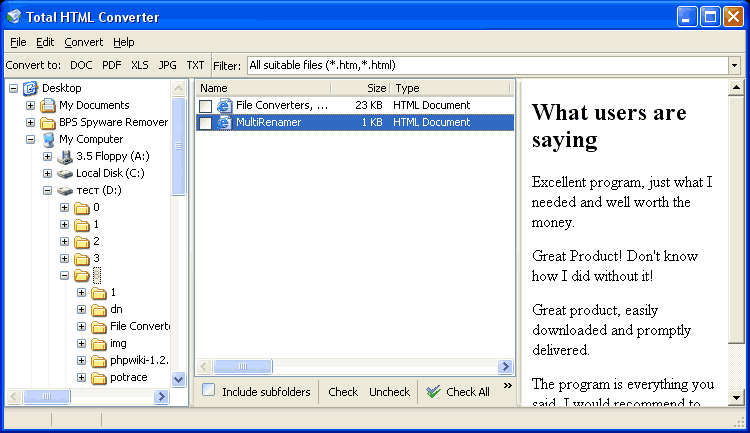
Total HTML Converter X is licensed per server from $750, and the 30-day trial is fully functional with no limitations — run it against the pages your current pipeline renders worst and compare the PDFs side by side. The same engine also ships as the desktop Total HTML Converter when you need a GUI for one-off jobs.
Download free trial and convert your files in minutes.
No credit card or email required.