Need help? Reach us at 

 +1 (855) 418-2323
Need help? Reach us at
+1 (855) 418-2323

If you have a complex folder structure on your PC and need to navigate through it quickly, it will be useful to print the list of folders and have it on hand. You will see the location of each subfolder, so you can easily find the one you are looking for.
Quick answer: To print a folder tree, open Print Maestro, select the folder in the left panel, check Tree on the Standard tab of the report-type list, review the preview, then click Print and confirm with OK. You can also save the tree to a file. The full folder hierarchy prints in a few seconds.
A tool that will help you with this is Print Maestro. This handy solution will quickly print folder tree after preview. It automatically generates easy-to-read list of folders located in the folder you select and prints this document or saves as a file.
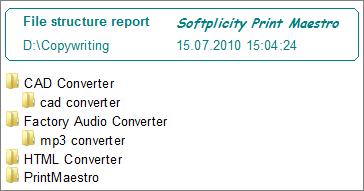
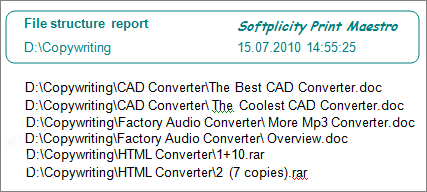
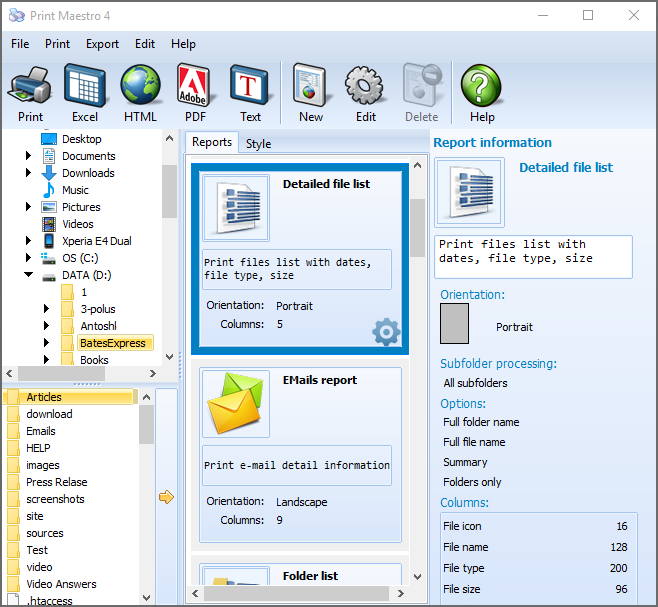
When you click on some folder in the left-side folder list, you will see all its subfolders listed in the upper right side list. Below it you will find the report mock that will be printed. To the right from the mock there is a list of report types, where you need to check off 'Tree' in Standard tab.
The program is very simple in use, so you will get you folder tree printed in a few seconds. Just go through these steps:
 Install Print Maestro to PC and launch it
Select the folder whose tree you'd like to print
Choose the type of report (folder tree)
Press 'Print' button at the top menu bar
Press printer icon at the top left corner
Press OK
In addition to the 15 predifined reports, you can create your own. You select which columns you need and the app does the job for you.
This automatic directory printer adjusts generated reports for standard printer settings used in your computer. To change the settings just press Edit icon in the top menu. Here you will be able to set font size and type, margins, measures, as well as paper format.
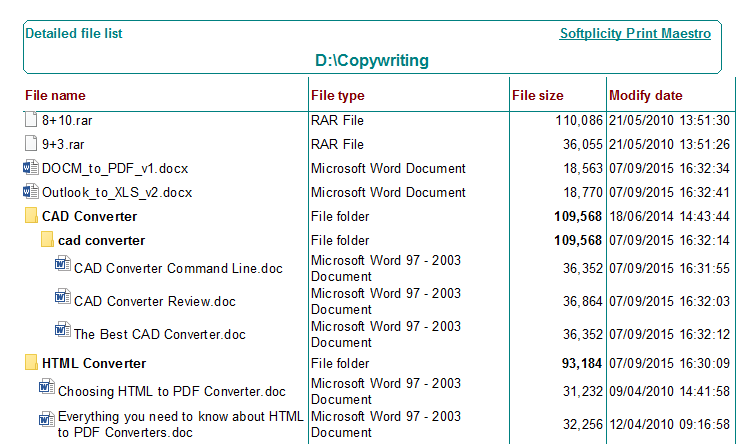
Besides folder tree you can print a list of files stored in specific folder, as well as folder list with information about each item. Try it for free in a trial version before purchase!
Windows XP/2003/Vista/7/8/10/11
Download free trial and convert your files in minutes.
No credit card or email required.


 Forensic