Need help? Reach us at 

 +1 (855) 418-2323
Need help? Reach us at
+1 (855) 418-2323

Now where did that file go? Which folder did I put my file in? I don't even remember how many folders I have. Do these questions and statement sound familiar to you? I am sure they do, because all of us say these things some time or the other. The reason is obvious - we all have so many folders and sub-folders saved on our computers that we don't even remember their contents. And when we need a certain file, we search for it frantically in all the different folders. This is truly very frustrating.
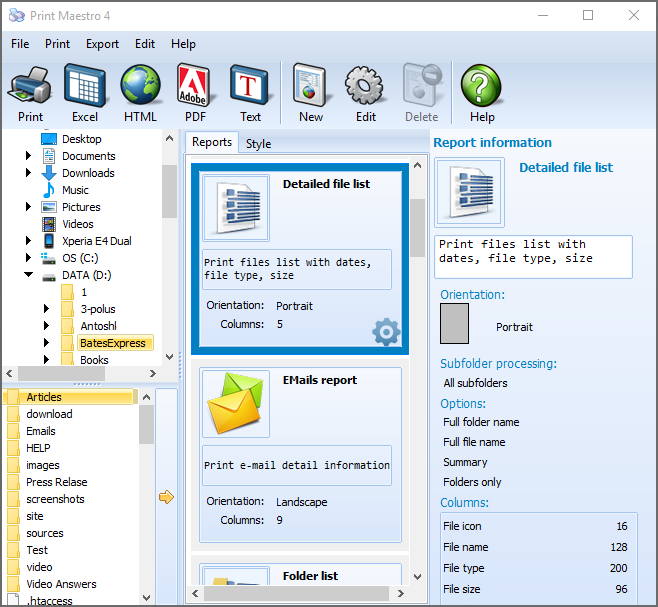
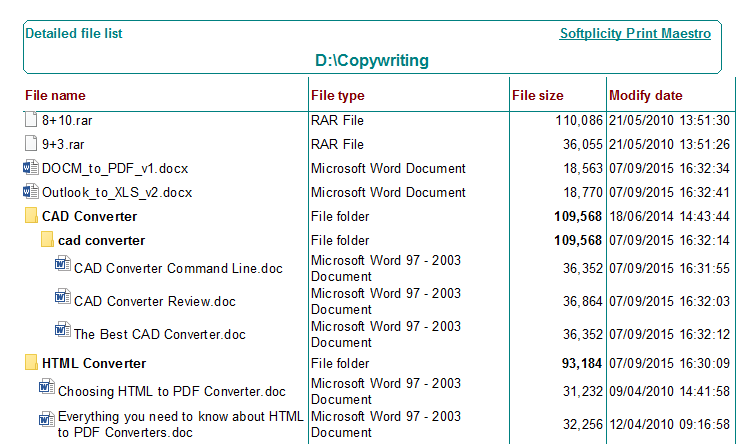
Quick answer: To print folder contents, open Print Maestro, select a folder in the left panel, choose a tree or listing report and the columns you want (file name, size, type, tags such as artist or album for music), preview the layout, then print or save it. Every folder, subfolder, and file is shown in one structured document.
We all know the feelings of such frustrations. For some this feeling may be more, for others less... but yes, it's there with most of us. But no use taking it so seriously as there's a simple solution to the problem. What is that solution, you may ask. Well, it's printing folder contents with the help of the unique tool Print Maestro.
Sample directory printing lists:
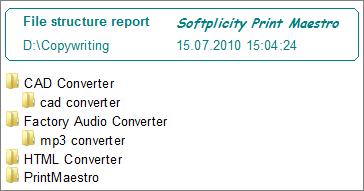
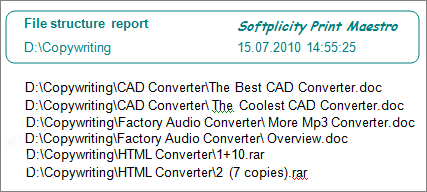
Print Maestro is that ideal program that can solve this problem, whether in an office, or at home. With just a few clicks, this wonderful program can actually show you what you have on your PC - your folders, your sub-folders, everything. What the Print Maestro actually does is scan your PC, pick all your folders and their contents, put them in order by giving them a structure, and then print the folders out showing all the contents.
The folder structure may either be in a tree form, or as a listing of all the folders, sub-folders, and content such as the files. An important feature of this very useful tool is that it can print the folder structure and the content in any way you want - by file size, name, tag, etc. If the file is a music one, then the content can be arranged by the artist, album, bit rate and so on. In other words, the choice is yours - have Print Maestro print your folders in any way you want.
When you print the folder contents you immediately see what you have on your pc. And Print Maestro is always at your hand to help you.
Windows XP/2003/Vista/7/8/10/11
"I use Print Maestro to capture directory status before system changes. The Excel export lets me compare before and after. Simple, reliable, and the client gets a professional-looking report."
 Steve J. IT Consultant
"We print folder contents for our filing system documentation. Print Maestro generates PDF reports with file names, sizes, and dates. Updated quarterly for our records management compliance."
Sandra Keller Office Manager, Keller & Schmidt
"We document shared drive contents for our data governance policy. Print Maestro scans 100,000+ files and exports to CSV for our database. Scheduled via command line to run monthly."
 Hiroshi Tanaka Data Manager, Canon Japan
Download free trial and convert your files in minutes.
No credit card or email required.


 Forensic

