Are you happy with CoolUtils products? Tell your friends and co-workers about them!
If you have a site in the web feel free to put our text link below from your site.
<A HRef= "http://www.CoolUtils.com"> Advanced Software by CoolUtils.com</A> Audio, image, html and pdf converters, directory print utilities, file rename utilities and much more.
Over 43 000 people have already chosen Total Audio Converter to process their audio files. Get your free copy now to try it out. Total Audio Converter runs on Windows 2000/NT/XP/2003/Vista/7/8.
What's new:
TotalAudioConverter
Added the direct conversion of YouTube files saved on the user's desktop. Now you can just drag and drop the file to TAC to convert it to other audio format.
Improved the conversion of APE files.
Improved Find track names option when ripping CDs. Correct work with FreeDB.
I needed bitrate reducing and mp3 converting for Motorola mobile. Googled for audio converters, tried lots of them and finally found this... didn't look for more :)
Online help Learn how to convert audio files with Total Audio Converter. Step-by-step tutorials with screenshots.
You have 9 reasons to choose Total Audio Converter (no ad, just facts):
Widest List Of Audio Formats Supported. Total Audio Converter supports more than 30 audio formats as source formats! You can convert files of almost any type with it. The target formats are WAV, MP3, OGG, WMA, APE, FLAC, MP4, AAC, MPC. It's not an mp3 converter or ogg converter, it's all formats converter (note the price!).
Batch conversion.
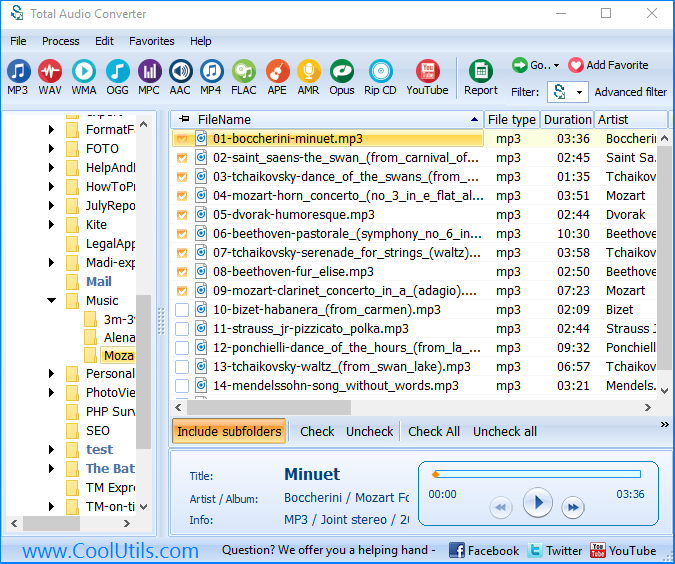
Either you have one file or a hundred of them it will take you seconds to set the conversion process.
Command line.Command line is a great thing to run your converter from within other programs. All command line parameters are described so even a beginner will master them in no time.
Rip CD. This option allows you to rip audio tracks from CD's and convert them to another format at the same time. Quite time saving!
Built-in audio player. Total Audio Converter has built-in audio player. Now you can play your song before or after the conversion. Sometimes it's the best way to find the difference between formats.
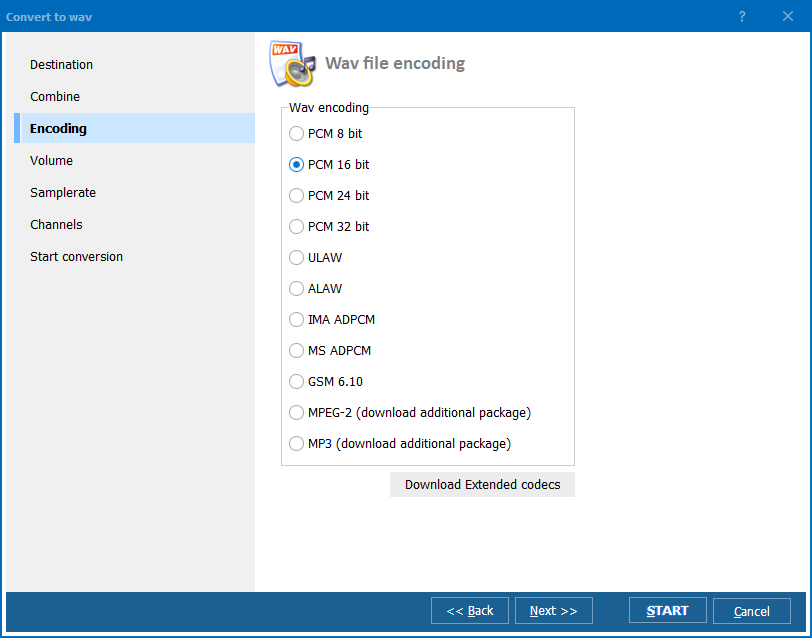
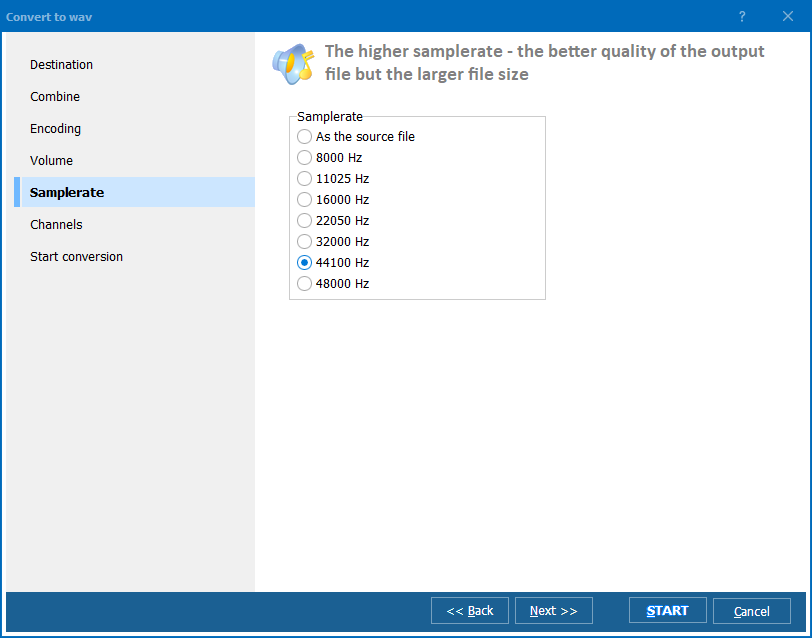
No tech knowledge required. Total Audio Converter was developed to be handy. Intuitive interface makes it easy for everybody to be the master of audio conversions. Wizard of the program will ask you all the necessary questions. If you do not know what bit rate or frequency to choose it will automatically set the most appropriate.
TAC + YouTube.New! Total Audio Converter can download music from YouTube's videos and convert to other formats! You just define the url of the video and TAC does the rest.
Price. No hidden costs! Our pricing is clear and concise. Once paid you get all the upgrades for free. Tech support is also free to registered users (sure we will answer all your questions even if you are using trial version of Total Audio Converter).
Right-click option.
Total Audio Converter integrates into Windows popup menu. Just select the file on your desktop and make a right mouse click. New option - Convert To - will be added to all normal commands.
Ok, now when you've read a huge lists of features and benefits of Total Audio Converter you know the facts. What we are really proud of is the simplicity of our tool. As Albert Einstein once said everything should be made as simple as possible, but not simpler. That's what we had in mind developing Total Audio Converter.
We have developed Quick Tour about Total Audio Conveter to show you how it works. View 3 minute clip and get the idea of the tool.
I had very old audios are in unsupported formats ... and I need it to mp3 :) I just need something what can convert mpc to mp3 ... your converter is the best for it.
To convert audio files on Windows web-servers use Total Audio Converter X (includes Active X for registered users).
"I got a 30 Gig Zune for Christmas. I have 50+ Gigs of music.
In usual Microsoft form (they are the best at screwing up an otherwise
awesome thing); it's not "Plays For Sure" compatible and does not work with
Windows Media Player. It comes with its own software based on WMP, but does
not convert or resample the music when copying to the Zune player. The only
solution I could think of was to create a separate, pre-resampled copy of my
music for the Zune software to sync from. In the Zune software, you can only
choose your sample rate if you are ripping from CD. I don't need music on a
portable music player to be the 320K quality in my library, but I didn't
want to re-rip 300+ CD's. TAC was the only program I found, out of many I
tried, that would resample and copy a music collection of 6000+ files and
maintain the directory structure. Well done! A few others could read from subfolders, but dumped all the output into one folder. And your price was reasonable and I was happy to pay it. Other, less
capable software was priced at twice yours! feh"
Thanks,
Jon McManus
"I'm very pleased with the application which I became aware of as a result of reading various Forums on iPod Lounge. I'm using the application to convert songs in have in iTunes from AAC to MP3 so I can burn them onto CD's.
At this time I have no recommendations, as the product is doing exactly what I purchased it for.
Have a GREAT day!" Chuck Dunn
"I want to say that I am very pleased with Total Audio Converter.
It works excellent".
Willem Coppes
"The converter works GREAT !" Doug
"I Love your program. At the present time I have no suggestion on ways to improve its functions. I have only used it a total of two times, but with additional usage, I may be able to see areas to consider for possible improvement although this is as perfect and as easy to use as it can get."
Thanks, Frederick Hitchcock
"Hallo. Thank you for this programm Audio Converter. Its great. Greetings from Germany." Herbert Immerz, Bavaria, Kaufbeurenean
"I have only used the program once, so far. I use an open source program, in
my professional work, called Audacity, which does not recognize audio files,
only MP3 or .wav files. I was able to convert the audio file, then load it
into Audacity, which made the job of notating the song much easier. I have
no doubt that I will find similar uses for TAC in the future. By the way,
using that program had stirred my curiosity, and I will be visiting your
site to investigate your other programs."
Richard Pilatsky
"Total Audio Converter - thanks for the excellent product. This is great for letting me mess with my music creator programs. Again, thanks for making such a great product. I have no suggestions, as everything you had available was wondrous." Miguel Husselbee
"Please pass along my thanks to your teams for an excellent product
suite." Brian
"This little software does a fantastic job at
converting. I had a insane number of files, some Flac
and OGGs to move into MP3s. Your tools did a great
job, chugged away for a few days and boom." Luc Simard
"Thank you for your email. I can't think how you can make any improvements to Total Audio Converter. The program was quick and easy to download and the registration of the program after purchase was instant in comparison to one which I regret having bought earlier and didn't even register it due to a 24 hour witing time. Total Audio Converter is the most user friendly program I have come across. I also appreciate the support and although I can't see myself having any problems I will let you know if I need any help.
" DAVID MART
"I am really happy with TotalAudioConverter, and to be honest I don't have
any complaints about the site, downloading process or the program itself.
They are all very straightforward
and easy to use and the functionality is great. I am a programmer myself and
I can tell you that if I were to make a program like TotalAudioConverter I
would probably use the same interface or something close. Kudos for the
development team. Happy holidays." Dorel
"What I like about your audio converter is the command line. I'm accustomed to using it but the converting utility I used before didn't have it. So I found Total Audio Converter and am quite satisfied with it" Jean Valenzuela
"I dont think TAC is very expensive! Well I bought it in France so the prices are different ;) . When I was looking for an UMX converter, all of free converters were totally crap, but TAC is just perfect! Very fast, easy to use, light and can convert many files to mp3, mp4, wav etc, which's really good :). If I had to suggest an Audio converter, I'll recommend this program :)" Oblivion
"Hi, friends !
The prog is really very cool. Behind such a good work i can see competent
programmers working. I converted almost all of my old mod-like files with
TAC:o). Best wishes to all the crew and keep on the good work"
Jose Roque Sturza
from Santiago RS Brazil
"Never mind the help. I found the true copy of the filter, re-installed it,
and it works now! Thanks for the great product - now that it works it's
dream!!!" dCheron
"The only reason I use AudioConverter at the moment is to
shrink the sound files for our Church to be entered on to our website. I
have had no problems at all with it, very happy. I use Polderbits software
to actually do the editing, so it would be nice if something like that could
be done by TotalAudioConverter."
Regards, Keith Pittock
"I have been using TotalAudioConverter quite frequently. It is an amazing program. Easy to use and does all my converting at the click of my mouse. I could not be happier with any other software that I have ever purchased! Thank you for the free EasyNoter STD 3.7, which is also a very cool program. Keep up the good work." Ricky Jeffrey
The sound converter works very well and I have no complaints. I was accustomed to a click and drag approach to bring in the files rather than the standing mycomputer/directory approach. But this works okay. Whatever.
Lynn OConnor
April 23, 2013
I am as thrilled with this program as I am with Audio Converter. I use them both a lot and find them very easy to use. I would recommend them to anyone and I have recommended them to quite a lot of my friends.