Need help? Reach us at 

 +1 (855) 418-2323
Need help? Reach us at
+1 (855) 418-2323

 File Converters TIFF and PDF apps Forensic Freeware
The professional EML to PDF converter and MSG converter for Windows - convert all your mail files in one click.
 Total Mail Converter converts EML, MSG, PST, MBOX, and other mail formats to PDF, HTML, Word, TIFF, Markdown, and 20+ output formats. The tool supports batch conversion and a command-line interface, making it ideal for businesses that need to archive or process large volumes of email. Download the free trial and start converting in minutes.
Quick answer: To convert EML or MSG to PDF, install Total Mail Converter, drop in your email folder, pick PDF (or DOC, HTML, TIFF, Markdown) as the output format, and click Start. The whole batch converts offline on your PC, with headers, attachments, and folder structure preserved, no size or file-count limit.
Convert hundreds of EML files to PDF in one pass. Total Mail Converter preserves headers, body text, attachments and folder structure. Drop a folder, pick PDF as the target format and let the tool process every message - no Outlook or Thunderbird required.
The MSG to PDF converter handles single Outlook messages and entire archives. It also exports MSG to EML, HTML, DOC, DOCX, TXT, TIFF and JPEG, so you can move messages between mail clients or attach them to legal cases without losing metadata.
Total Mail Converter reads PST, OST, MBOX, MBX and EML archives directly. Use it to migrate Thunderbird mail to Outlook (EML to PST), to flatten an MBOX archive into searchable PDFs, or to extract a single folder from a large PST for an eDiscovery request.
Pick MD (Markdown) as the output format and Total Mail Converter saves each EML or MSG message as a clean .md file — subject, sender, date and body laid out as readable Markdown, with lists and tables preserved. Because Markdown is plain text, the result drops straight into note apps like Obsidian or Notion, into project docs or a Git repo, or into an AI chat such as ChatGPT or Claude when you need a model to read a message. It is also the lightest way to keep a future-proof, human-readable email archive. Convert a whole folder in one batch; the command line supports Markdown too.
Get peace of mind with PDF copies of your emails on your hard drive.
Need a single quick conversion? Try the free online tool — no install, no signup: EML to PDF, MSG to PDF.
(includes 30 day FREE trial)
(only $59.90)

 John Habenicht
Graham Elliott
Updated Sun, 19 Jul 2026
(only $59.90)
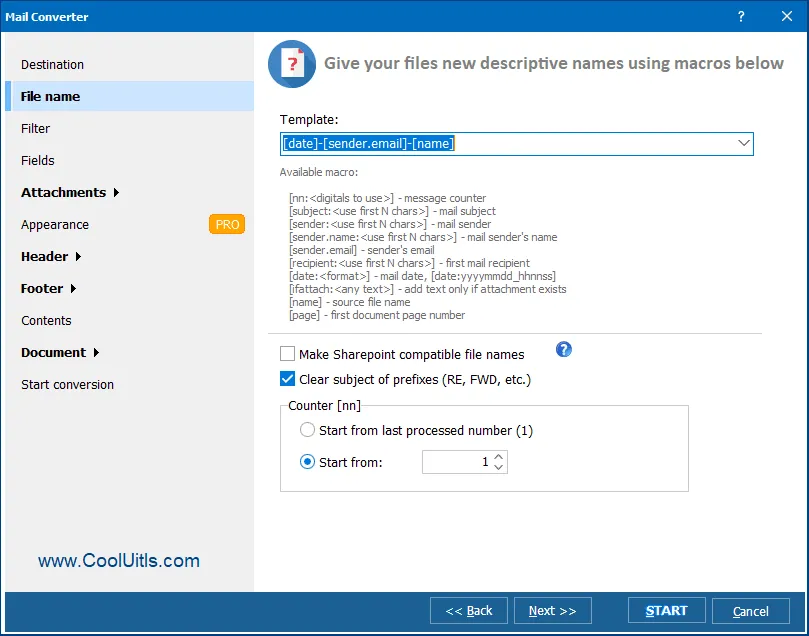
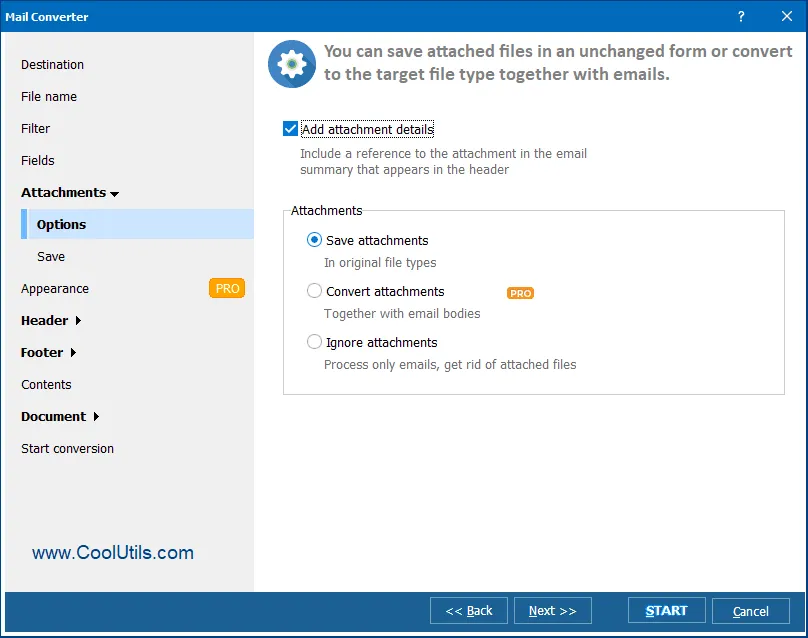
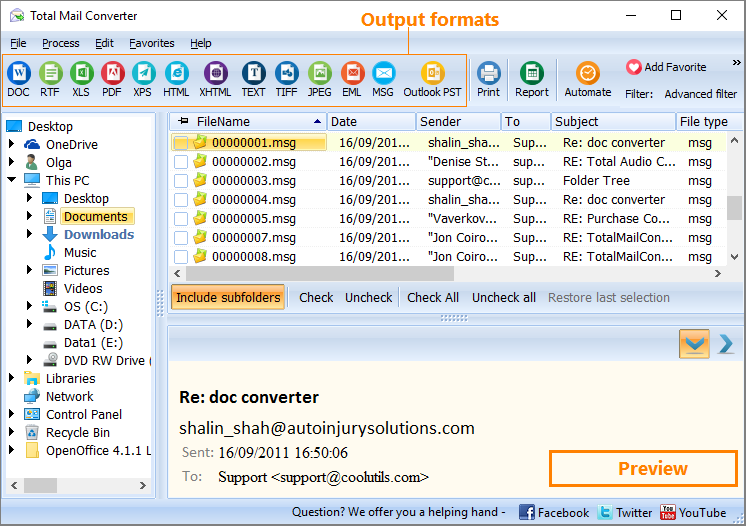
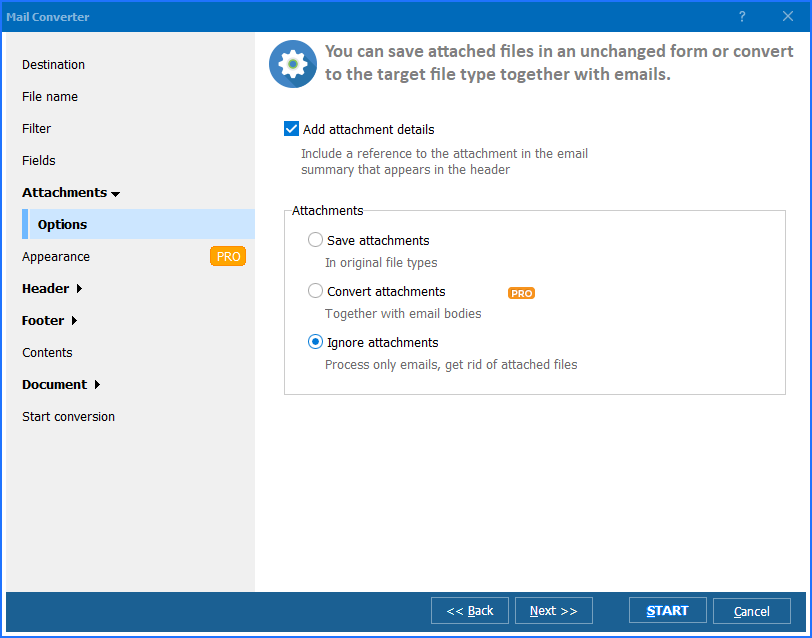
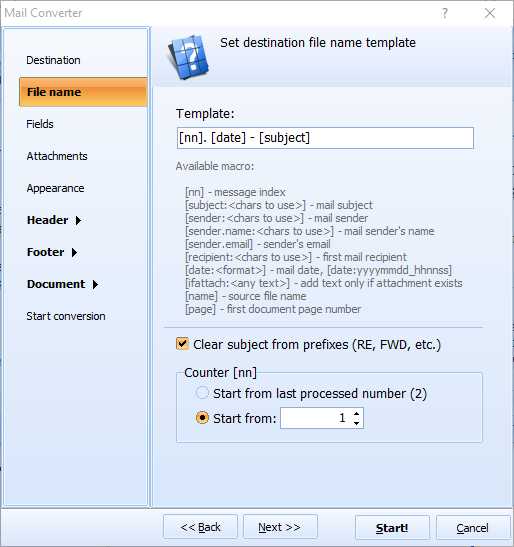
How To: Convert EML to PDF with Total Mail Converter. The interface is built around the most common email-to-PDF workflow, so most users finish their first batch in under five minutes.

Updated Sun, 19 Jul 2026
(only $59.90)
 James TENG
Arno de Kok
Amcire Management Consulting
.md file with the subject, sender, date and body laid out as readable Markdown — ready for Obsidian, Notion, documentation, or pasting into an AI chat like ChatGPT or Claude. The whole folder converts in one batch, and the command line supports Markdown too.Updated Sun, 19 Jul 2026
(only $59.90)
Download free trial and convert your files in minutes.
No credit card or email required.