|
Coolutils ConverterTotal HTML ConverterTotal PDF ConverterTotal Doc ConverterTotal Excel ConverterTotal CAD ConverterTotal CSV ConverterTotal XML ConverterTotal Mail ConverterTotal Outlook ConverterTotal Thunderbird ConverterOST to PST ConverterTotal Image ConverterTotal Audio ConverterTotal Movie Converter
|
 As PDF files are compact and highly portable, many users prefer to store images in PDF format. PDF is one of the most versatile formats, because it combines graphic, images and text in a resolution independent and device independent extension. Some users prefer to convert JPEG images to PDF in order to save disk space and ease file transmission over the Internet. As PDF files are compact and highly portable, many users prefer to store images in PDF format. PDF is one of the most versatile formats, because it combines graphic, images and text in a resolution independent and device independent extension. Some users prefer to convert JPEG images to PDF in order to save disk space and ease file transmission over the Internet.
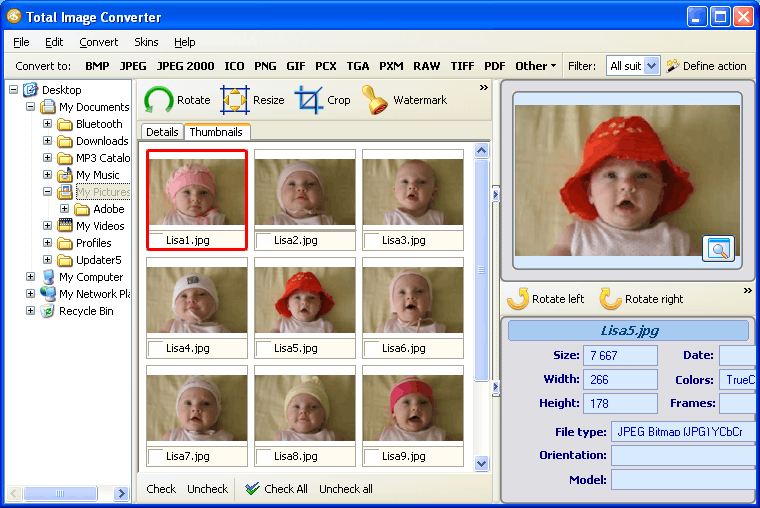
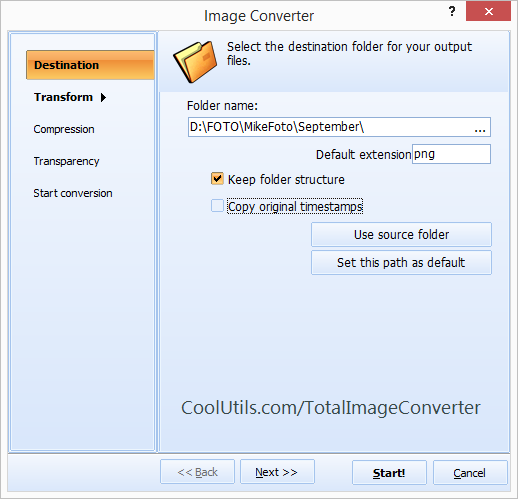
Total Image Converter is an all-in-one file conversion utility that supports nearly all existing image formats. It has a robust and user friendly interface, which makes it very easy for even a beginner to convert JPEG to PDF. The Wizard guides you through the process of working and actually does the entire job for you. This is one of the few JPEG PDF converters that render JPEG images in PDF in batch. The batch function permits you to convert hundreds of JPEG files within split-seconds.
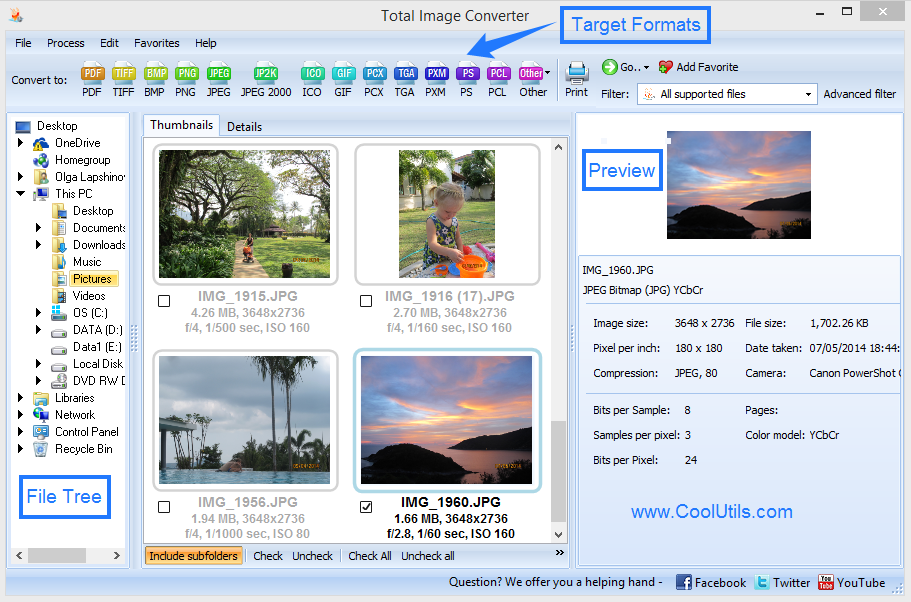
 How to Convert JPEG to PDF Total Image Converter is the easiest-to-use JPEG PDF Converter you have ever used. It does not take much experience to handle it. In order to convert JPEG files to PDF, you should select the folder that contains JPEG images, specify the files you would like to convert and select PDF as a target format. Total Image Converter is the easiest-to-use JPEG PDF Converter you have ever used. It does not take much experience to handle it. In order to convert JPEG files to PDF, you should select the folder that contains JPEG images, specify the files you would like to convert and select PDF as a target format.
Total Image Converter has a built-in viewer, by aid of which you can evaluate the quality of your JPEG files and see what they will look like in the PDF format. You can also rotate, crop and resize your images. Total Image Converter permits you to handle your JPEG images in three different ways: through the interface, from the desktop and via command line. Command line support can be used when you have to convert files from within other programs. To convert files right from the desktop, right-click on a file and select Convert to in the popup menu.
Related topicsConvert JPEG to PNG in batches with comfort
|
  |