Need help? Reach us at 

 +1 (855) 418-2323
Need help? Reach us at
+1 (855) 418-2323

 File Converters TIFF and PDF apps Forensic Freeware
Total Movie Converter: Convert AVI, MPG, WMV, MPEG easily
Windows
2000/2003/Vista
7/8/10/11/Citrix
Need a single quick conversion? Try the free online tool — no install, no signup: MP4 to WAV.
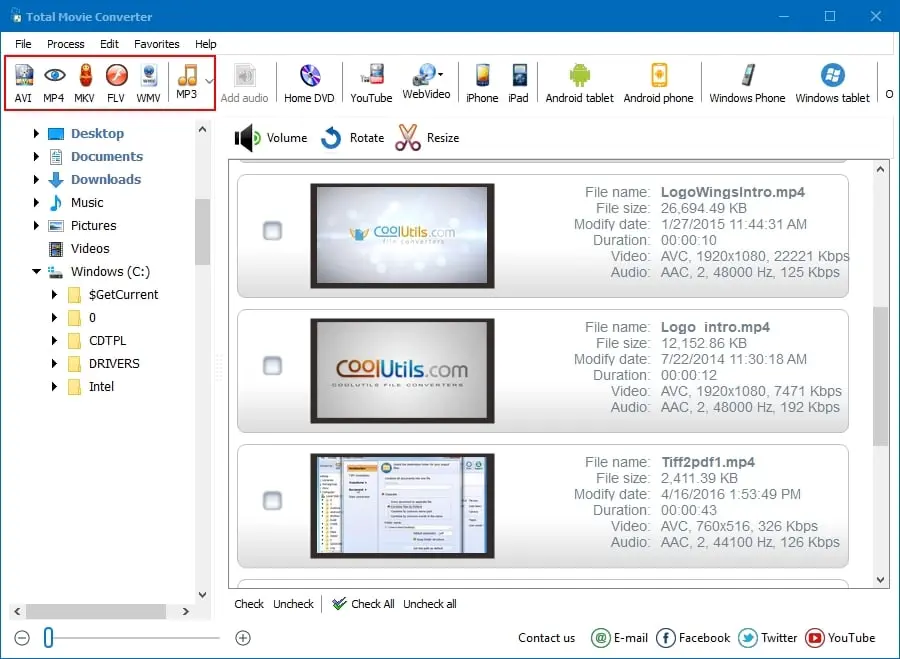
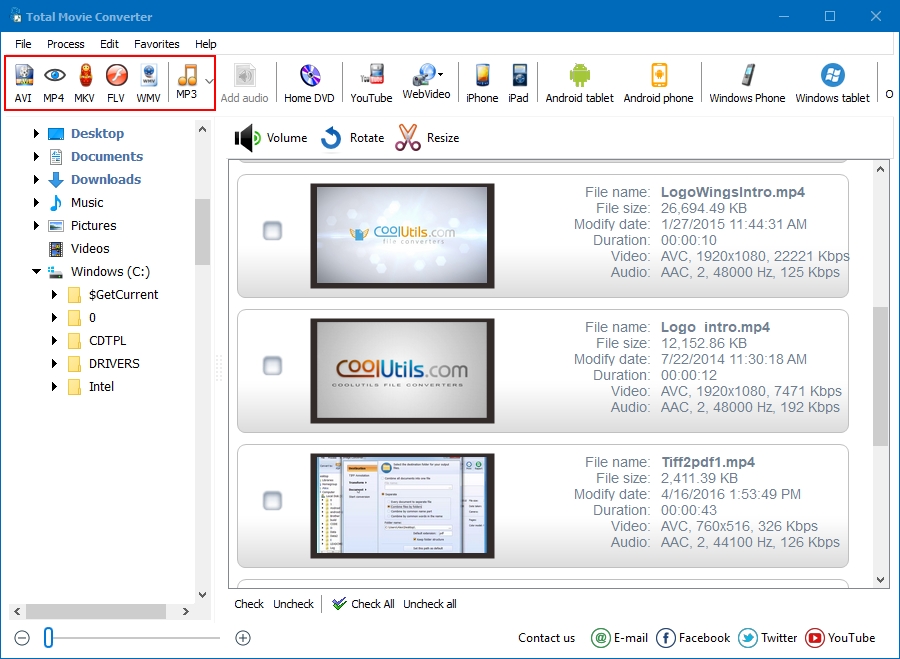
Total Movie Converter is a handy solution to convert video files of almost all popular video codecs to AVI, MPG, WMV, MPEG, FLV. In addition, Total Movie Converter is great for converting video for iPad, iPhone, Apple TV, Archos, XBox and others thanks to the new Video To Device feature.
Our pricing is clear and concise. Once paid you get all the upgrades and free tech support. Hit Download button now to try it out for 30 days without any obligation. Why should you try it? Total Movie Converter is extremely simple. It is not overloaded with the features you will never use. But what it does, it does perfectly - converts video files.
| Feature | Total Movie Converter | Online Services |
|---|---|---|
| Batch conversion (hundreds of files) | Yes | 1–3 files per upload |
| File size limit | None | Usually 100–500 MB |
| Privacy (files stay on your PC) | Yes | Uploaded to third-party servers |
| Conversion speed | Fast (uses all CPU cores) | Slow (upload + server queue + download) |
| Output formats | AVI, MPG, WMV, MPEG, FLV, MP4 + device presets | Usually MP4 only |
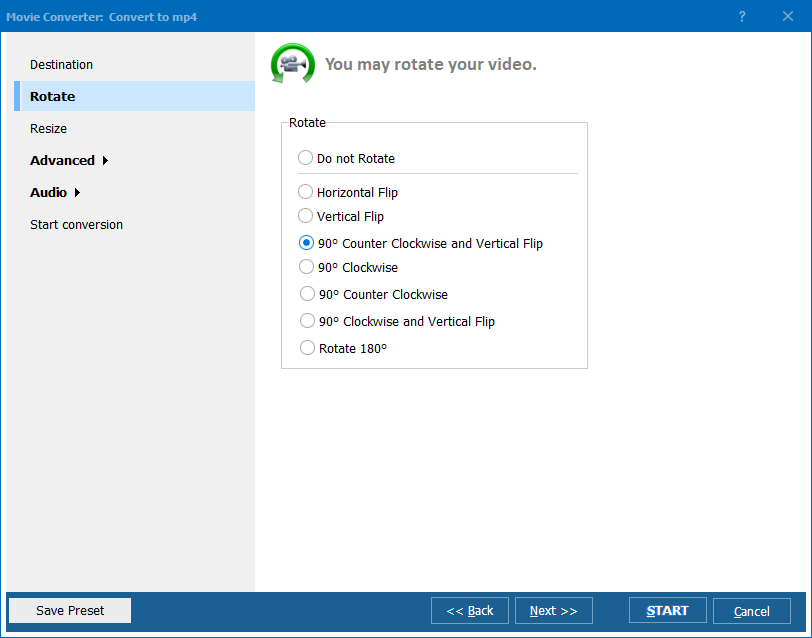
| Rotate / resize / cut / combine | Yes | Limited or none |
| Convert from YouTube URL | Yes | Separate tool needed |
| Codec & bitrate control | Full control | No or limited |
| Device presets (iPhone, iPad, Xbox) | Yes | Some services |
| Pricing | $29.90 one-time | Monthly subscription or per-file |
(includes 30 day FREE trial)
(only $29.90)

"Eve got the new key you sent her. She loves Total Movie Converter as much as I do and I just gotta say this level of personalized product support is pretty rare on the internet these days. Ive tried other programs over the years but TMC is the only one where you just have to go click, click and it converts! Never mind the fact that ALL the rest choke on .m2vs."
 Thanks, David K.
"So far the video converter is great, so easy for me to use. I am not that PC savvy so any program which makes things simple and easy is what I look for. Once I use it more, will be happy to give some constructive feedback. Thus far all good. Thanks and regards."
 Trish
Trish
Updated Fri, 05 Jun 2026
(only $29.90)
Updated Fri, 05 Jun 2026
(only $29.90)
 Sylvain CapuanoGTS Site Support Lead | Avery Dennison
Adam Holmes
Updated Fri, 05 Jun 2026
(only $29.90)
Download free trial and convert your files in minutes.
No credit card or email required.