Logo
Home Products Support Contact About Us

Convert Emails to PDF and Stamp Bates


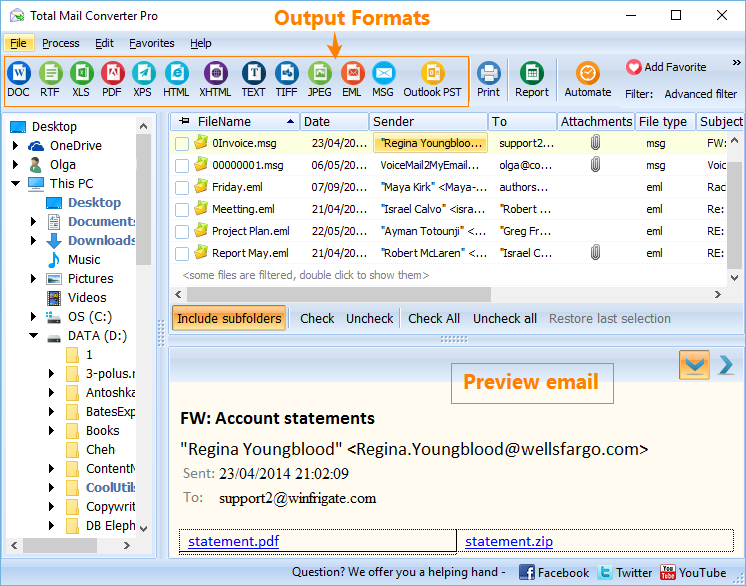
Bates stamping is undoubtedly one of the best and easiest ways to index large sets of documents, with electronic Bates stamping finally becoming the norm across most businesses. While you can manually add in Bates numbers to PDF files using Acrobat, Total Mail Converter Pro makes everything just that extra bit easier by allowing you to convert emails to PDF and stamp Bates in one quick step. With Total Mail Converter Pro, you can convert whole batches or folders of MSG or EML files into PDF with bates in just seconds.

Quick answer: To Bates stamp emails, open Total Mail Converter Pro, select your MSG or EML files, click the PDF button, and enable Bates numbering. Set the digit count, starting number, and whether the sequence continues across all files or restarts per file, place it in the header or footer, then click Start. Every page is stamped automatically as it converts.

stamp bates to outlook

After selecting all of the emails you want convert to PDF, you'll then be able to add in your Bates stamping on every page of each file. While this numeration function is essentially just a page counter, it also works exactly the same as manually stamping each page - allowing you to automatically add in your own unique numbering system to your email files as they're converted. No matter what numbering format you use, Total Mail Converter Pro makes it simple to copy virtually any existing sequence.

  • Choose the desired number of digits (e.g. 5 digits= 00001, 00002, etc.)
  • Choose the starting number - useful if you're adding documents to an existing index
  • Continue the number sequence throughout all documents or number each file individually
  • Add page counts in either the header or footer

There's no doubt that automatically Bates stamping each email as its converted can save a huge amount of time over trying to do it all manually. For starters, Total Mail Converter Pro is already the easiest and quickest way to convert bulk batches of email files to PDF. It enables you to convert thousands of files in just a few minutes, a huge difference compared to the hours or days it would take to convert each file individually with a PDF printer.

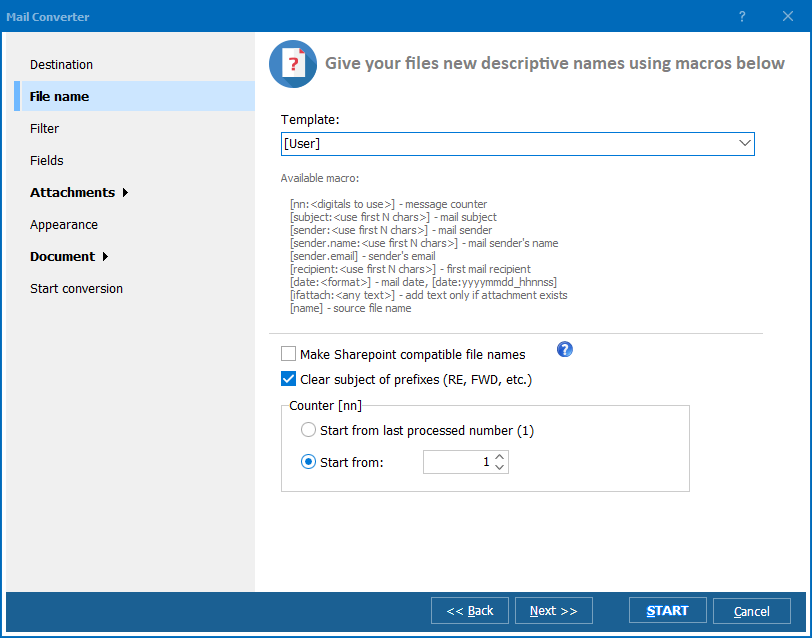
The inclusion of the Bates stamping function is just another added bonus, ensuring that your converted PDFs will be ready for easy indexing, searching and referencing. As well, you can even choose to rename each of the files with the beginning and ending Bates stamp to make it even easier to find exactly those pages that you need in seconds.

So stop wasting your time individually converting and Bates stamping your emails one by one and instead get Total Mail Converter Pro so you can convert emails to PDF and stamp Bates automatically.

Windows 2000/2003/Vista/7/8/10/11


quote

Total Mail Converter Pro Customer Reviews 2026

Rate It
Rated 4.7/5 based on customer reviews
5 Star

"Bates stamping evidence by hand in Acrobat was consuming hours before every production deadline. Total Mail Converter Pro converts whole batches of MSG and EML files into PDF and stamps Bates numbers in the same step, so exhibits are indexed the moment the conversion finishes."

5 Star Gordon Ashworth Litigation Partner, Ashworth & Pryce LLP

"We submit client email correspondence to tax authorities and need every page numbered sequentially for the record. Total Mail Converter Pro converts a full folder of emails to PDF with Bates numbers applied automatically, and the numbering never skips or restarts across a large batch."

5 Star Priscilla Nkomo Tax Adviser, Nkomo & Associates

"Government records requests come with strict page-numbering rules, and manually stamping each converted email used to be the bottleneck. Total Mail Converter Pro handles the MSG-to-PDF conversion and Bates stamping together in seconds, though the starting number field takes a careful look the first time to avoid restarting mid-batch."

4 Star Desmond Achebe Records Officer, Municipal Licensing Department

Bates Stamping Emails — FAQ ▼

How do I Bates stamp emails when converting to PDF?

Total Mail Converter Pro converts emails to PDF and stamps Bates in one step. Select your MSG or EML files, click the PDF button, enable Bates numbering, and the program stamps every page as it converts.

Can I choose how many digits the Bates number has?

Yes. You set the desired number of digits, so five digits gives 00001, 00002, and so on. This lets you match virtually any existing numbering format.

Can I set the starting Bates number?

Yes. You choose the starting number, which is useful when you are adding new documents to an existing index and need the sequence to pick up where it left off.

Does the Bates sequence continue across multiple files?

You decide. Total Mail Converter Pro can continue the number sequence throughout all documents or number each file individually, depending on how you want the set indexed.

Where does the Bates number appear on the page?

You can add the page count and Bates number in either the header or the footer of every page of each converted file.

Can I rename files with the Bates numbers?

Yes. You can rename each file with its beginning and ending Bates stamp, which makes it easy to find exactly the pages you need in seconds.

How many emails can I convert and stamp at once?

Total Mail Converter Pro converts whole batches or folders of MSG and EML files in seconds, letting you process thousands of files in a few minutes instead of hours.


Start working now!

Download free trial and convert your files in minutes.
No credit card or email required.

⬇ Download Free Trial Windows 7/8/10/11 • 172 MB

Support
Total Mail Converter Pro Preview1
Total Mail Converter Pro Preview2
Total Mail Converter Pro Preview3

Latest News

Newsletter Subscribe

No worries, we don't spam.


© 2026. All rights reserved. CoolUtils File Converters

Cards