Need help? Reach us at 

 +1 (855) 418-2323
Need help? Reach us at
+1 (855) 418-2323

 TIFF and PDF apps
Many of us come accross the problem of blank pages in scanned TIFF and PDF files. Luckily, CoolUtils has created TIFF PDF Cleaner able to detect blank pages and delete them. Moreover, you can set appropriate tolerance detecting blank pages.
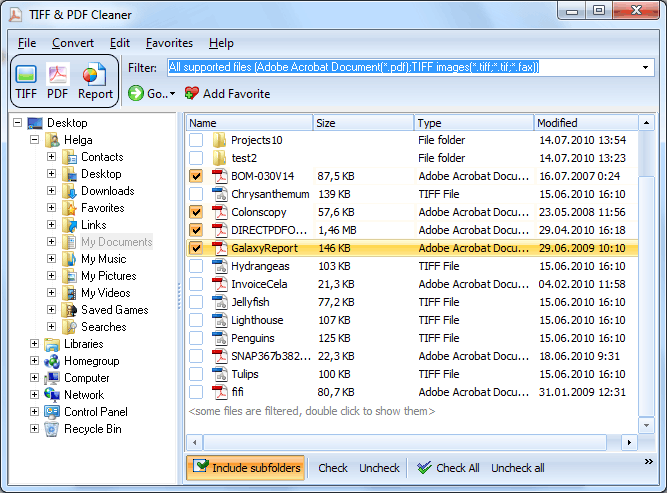
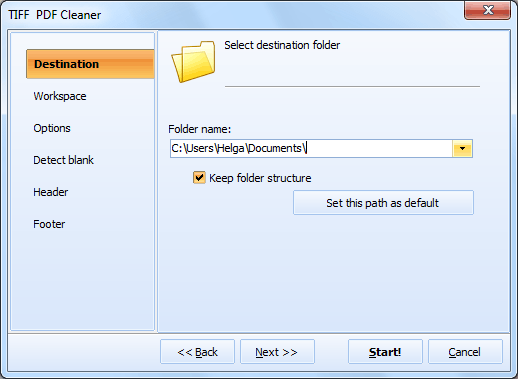
Quick answer: To control how Tiff PDF Cleaner detects blank pages, open the program, select the folder and check the PDF or TIFF files, choose the target format, enable the Detect blank option, then set the tolerance on a scale of 1 to 10, the crop-border tolerance from 0 to 255, and the workspace in pixels, and click Start. Lower tolerance catches faint marks; higher tolerance ignores them, matching the quality of your scans.

TIFF PDF Cleaner supports command line and GUI. To use the program via graphic user interface you should do the following:
Download free trial and convert your files in minutes.
No credit card or email required.