Need help? Reach us at 

 +1 (855) 418-2323
Need help? Reach us at
+1 (855) 418-2323

 File Converters
TIFFs have long been one of the go-to file formats for graphics professionals worldwide. If you've worked in the printing or publishing industry for any length of time, you've probably come to rely on them throughout your working day in one capacity or another.
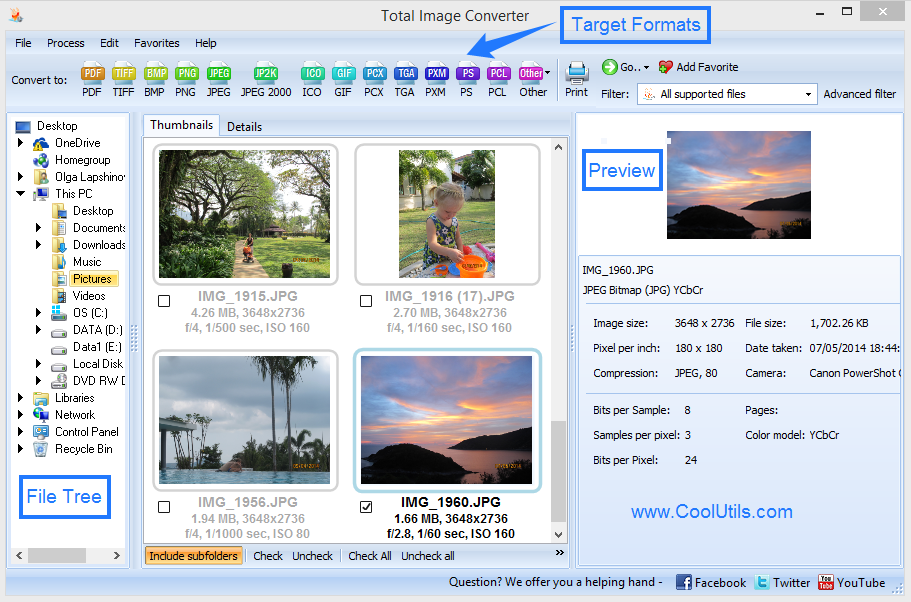
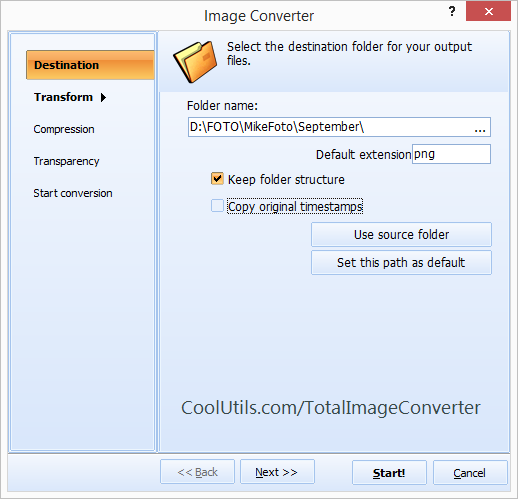
Quick answer: To combine TIFF to PDF, install Total Image Converter, open the folder of TIFF files, select them, click the PDF button, turn on the multipage option to merge by folder or common name, then click Start. The whole set becomes one multi-page PDF offline, with no upload and no file count limit.
More often than not though, at some stage of your workflow there will be a requirement for outputting TIFFs as a PDF. And the chances are you'll be dealing with multiple files when this comes up.
If you need to combine TIFF into PDF or are looking for some sort of solution for moving TIFF to multi-page PDF, there are of course a number of options at your disposal.
Several of Adobe's flagship products would be up to the job for example but, if you're just looking to get the job done with no fuss or wider licensing requirements, this may not be an option you can even entertain.
What you really need is a low-cost, powerful utility that can let you zip through any number of files with minimum hassle and get on with your working day. Total Image Converter from CoolUtils, the programs of which have been polished through scrupulous testing and millions of uses, is the right tool for precisely this job.
You'll be fully covered for any TIFF conversion needs you might have in addition to being able to quickly and efficiently process any number of other common graphic formats such as JPG, RAW, PNG, and PSD.
The software comes with a number of incredibly handy options for converting multiple source files into one output file as well. When deadlines are looming, the last thing you want to be doing in hunting and pecking through various folders on your local system and wasting precious time.

Total Image Converter's intelligent options for combining files by folder or by common name will save you and your team an enormous amount of effort.
Advanced file handling options also come as standard with our solution. Whether it's a need for encryption, compression options for output files or the option to add digital signatures to your documents, our full suite of additional options has you covered.
Download our free trial copy today and discover the full range of functionality on offer for yourself!
Download free trial and convert your files in minutes.
No credit card or email required.