Need help? Reach us at 

 +1 (855) 418-2323
Need help? Reach us at
+1 (855) 418-2323

 File Converters
A folder holds thousands of photos or scans, and every one has to become another format — resized for the web, flattened to PDF, or turned into a JPEG a client can actually open. On a work PC that job also has to be licensed cleanly. On Windows two tools come up again and again: Total Image Converter, which costs $24.90, and IrfanView, the legendary free viewer. Here is how they actually compare.
Quick answer: IrfanView is the free pick for personal use — it views, edits and batch-converts images at home for nothing. Total Image Converter is built for business conversion: it reads camera RAW (CR2, CR3, NEF, ARW, DNG, ORF, RAF, PEF, RW2) natively with no plugin pack, converts whole folder trees while keeping their structure, bundles images into one multipage PDF, and ships a documented command line — with a 30-day free trial and commercial use covered by the license.
| Total Image Converter | IrfanView | |
|---|---|---|
| Batch conversion | Yes — whole folders including subfolders, keeps the folder structure in the output | Yes — File > Batch Conversion; output goes to one folder |
| Camera RAW | Native — CR2, CR3, NEF, ARW, DNG, ORF, RAF, PEF, RW2, no plugins | Yes — after installing the separate Plugins pack |
| Output formats | JPG, PNG, TIFF, PDF, BMP, GIF, WebP, TGA, PCX, JPEG2000, ICO and 20+ more | JPG, PNG, TIFF, BMP, GIF, WebP and many more; PDF via plugin |
| Resize, crop, rotate | Yes — in the same pass | Yes — batch advanced options |
| Images to one multipage PDF or TIFF | Yes — the -combine switch | Limited — via plugin |
| CMYK to RGB, DPI control | Yes | Limited |
| Command line | Yes — documented switches, .bat friendly | Yes — command-line options |
| Free for personal use | 30-day free trial, then $24.90 | Yes — free for private, non-commercial use |
| Commercial use | Covered by the $24.90 license | Paid license required, about US$18 per seat |
| Operating system | Windows 7/8/10/11 | Windows |
| Support | Developer support from CoolUtils | Forum and email |
IrfanView earned its cult status. It is tiny, opens in an instant, and reads dozens of formats — and with its free Plugins pack it handles RAW, video thumbnails and much more. For a home user it costs nothing, and the built-in Batch Conversion can resize, crop and re-encode a whole list of files in one go. It is also a viewer, a quick editor and a screen-capture tool, so many people never need anything else.
Its commercial license is inexpensive too — around US$18 per seat. If you mostly view images and convert the odd batch, IrfanView is hard to beat.
No. IrfanView is freeware only for private, non-commercial use at home, plus education, charity and government bodies. To run it at a business you must buy a license — currently about US$18 per seat, perpetual, valid for all 32- and 64-bit versions. Total Image Converter is paid software from $24.90, and that one license already covers commercial use; its 30-day trial needs no email or credit card. Both, in other words, cost money in a business — the difference is what each one gives you for it.
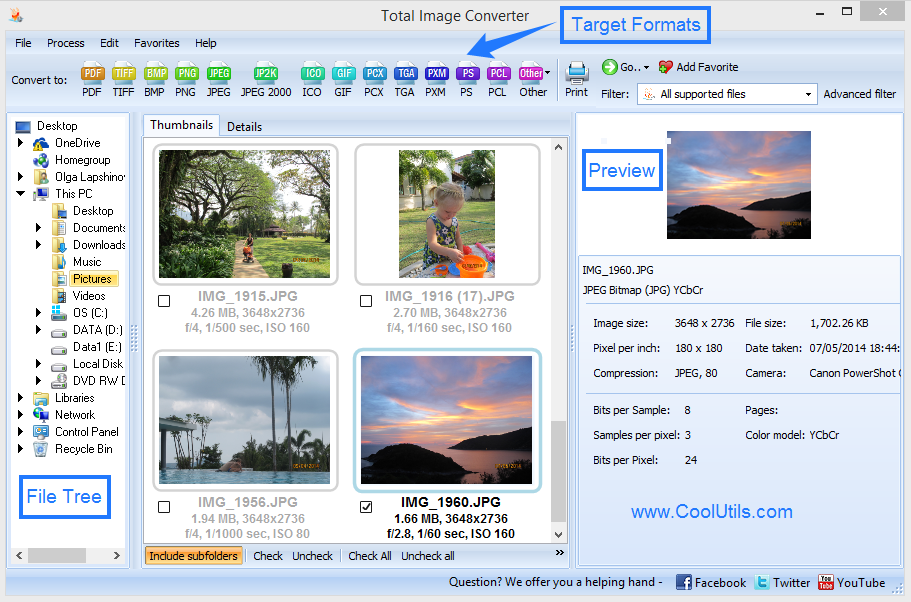
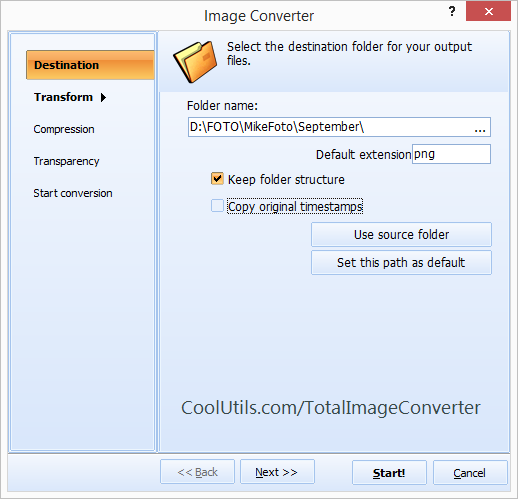
Open the folder of RAW files in Total Image Converter, tick the shots you want, click the JPEG button, set quality and size, then press Start. From the command line the same job is:
ImageConverter.exe C:\Photos\*.CR2 C:\JPEG\ -c JPEG -s 1920x1080 -Recurse -kfs
-c JPEG sets the target format, -s 1920x1080 resizes, -Recurse includes subfolders, and -kfs rebuilds the same folder structure in the output. IrfanView can convert RAW from its command line too, but only once the Plugins pack is installed.
Yes. Total Image Converter applies resize, crop, rotate and a text or logo watermark during the same conversion, so there is no second tool to run afterwards:
ImageConverter.exe C:\Photos\*.jpg C:\Web\ -c JPEG -s 1200x800 -wmt "Studio 2026"
In the wizard the same options live on the Resize and Watermark steps. IrfanView can resize in batch and add a watermark overlay too, so for simple cases either tool works.
Total Image Converter costs $24.90 for a personal license, commercial use included. The 30-day trial is free and fully functional — run it on a real folder of RAW photos and compare the output side by side. For a step-by-step walkthrough see how to convert RAW to JPEG.
Download free trial and convert your files in minutes.
No credit card or email required.