Logo
Home Products Support Contact About Us
arrow1 File Converters

Convert HPGL2 to PDF In Batch


Developed by Hewlett-Packard, the HPGL2 or HP-GL/2 is a standard format for HP plotters. It is created when CAD data are saved before printing and can be read by HP plotters. There are few tools that can read and edit HPGL2 files, but Total CAD Converter can also convert HPGL2 to PDF, a widely used file format.

This particular HPGL2 converter produces the vector images with utmost accuracy in the output, thanks to the "true printing-quality" rendering ability. This has become possible due to the constant users' feedback and subsequent refinement work for 12 years.

Besides being an excellent HPGL2 to PDF converter, Total CAD Converter lets you edit and customize your output file to the extent that hardly any other similar solutions offer. Just have a look at some HPGL2 converter's options:

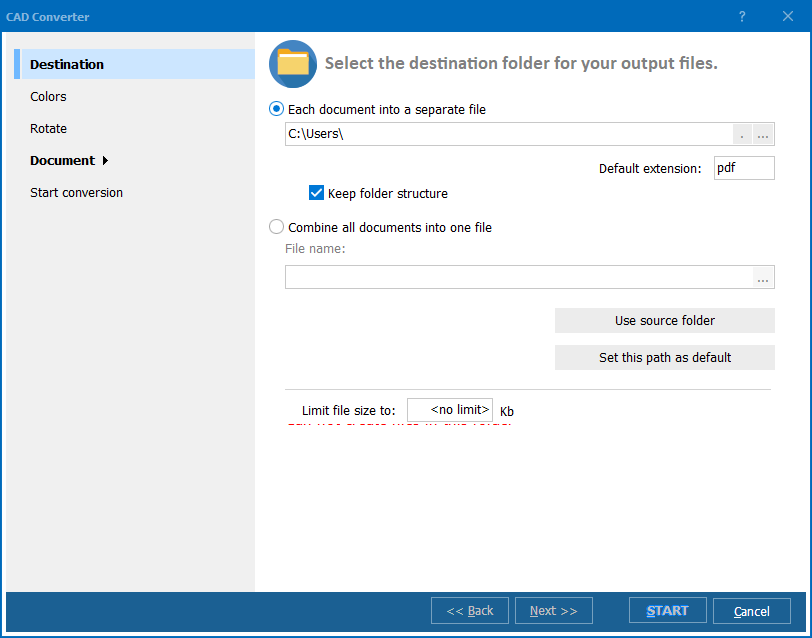
  • Export multiple drawings into a single PDF file;
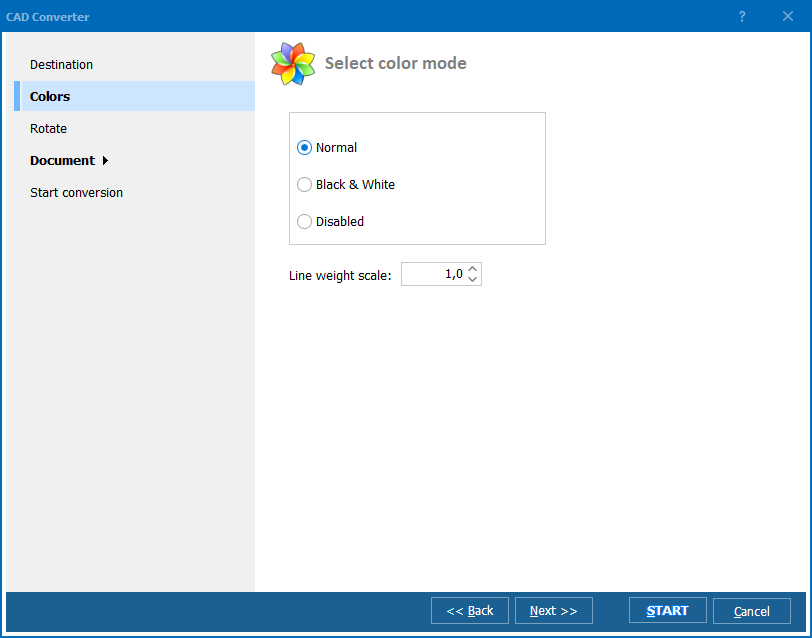
  • Use the black-and-white mode, that makes those light colored lines like yellow more visible;
  • Choose which of the PDF output formats you need - normal PDF, PDF/A or non-searchable PDF;
  • Change image orientation, e.g. rotate, flip etc.;
  • Fit-to-page option for batch processing documents of different sizes;
  • Other numerous page layout options - margin, font size, paper orientation etc.;
  • Various line width options for drawings or text;
  • Set various user permission before saving pdf file - permission to read, copy, print, annotation etc.;
  • Make the resulting pdf file Password-protected;
  • Assign a digital signature to the document;
  • Add watermark to all the pages for better copyright protection.

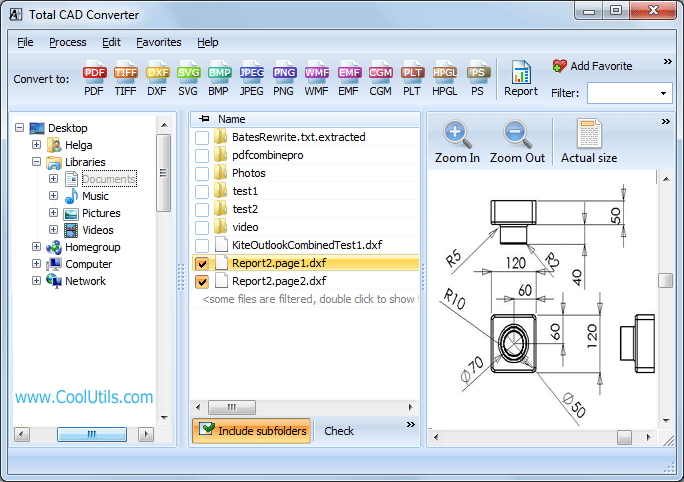
A beginner will find the GUI interface of Total CAD converter simple enough to operate without assistance. And expert folks can use the program via command line.

These are some of the features that makes Total CAD Converter a unique software tool.

Total CAD Converter delivers exactly what you want, we know it because we have taken your feedback seriously and built this HPGL2 converter upon it. If you think that this product will cost you an arm and a leg, then we are happy to tell you that when all the benefits are combined, Total CAD Converter is much more affordable than other similar solutions on the market.

Evaluate the converter's power now - download a 30-day free trial version of the application!

Windows 2000/2003/Vista/7/8/10/11. GUI + command line tool.


quote

Total CAD Converter Customer Reviews 2026

Rate It
Rated 4.8/5 based on customer reviews
5 Star

"We convert HPGL2 plot files from our HP DesignJet plotters to PDF for digital archiving. Total CAD Converter handles color and raster elements correctly. Processes our weekly batch of 200+ plot files."

5 Star Yuki Tanaka CAD Administrator, Mitsubishi Heavy Industries

"Legacy HPGL2 files from our defense projects need PDF format for the digital technical data package. Total CAD Converter preserves line quality at full scale. Command-line mode fits our batch processing pipeline."

5 Star Richard Coleman Engineering Manager, Lockheed Martin

"Our older plotters generate HPGL2 files that engineers need as PDF. Total CAD Converter handles every HPGL2 variant we have encountered. Batch mode and command-line integration work well with our document system."

4.5 Star Andreas Muller IT Support, Bosch Engineering

FAQ: Converting HPGL2 to PDF ▼

HPGL2 (Hewlett-Packard Graphics Language 2) is an enhanced plotter language supporting raster graphics, fonts, and color. It is used by HP DesignJet and other large-format plotters.
Open Total CAD Converter, select your HPGL2 files (.gl2, .hp2, .hpgl2), click PDF, and press Start.
Yes. Total CAD Converter renders color, line styles, and raster elements from HPGL2 files accurately in the PDF output.
Yes. Architectural and engineering drawings at 24x36 and larger sizes are supported.
Yes. Process entire folders of HPGL2 files in one run.
Yes. Command-line interface supports all options for scripted and scheduled processing.


Start working now!

Download free trial and convert your files in minutes.
No credit card or email required.

⬇ Download Free Trial Windows 7/8/10/11 • 201 MB

Support
Total CAD Converter Preview1
Total CAD Converter Preview2
Total CAD Converter Preview3

Latest News

Newsletter Subscribe

No worries, we don't spam.


© 2026. All rights reserved. CoolUtils File Converters

Cards