Need help? Reach us at 

 +1 (855) 418-2323
Need help? Reach us at
+1 (855) 418-2323

 TIFF and PDF apps
Download Tiff PDF Cleaner and clean your scanned PDFs in one click.
(includes 30 day FREE trial)
(only $59.90)
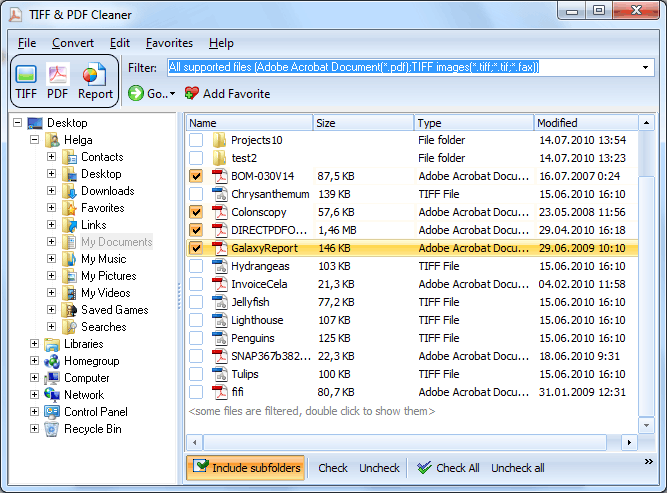
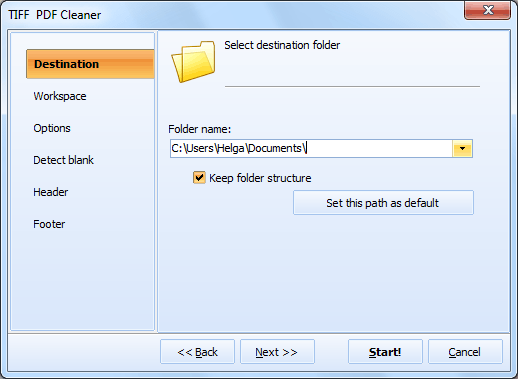
Quick answer: To delete blank pages from PDF files, install Tiff PDF Cleaner, add your PDF files or a whole folder, set the Tolerance and Workspace detection parameters, choose to Delete or Extract the blank pages, optionally enable a report, then click Start. The program scans every file and removes empty pages in one batch, with deleted pages saved for review.
Most office scanners use an automatic document feeder (ADF) with duplex scanning enabled by default. When you scan single-sided originals in duplex mode, the scanner captures the empty back of every sheet as a separate page. A 50-page document turns into 100 pages, half of them blank. Multiply this by hundreds of files in a document archive, and you have thousands of useless pages inflating file sizes and slowing down search.
Some scanners also insert separator pages between document batches. These intentional blanks serve a purpose during scanning but become noise once the files are stored. The result is the same: PDF files stuffed with pages that contain no useful content.
Deleting these pages by hand in a PDF editor means opening each file, scrolling through pages, selecting blanks, and saving. For a single file this takes minutes. For a folder with 500 scanned PDFs it takes days. Tiff PDF Cleaner automates this: point it at a folder, set your detection parameters, and let it clean every file.
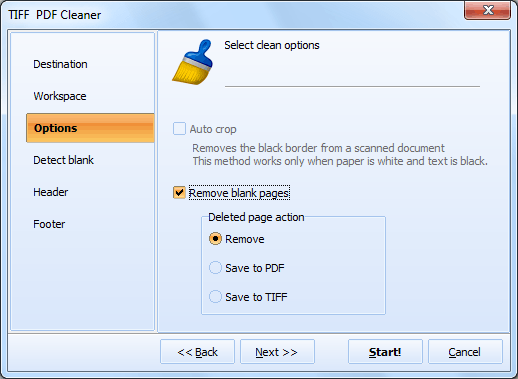
The entire process takes seconds even for large batches. Original files can be preserved or overwritten depending on your settings.
Tiff PDF Cleaner includes a command-line interface for automated and server-based processing. Run it from scripts, batch files, or Windows Task Scheduler.
Basic example — remove blank pages from all PDFs in a folder:
TiffPDFCleaner.exe "C:\Scans\*.pdf" "C:\Clean\" -c pdf
Set blank detection tolerance (1–10, higher = more strict):
TiffPDFCleaner.exe "C:\Scans\*.pdf" "C:\Clean\" -c pdf -bt 5
Process subfolders recursively, keep folder structure, and disable deskew:
TiffPDFCleaner.exe "C:\Scans\*.pdf" "C:\Clean\" -c pdf -bt 5 -Recurse -kfs -deskew:off
The GUI includes a "Create command file with current settings" button that generates a .bat file matching your current parameters. Set up your detection settings visually, export the command, and schedule it to run nightly on a shared folder.
 Adjustable blank detection. Not all blank pages are truly empty. Scanned blanks may have dust specks, faint headers, or scanner artifacts. The Tolerance parameter controls how much noise a page can contain and still be flagged as blank. The Workspace setting lets you define exactly which area of the page to analyze, so headers and footers are ignored.
Batch processing. Point the program at a folder with hundreds of PDF files and process them all in a single run. Recursive mode handles subfolders automatically while preserving the original directory structure in the output.
Safe mode with extraction. Not sure the detector is right? Tell the program to extract blank pages into a separate folder instead of deleting them. Review the extracted pages later to confirm nothing important was removed.
Detailed reports. Generate a report in PDF, TXT, or CSV format after processing. The report lists every file, how many pages it had, how many were detected as blank, and what action was taken. Essential for audit trails in regulated industries.
Additional PDF tools. Beyond blank page removal, the program crops black borders from scans, adds headers and footers with page numbers or Bates stamps, deskews crooked pages, and converts between TIFF and PDF formats.
Command line and automation. Run the same operations from a script or scheduled task. The GUI exports your current settings as a ready-to-use .bat file, so you don't need to memorize command-line parameters.
| Feature | Manual (PDF Editor) | Tiff PDF Cleaner |
|---|---|---|
| Files per session | 1 at a time | Unlimited (batch) |
| Blank page detection | Visual (scroll through pages) | Automatic with tolerance |
| Time per 100 files | Hours | Seconds |
| Subfolder support | No | Recursive processing |
| Audit report | No | PDF / TXT / CSV report |
| Safe review mode | N/A | Extract blanks to folder |
| Automation | None | Command line + Task Scheduler |
| Extra features | None | Crop borders, deskew, headers, Bates stamps |

(includes 30 day FREE trial)
(only $59.90)
Download free trial and convert your files in minutes.
No credit card or email required.

Related Topics
How to Stamp Bates Numbers on PDF and TIFF Files
