Need help? Reach us at 

 +1 (855) 418-2323
Need help? Reach us at
+1 (855) 418-2323

 TIFF and PDF apps
(includes 30 day FREE trial)
(only $59.90)
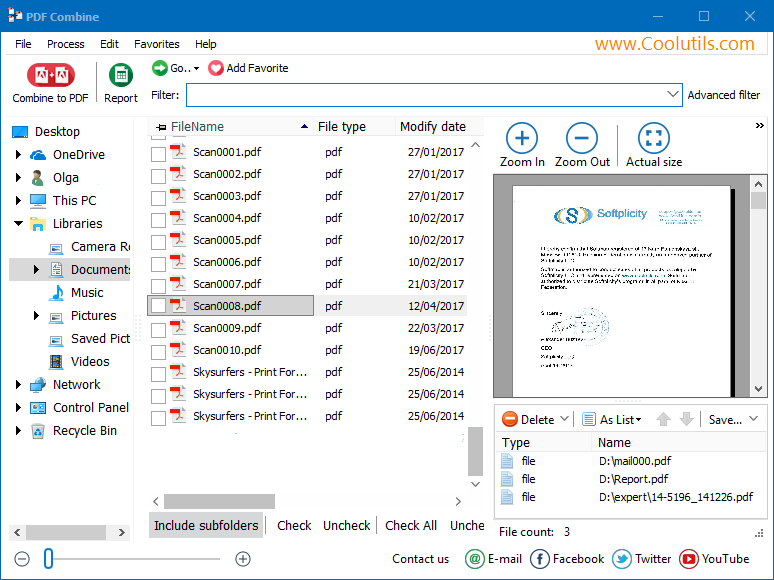
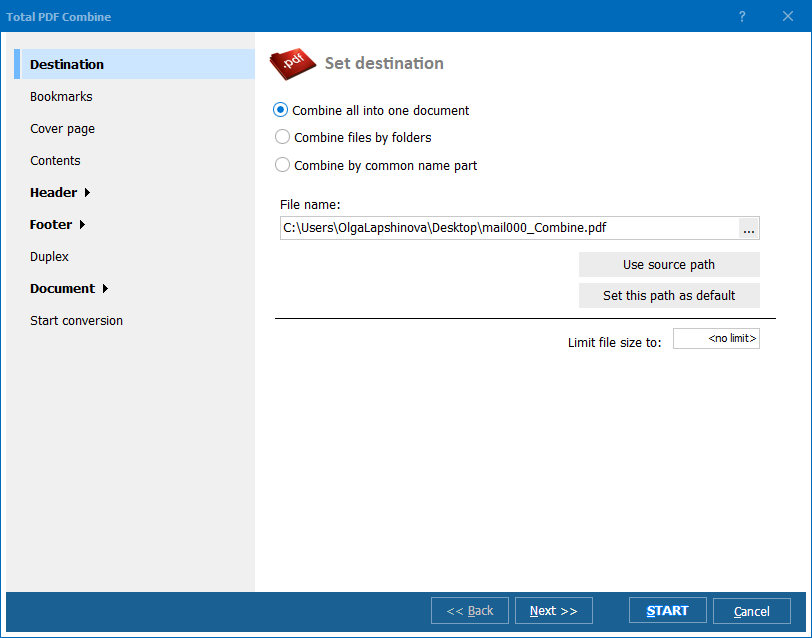
Quick answer: To append PDF files into one document, open PDF Combine, navigate to the folder, check the files in the order you want (drag to reorder), click Combine to PDF, enable a table of contents and page numbering, choose a destination, then press Start. PDF Combine joins them end to end in seconds, leaving the originals untouched.
Appending a PDF means adding the pages of one file to the end of another. The result is a single continuous document. Unlike merging (which may reorder or interleave pages), appending preserves the original page sequence of each file and places them one after another in the order you specify.
A simple example: you have Invoice_January.pdf (10 pages) and Invoice_February.pdf (12 pages). Appending them produces a single 22-page PDF with January first and February second. The formatting, fonts, images, and bookmarks of each source file remain intact.
PDF Combine goes beyond basic appending. It can process folder structures — each subfolder becomes a separate combined PDF, preserving your file organization. It adds page numbers that run continuously across all appended documents, inserts a table of contents listing each source file, and stamps Bates numbers for legal compliance.
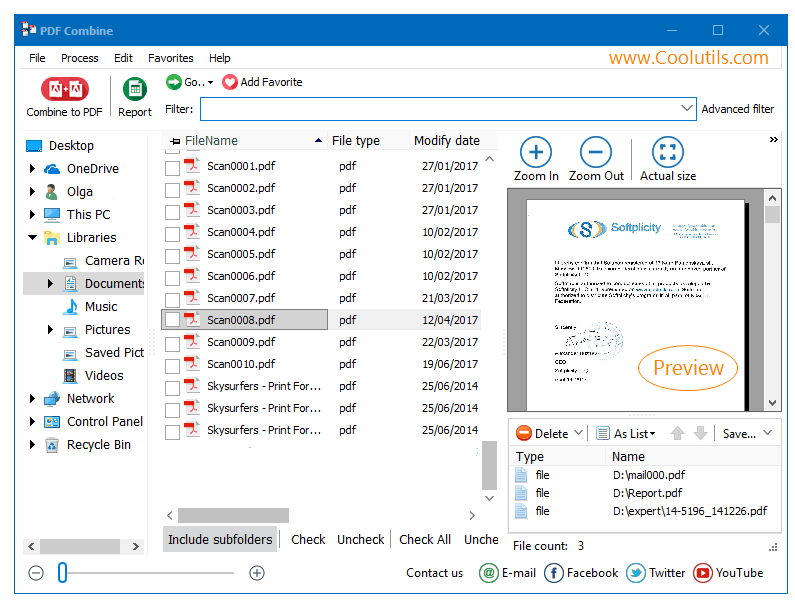
The process takes seconds, even for hundreds of files. PDF Combine preserves all formatting, fonts, images, and interactive elements from the source documents.
PDF Combine includes a command-line interface for automated and server-side workflows:
PDFCombine.exe C:\Reports\*.pdf C:\Output\combined.pdf -PN -TOC
The -PN flag adds page numbers; -TOC generates a table of contents. Schedule this in Windows Task Scheduler to merge incoming reports automatically. The command-line version runs without a GUI and fits into document management pipelines.
 Automatic table of contents. PDF Combine generates a clickable TOC from the filenames of your source documents. Open the combined PDF and jump to any section instantly. No manual bookmark editing.
Continuous page numbering. Add page numbers that run sequentially across all appended documents. Choose the format (1, 2, 3 or i, ii, iii), position (header or footer), and starting number. Bates stamping with prefixes and suffixes is also supported for legal documents.
Folder-based combining. Select a parent folder with subfolders. PDF Combine produces one combined PDF per subfolder, matching your file organization. A folder with 12 monthly subfolders produces 12 combined PDFs — one per month.
Cover pages and separators. Insert any existing PDF as a cover page. Add blank or labeled separator pages between source documents to visually divide sections in the output file.
Batch processing. Point the program at a folder with 500 PDFs and combine them all in one run. No file size limits, no page count restrictions. The program handles documents of any complexity.
One-time purchase. A single license at $59.90 covers the software for life. Free upgrades for 12 months. No subscriptions, no per-file charges.
| Task | Manual (Acrobat) | PDF Combine |
|---|---|---|
| Append 50 PDF files | 15–30 minutes | Under 10 seconds |
| Table of contents | Create bookmarks manually | Auto-generated from filenames |
| Continuous page numbers | Add headers manually | One setting for all documents |
| Bates stamping | Requires Acrobat Pro | Built-in with prefix/suffix |
| Folder-based combining | Not supported | One PDF per subfolder |
| Automation | Not possible | Command-line + Task Scheduler |
| Software cost | Adobe Acrobat ($240/yr) | PDF Combine ($59.90 once) |

(includes 30 day FREE trial)
(only $59.90)
Download free trial and convert your files in minutes.
No credit card or email required.