Logo
Home Products Support Contact About Us
arrow1 File Converters

Convert ET to XLSX In Batch


Microsoft Excel is the world's dominant spreadsheet solution but it's far from the only option out there on the market. Over the years, a bewildering array of file types will probably come across your desk from various other programs. They'll all have to be opened or somehow converted so that the data they contain can be accessed by anyone in your organisation.

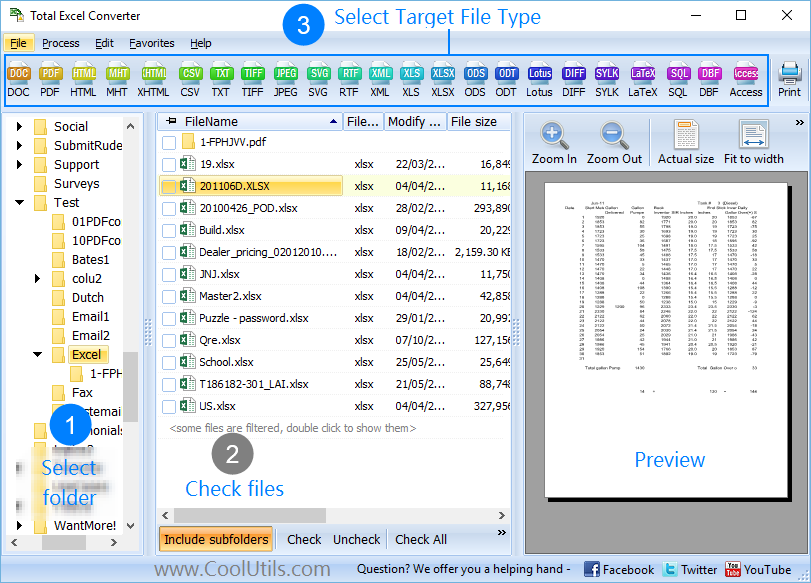
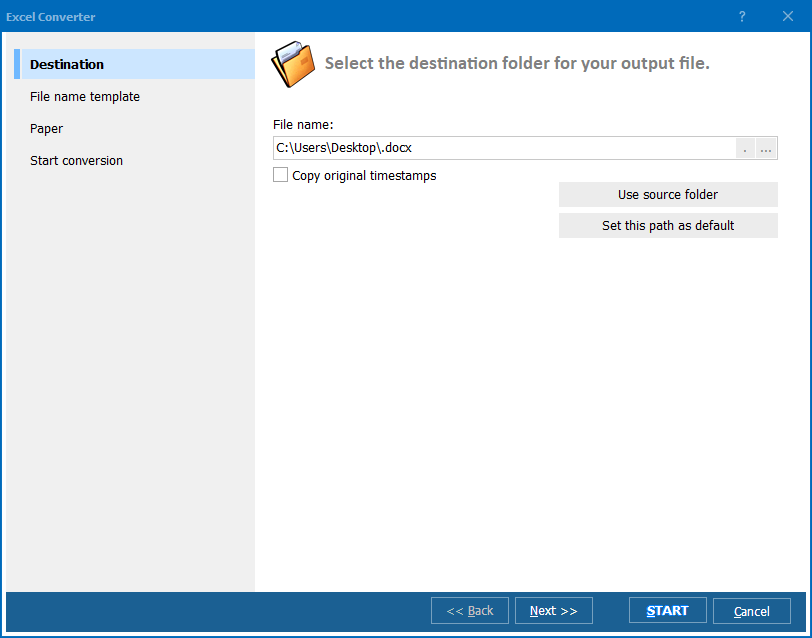
Quick answer: To convert ET to XLSX in batch, open Total Excel Converter, browse to the folder with your Kingsoft Spreadsheets ET files, check the ones to convert, click the XLSX button, confirm the output folder, then click Start. Total Excel Converter handles the whole batch at once and keeps your original folder structure intact, with no file-by-file Save As.

The .ET file extension from Kingsoft Spreadsheets is a classic example. It's fair to say that it's probably not the most widely used file format out there and if you find yourself facing a mountain of ET files, the first thing that comes to mind is going to be how to convert ET to XLSX in batch.

That's where our Total Excel Converter software comes into play. It's a fully featured XLSX converter that helps you to export ET to XLSX with ease, along with taking care of many other common scenarios.

You could of course have a go at this by hand by opening Excel and wasting potentially hours stepping through the "Save ET as XLSX" dialogue over and over again. Or you could sit back and let Total Excel Converter handle the heavy lifting.

As across our entire software product range, batch processing is a speciality. We've taken care to make sure that your original folder structure will be maintained when you're processing files in bulk which saves you an enormous amount of pre- and post-conversion busywork in terms of organisation.

The software can also be run via the command line with a full range of option flags available for power users. A special server version has no GUI at all and runs silently on a web-server.

Those who are more comfortable with a GUI are equally well served.



download Total Excel Converter

The interface itself is child's play to use thanks to its intuitive design. You can even use it create executable BAT files to take care of common tasks which can be run with a single click. The perfect combination of user-friendliness and programmatic power.

We've put a huge amount of work into making Total Excel Converter the most fully featured converter on the market at this price. Discover its power for yourself today by downloading the free trial!


quote

Total Excel Converter Customer Reviews 2026

Rate It
Rated 4.7/5 based on customer reviews
5 Star

"We inherited a folder of hundreds of Kingsoft Spreadsheets ET files from an acquired subsidiary. Total Excel Converter batch-converted the whole folder to XLSX in one run, and every formula and cell format came through intact. What would have been a week of manual re-saving took twenty minutes."

5 Star Nathan Pryce IT Administrator, Coastal Logistics Group

"Our overseas office sends budget sheets in ET format that Excel refuses to open directly. Now I just point Total Excel Converter at the folder, check the files, click XLSX, and they open in Excel without a single broken formula. The command-line option lets our IT team schedule the conversion overnight."

5 Star Priya Ramanathan Financial Analyst, Meridian Accounting Partners

"Converting ET to XLSX in batch saved me from re-entering client data by hand. The only hiccup was a couple of sheets with unusual regional number formats needing a manual check afterward, but for the volume we process that is a small price for the time saved."

4 Star Craig Bellamy Office Manager, Bellamy Tax Services

Convert ET to XLSX — FAQ ▼

What is an ET file?

An ET file is a spreadsheet created by Kingsoft Spreadsheets, part of the WPS Office suite. Converting it to XLSX turns it into a standard Excel workbook that any spreadsheet program can open.

How do I convert ET to XLSX in batch?

Open Total Excel Converter, browse to the folder with your ET files, check the ones you need, click the XLSX button, confirm the output folder, and click Start. The full batch converts in one run.

Can I convert many ET files at once?

Yes. Total Excel Converter specialises in batch processing. Point it at a folder of ET files and it converts the entire set in a single pass instead of one file at a time.

Is the original folder structure preserved?

Yes. During batch conversion Total Excel Converter can keep your original folder structure, which saves a lot of organising before and after the job.

Does Total Excel Converter run on a server?

Yes. A special server version runs silently with no GUI on a web server, so you can convert ET files to XLSX as part of an automated workflow.

Can I convert ET to XLSX without a GUI?

Yes. The software runs from the command line with a full range of option flags. Non-technical users can also generate a BAT file from the GUI and run it with a single click.


Start working now!

Download free trial and convert your files in minutes.
No credit card or email required.

⬇ Download Free Trial Windows 7/8/10/11 • 37 MB

Support
Excel Converter Preview1
Excel Converter Preview2
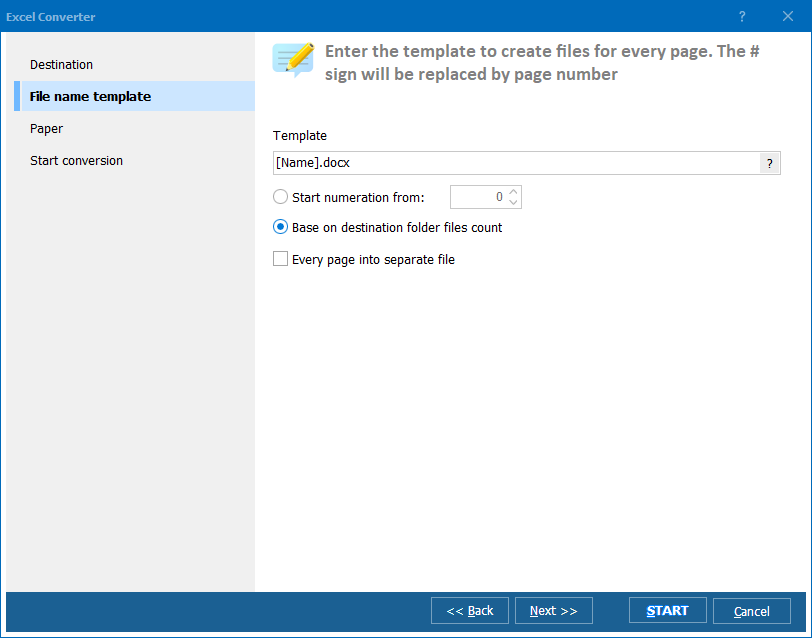
Excel Converter Preview3

Latest News

Newsletter Subscribe

No worries, we don't spam.


© 2026. All rights reserved. CoolUtils File Converters

Cards