Need help? Reach us at 

 +1 (855) 418-2323
Need help? Reach us at
+1 (855) 418-2323

 File Converters
Three hundred XLSX reports have to ship as PDF by Friday. Opening each one and clicking Save As costs an afternoon; a batch tool does the same job in minutes. On Windows there are two realistic candidates: LibreOffice, which is free, and Total Excel Converter, which costs $49.90. Here is how they actually compare.
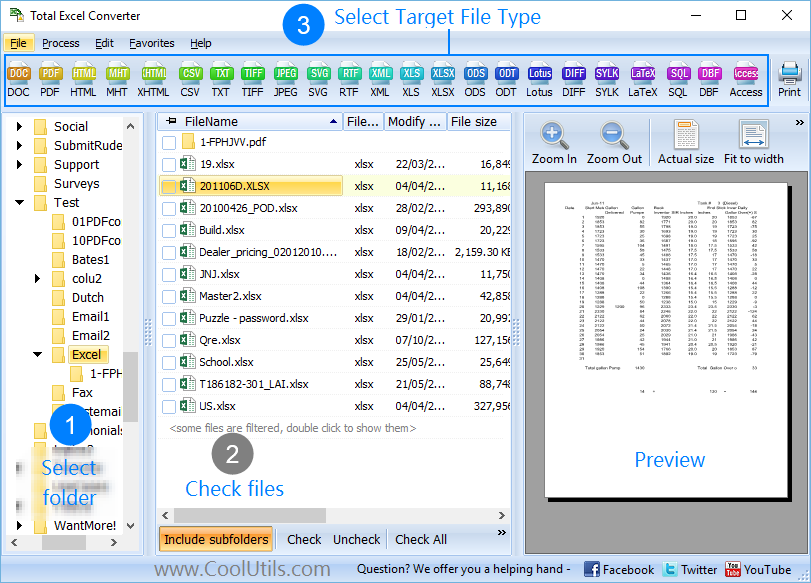
Quick answer: LibreOffice is the free pick for one-off conversions and for Linux or macOS — its soffice --headless command turns XLSX into PDF at zero cost. For recurring batch work on Windows, Total Excel Converter converts whole folder trees while keeping their structure, has a stable documented command line, and exports to more target formats (PDF, DOC, HTML, CSV, JPEG, TIFF, LaTeX and more), with a 30-day free trial.
| Total Excel Converter | LibreOffice (Calc) | |
|---|---|---|
| Input formats | XLS, XLSX, XLSM, XLSB, ODS, Apple Numbers, Lotus 1-2-3, Quattro Pro, DBF, DIF, SQL, XML — over 50 spreadsheet formats | XLS, XLSX, XLSM, ODS, CSV, DIF, DBF and the other formats Calc opens |
| Output formats | PDF, DOC, DOCX, RTF, TXT, HTML, JPEG, TIFF, CSV, DBF, XML, SQL, ODS, ODT, LaTeX, Access | PDF, ODS, XLSX, XLS, CSV, HTML, XML via export filters |
| Batch conversion | Yes — whole folders including subfolders, keeps the folder structure in the output | Wildcards work in headless mode; no subfolder recursion without extra scripting |
| Command line | Yes — documented switches, .bat friendly | Yes — soffice --headless --convert-to; one instance at a time |
| Keeps Excel formatting | Exact copy of the source layout, charts and tables | Good on simple sheets; complex workbooks may render differently |
| Operating system | Windows 7/8/10/11 | Windows, macOS, Linux |
| Price | $49.90 personal license, 30-day free trial | Free, open source (MPL 2.0) |
| Commercial use | Yes, with a paid license | Yes, free for commercial use |
| Support | Developer support from CoolUtils | Community forums and documentation |
LibreOffice is a full office suite, free under the Mozilla Public License. Calc opens the common spreadsheet formats, edits them, and exports PDF at no cost and with no time limit. It runs on Windows, macOS, and Linux — on a Linux server it is often the only practical option. The headless mode is built in, so a script can convert files without macros or add-ons.
For a single conversion, or a handful of simple sheets a month, installing anything else is hard to justify. LibreOffice does that job at zero cost.
Yes, within limits. Headless mode accepts wildcards, so one command converts every XLSX in a directory. The honest caveats: only one LibreOffice instance can run at a time, so the conversion does not start while the desktop app is open; there is no recursion into subfolders, so folder trees need a loop scripted around the command; and there is no way to keep the source folder structure in the output. For a flat folder of simple files it works fine.
LibreOffice:
soffice --headless --convert-to pdf --outdir C:\Output C:\Reports\*.xlsx
Total Excel Converter:
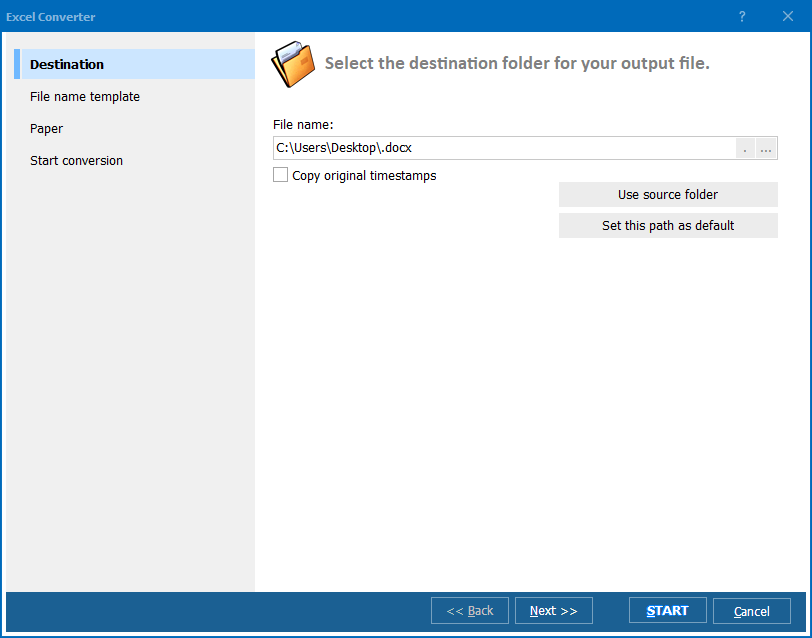
ExcelConverter.exe "C:\Reports\*.xlsx" "C:\Output\" -cPDF -Recurse -kfs
-cPDF sets the target format, -Recurse includes subfolders, -kfs keeps the folder structure in the output. The switches are documented and stable, so a .bat file written once keeps working. Neither tool needs Microsoft Office installed.
Total Excel Converter costs $49.90 for a personal license. The 30-day trial is free, fully functional, and needs no email or credit card — run it on a real folder of reports and compare the output side by side. For a wider survey of offline tools, see how to convert Excel to PDF offline.
Download free trial and convert your files in minutes.
No credit card or email required.