Need help? Reach us at 

 +1 (855) 418-2323
Need help? Reach us at
+1 (855) 418-2323

 File Converters
Total Mail Converter can print email to PDF for archiving or back up. Most other mail printers make you open each email and press Print button to get the PDF copy. Not Total Mail Converter. It can process thousands of emails in one go.
Quick answer: To print emails to PDF in batch, open Total Mail Converter, go into the mail folder you need, check off the MSG, EML, EMLX, or MIM messages, press PDF, set your options, and press Start. Thousands of emails convert in a single run, optionally merged into one bookmarked multi-page PDF instead of opening and printing each message by hand.
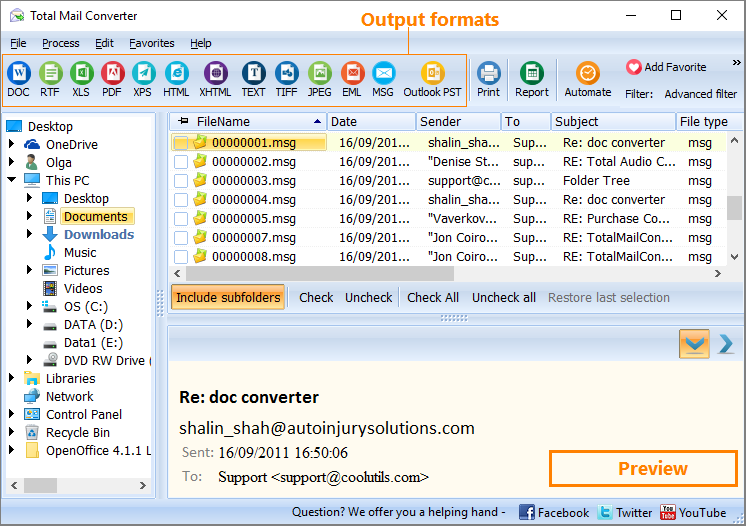
Total Mail Converter recognizes MSG, EML, EMLX, and MIM files stored in folders of your PC.
The program converts each email into a PDF document and saves it to a preset folder. You can merge all your emails into one multi-page PDF document. In this case each message will be located on a separate page and the bookmarks will make it easy to navigate within the file.
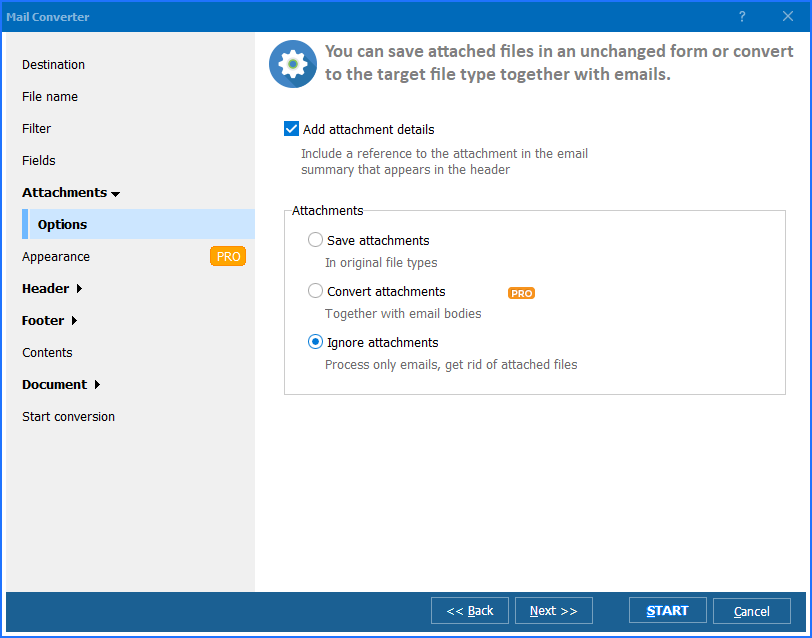
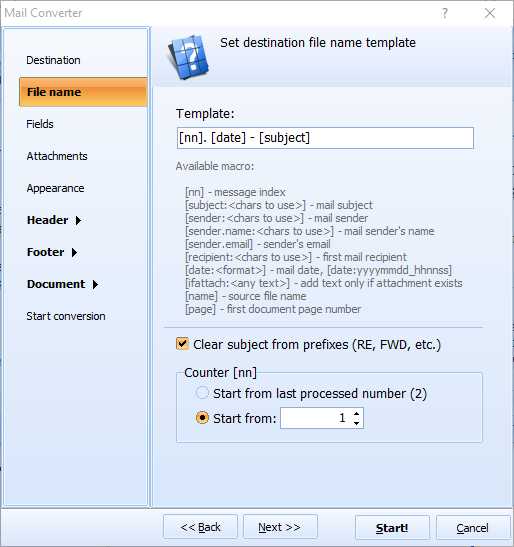
Along with conversion you can enhance your files with additional options. For example, add page counters or give the new files descriptive names (include sender, date, subject or recipient to the file name). With Total Mail Converter you can also encrypt your PDFs with a password or sign them with a digital signature. When you run the program, you will see the integration navigation tab with all your memory folders. You can process messages stored in any of them.This is how to print emails to PDF in batches:
You can convert emails to PDF running the program from the command line. This way, only one text command is required to export any number of messages to PDF. All parameters of conversion can be listed in this command without need to adjust them via user interface.
Download Total Mail Converter and enjoy a 30-days free trial version.
Windows XP/2003/Vista/7/8/10/11
Download free trial and convert your files in minutes.
No credit card or email required.

Related Topics
Convert MSG to PST
