需要帮助?联系我们 

 +1 (855) 418-2323
需要帮助?联系我们
+1 (855) 418-2323

 File Converters TIFF and PDF apps Forensic Freeware
在一个任务中批量打印 PDF、DOC、XLS、TIFF 和图像 — 智能缩放、纸盒控制和分隔页。
Windows
2000/2003/Vista/7/8/10/11/Citrix
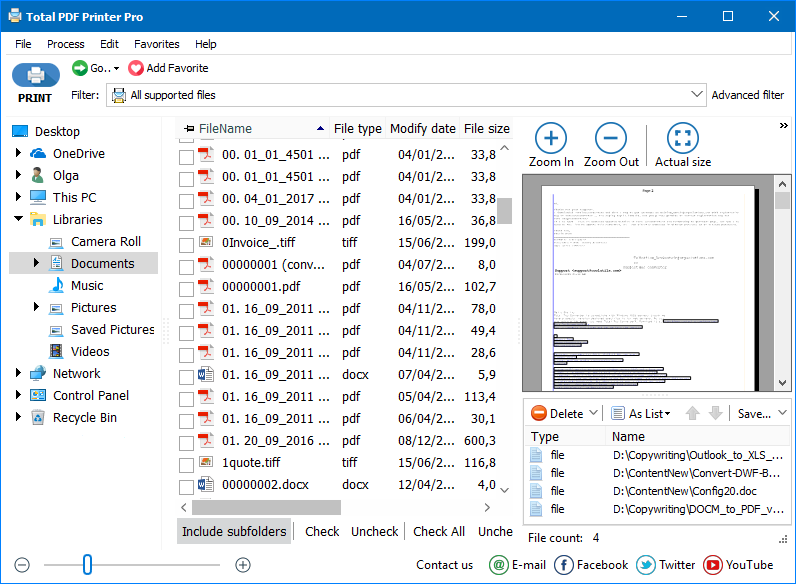
Total PDF Printer Pro 让您轻松打印出不同文件类型的众多文档。您可以在文件夹中拥有 DOC、PDF、XLS、TIFF 文件,程序会自动为您打印所有文件。Total PDF Printer Pro 支持 PDF、DOC、TXT、DOCX、HTML、XLS 文件以及几乎所有图像(TIFF、JPEG、PNG 等)。
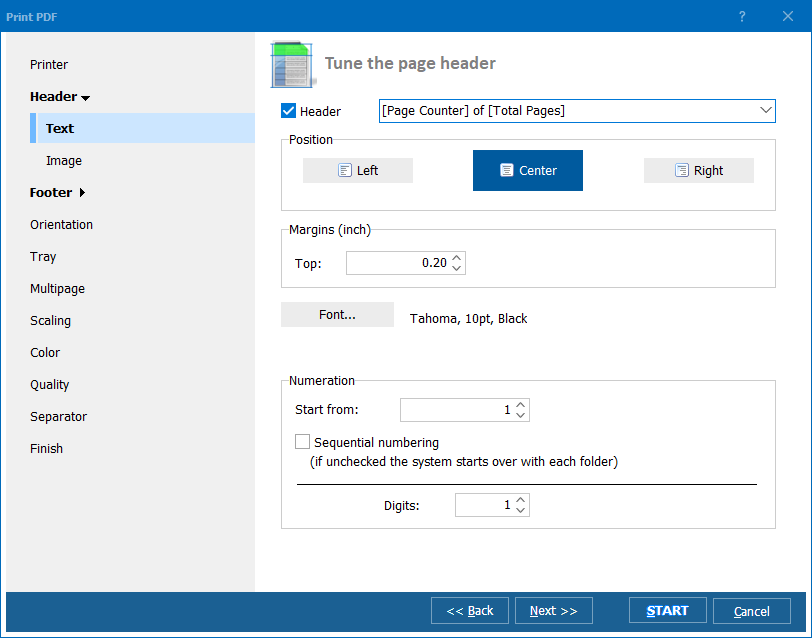
Total PDF Printer Pro 消除了打印多个文档的痛苦。它加载了许多可定制的选项以满足各种需求。
忘记反复按下打印按钮,Total PDF Printer Pro 将自动化您的日常打印任务。将所有文件放在一个列表中,一次性打印!立即下载免费试用版。
"感谢您咨询我们对TotalPDFPrinterPro的使用。我用它来打印一个包含系统生成的.pdf文件的完整文件夹。我建议这个程序的一个软件供应商。我们用于业务的软件以pdf格式生成月度报表并将其导出到一个文件。我发现一次打印几个文件太麻烦了。你的应用让我一次性完成。节省了大量时间。"
 Travis Roy www.roydentallab.com
"你的Total PDF Printer工具非常好用,我总体上非常满意,我唯一的想法是能够在文本文件中传递参数,这样我们就可以在批处理文件中拥有相同的灵活性。希望这对您有所帮助。"
Mike Benningfield
需要从混合格式文件夹批量打印 PDF、DOC、XLS、TIFF 和图像文件的团队
一键打印整个混合格式文件夹
办公管理人员一次性打印包含 PDF、DOC、XLS、TIFF 和图像文件的文件夹,而不必逐个打开每个文件。智能缩放和自动方向自动处理不同页面尺寸,分隔页标记每份文件的结束和下一份的开始位置。
带 Bates 编号和页码地打印案件文件
律所在单个批处理任务中打印跨多种格式的大型案件文件——PDF 合同、Word 摘要、Excel 证据附件和扫描的 TIFF 图像。为每张打印页面自动添加 Bates 编号和页码,使用分隔页划分文件以便实体归档。
批量打印装箱单、标签和订单文件
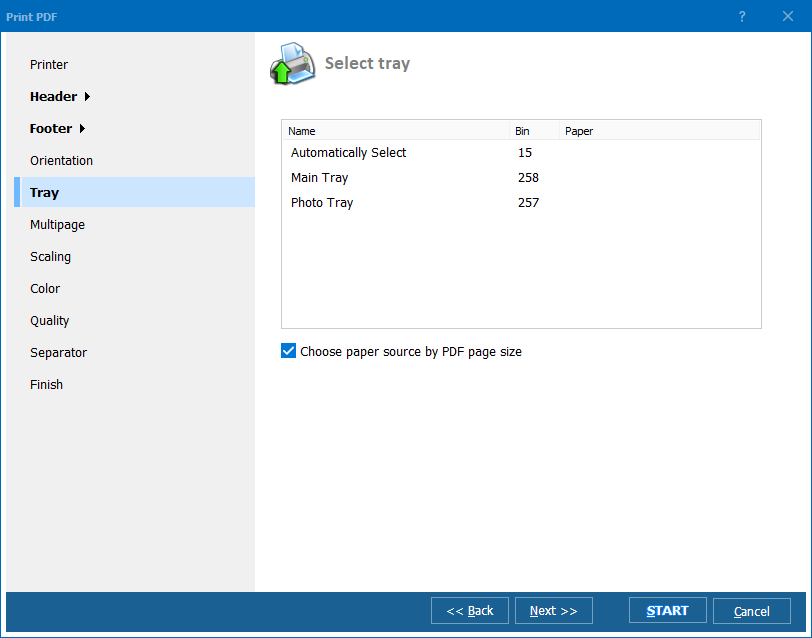
仓库和履行中心批量打印以 PDF、HTML 和图像格式收到的装箱单、快递标签和订单确认书。Total PDF Printer Pro 从单一队列处理所有格式,将输出路由至正确的打印机纸盒,并支持草稿模式以节省内部文件的墨水。
打印多格式患者记录和理赔文件
医疗服务提供商和保险公司打印以 PDF 报告、Word 表单、扫描的 TIFF 图像和 Excel 摘要混合形式收到的患者记录和理赔文件。从一个文件夹批量打印所有内容,医学图像使用高分辨率模式,内部审阅副本使用草稿模式。
通过命令行安排无人值守打印
IT 部门使用命令行版本自动化定期打印任务。存入热文件夹的报告、发票和文件按计划自动打印——无需用户交互。一次性配置打印机纸盒、打印质量和页面版式,然后让系统全程自动运行。