需要帮助?联系我们 

 +1 (855) 418-2323
需要帮助?联系我们
+1 (855) 418-2323

 File Converters TIFF and PDF apps Forensic Freeware
下载我们的工具,将XLS, XLSX, ODS, XML电子表格离线批量转换
Windows
2000/2003/Vista/7/8/10/11/Citrix
Total Excel Converter 可处理各类电子表格。输入格式支持 Excel 及 Excel 2007、XLSM、XLT、XLTM,以及 OpenOffice ODS、Apple Numbers、XML、SQL、WK2、WKS、WAB、DBF、TEX 和 DIF。输出格式更为丰富:DOC、DOCX、PDF、HTML、Access、TXT、ODT、ODS、XML、SQL、CSV、Lotus、DBF、TEX、DIFF、SYLK 和 LaTeX。支持批量转换,完全离线运行。
快速解答:要转换电子表格,请安装 Total Excel Converter,浏览到您的 XLS、XLSX、XLSM、Apple Numbers 或 ODS 文件,勾选需要的文件,选择输出格式 — PDF、DOC、HTML、CSV、XML、JPEG 等 — 在向导中设置所需选项,然后点击开始。它会一次性批量转换整个文件夹,保留原始布局,并支持命令行运行。免费试用 30 天。
Total Excel Converter 保留原始文档布局——转换后的文件与源文件格式完全一致。另有多项实用选项:
支持完整的 命令行 调用。如需在浏览器中快速处理,无需安装或注册,可直接使用在线工具:NUMBERS to XLSX、XLS to XLSX。另有不带图形界面的服务器版本。立即下载免费 30 天试用版。
"我们每个季度都会从不同部门收到数百个ODS和XLS文件。Total Excel Converter可以批量转换为PDF,而不会破坏列布局或公式。命令行选项为我们节省了更多时间——我们设置了一个计划任务,现在报告会在夜间自动完成转换。"
 Linda Marsh
Financial Analyst, Redstone Capital
Linda Marsh
Financial Analyst, Redstone Capital
"系统迁移后,我们需要将大约3,000个旧的DBF和WK2文件转换为现代XLSX格式。Total Excel Converter在不到一小时内处理了整批文件,并保持了原始工作表结构完整。界面简单,无需学习。命令行版本正是我们服务器脚本所需要的。"
 Kevin Trujillo
IT Administrator
Kevin Trujillo
IT Administrator
需要批量将 Excel、ODS、DBF 和其他电子表格转换为 PDF、DOC、CSV 等格式的用户
将 Excel 报告转换为受保护的 PDF 发给相关方
财务团队在将 XLS 和 XLSX 报告发送给管理层、审计人员或客户之前,将其转换为带复制和编辑保护的加密 PDF 文件。一次性批量转换整个月度报告文件夹,同时严格保留原始文档版式、公式和格式。
在 Excel、ODS、DBF 和旧版格式之间转换
IT 和数据团队在不同格式之间转换电子表格以实现跨平台兼容性。将 OpenOffice ODS 文件转换为 Microsoft XLS,将旧版 DBF 数据库迁移到 XLSX,或将 WK2 和 DIF 文件转换为现代格式。每张工作表可导出为独立文件,实现精细控制。
将电子表格数据提取到 CSV、XML、SQL 和数据库
分析师和开发人员通过将 Excel 文件转换为 CSV 导入分析工具、转换为 XML 进行系统集成、转换为 SQL 直接加载数据库或转换为 Access 轻量级数据库来提取数据。一次处理数百个电子表格,保留文件夹结构。
将电子表格转换为 Word 和 HTML 用于报告和网页
报告撰写人和内容团队将 Excel 表格转换为 DOC 或 DOCX 以嵌入 Word 报告,或转换为 HTML 用于网页发布。转换器精确保留表格版式,让复杂电子表格在目标格式中呈现相同外观——并提供用于学术出版的 LaTeX 和 TEX 输出。
通过命令行批量转换 Excel 文件
IT 部门使用命令行界面自动化电子表格转换。来自 ERP 和 CRM 系统的每晚 Excel 导出文件按计划转换为 PDF、CSV 或 HTML。如需带 ActiveX 且无图形界面的服务器端部署,请使用 Total Excel ConverterX。
搞清楚如何将Excel电子表格转换为其他格式可能会让人感到难以应对。但借助CoolUtils的Total Excel Converter,转换过程变得快速而简单。我们的工具具有许多高级功能,以确保您的文件在几秒钟内转换为您喜欢的格式。
遇到任何问题或需要更多信息?我们的支持团队始终准备好通过电话、电子邮件或社交媒体帮助您并回答您的问题。
我们的软件易于安装。获取试用版免费测试 - 您将获得30天的无限制转换。CoolUtils提供灵活的终身许可证供个人或商业使用。以下是开始的方法。
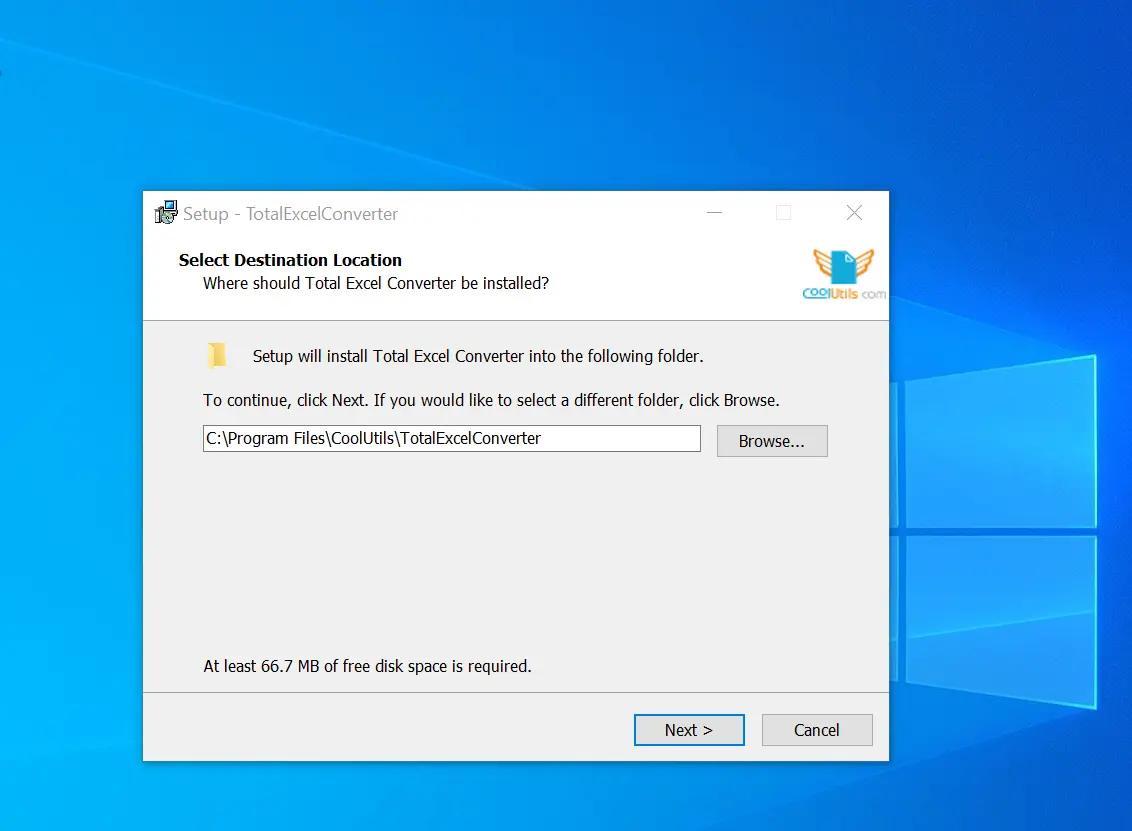
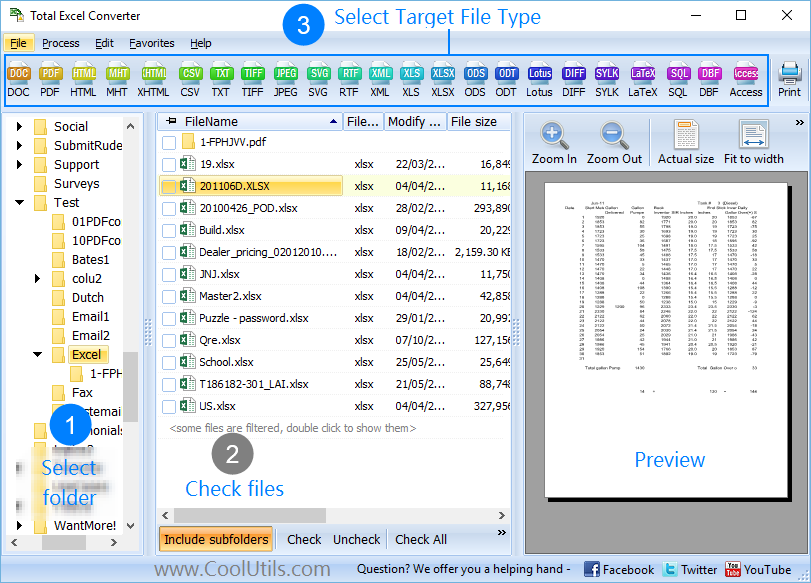
我们的Excel转换器软件快速且易于使用 - 只需选择电子表格文件,设置参数,然后启动转换。下载并安装Total Excel Converter后,只需执行几个步骤:
1. 启动离线转换器,打开包含文件的文件夹,并勾选要转换的项目旁边的框。
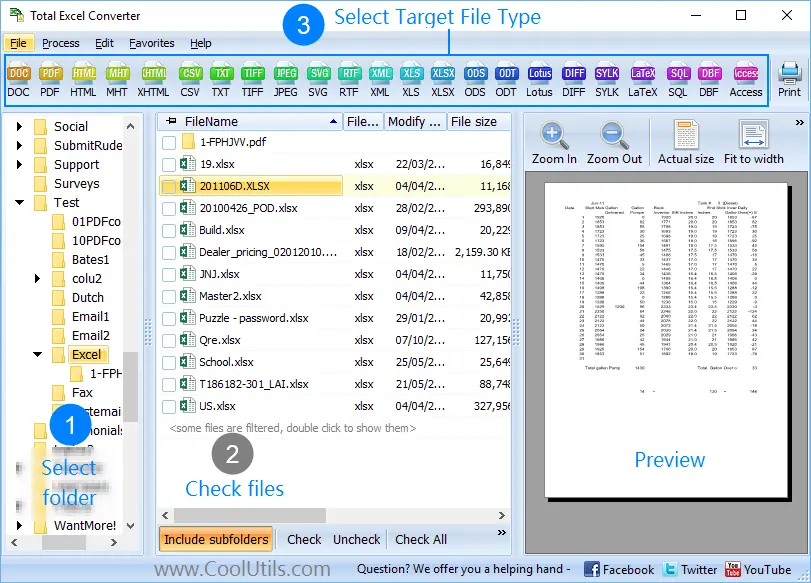
2. 点击顶部的“PDF”按钮以打开向导。

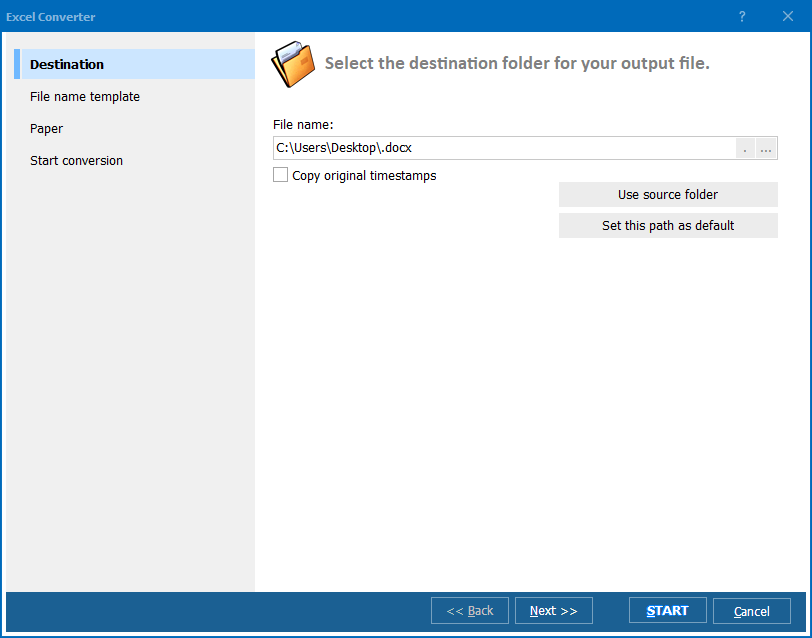
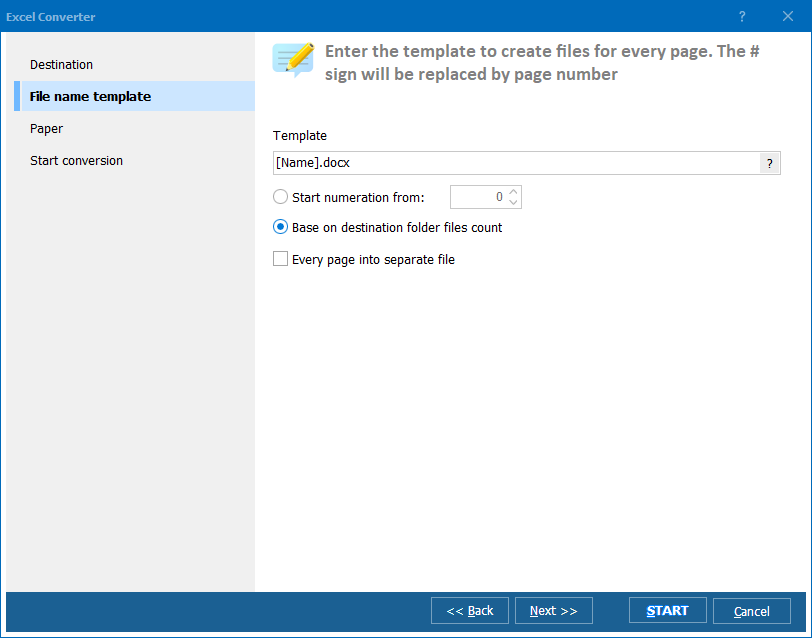
3. 根据需要更改文档外观和其他设置。
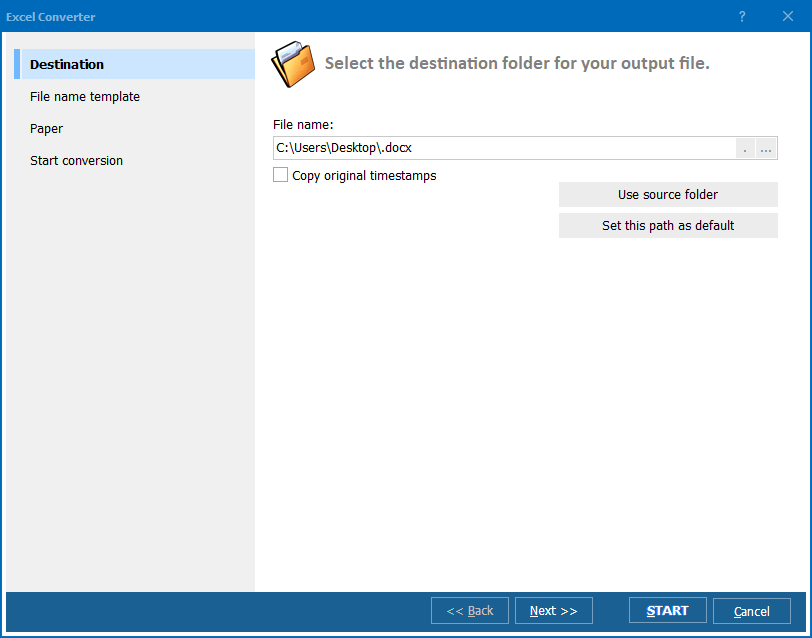
4. 点击“开始”按钮启动转换!完成后,您可以在指定的目的地找到包含电子表格的PDF文件。