Need help? Reach us at 

 +1 (855) 418-2323
Need help? Reach us at
+1 (855) 418-2323

 TIFF and PDF apps
Tiff Pdf Cleaner was designed for cleaning scanned files from unnecessary blank pages, black borders (paper sheet edges), etc. However, it can do the same with simple PDF files that are not scanned. Very often, when you convert some documents to PDF, blank pages appear too, especially if you combine a few originals to one PDF file. This is not a problem, if you have our Tiff Pdf Cleaner at hand.

The app is extremely efficient, when you need to clear a lot of PDF files. Processing all of them using this automatic blank page remover, will take you some seconds. It is very easy to define required tolerance of detector, according to your PDF files quality. If these are scanned documents, the paper background color can be not clear white, have some noise. In this case the program may overlook some pages, considering noise as some content. To avoid this, you need only to increase the tolerance of detector (in the options menu), and the program will detect all blank pages properly.
There are a lot of additional features you can try in TiffPDFCleaner, such as:
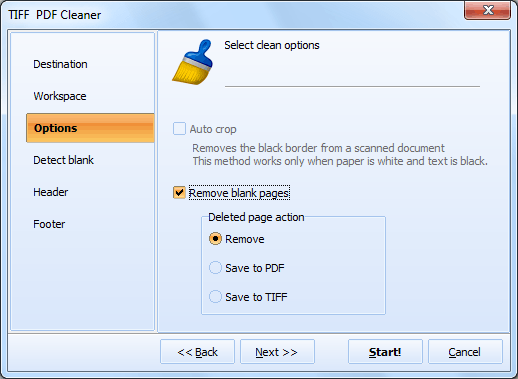
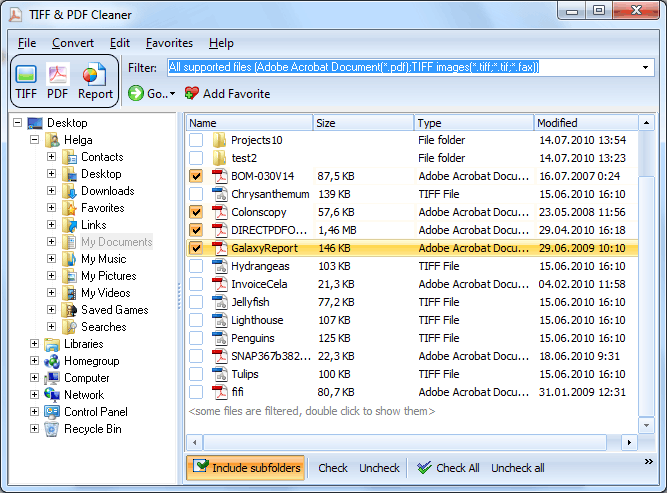
These options are adjusted in settings manager. If you do not need to make any changes except deleting blank pages from the selected PDF files, then you may skip these parameters. Note that Tiff Pdf Cleaner is a batch document processor. So you can set all parameters once and apply it to all PDF files you would like to clean.
You can also run the program in command line mode. Thanks to the latest improvement, now it automatically generates the command for cleaning documents. When all parameters are set, in the 'Command Line' tab you can copy the proper command for further use.
Download Tiff Pdf Cleaner and test its features for free during 30 days.
"We scan engineering drawings and field reports to PDF daily. About 25% of pages are blank from the duplex feeder. Tiff PDF Cleaner catches them all with the right tolerance setting. Saves our team hours of manual cleanup every week."
 Steven Marsh Document Control Specialist, Baker Hughes
"Court filings need to be clean — no blank pages. We run every scanned PDF through Tiff PDF Cleaner before submission. The extract mode lets us double-check nothing important was removed. Very reliable for legal document preparation."
 Claudia Ruiz Legal Secretary, Morrison & Associates
"Blank pages in our PDF input waste OCR processing time and produce garbage text. Running Tiff PDF Cleaner as a pre-processing step cut our OCR job time by 30% and eliminated false text entries from empty pages."
Akira Tanaka OCR Pipeline Engineer, Nippon Data Solutions
Download free trial and convert your files in minutes.
No credit card or email required.

Related Topics
How to Stamp Bates Numbers on PDF and TIFF Files


