Need help? Reach us at 

 +1 (855) 418-2323
Need help? Reach us at
+1 (855) 418-2323

 TIFF and PDF apps
A 200-page report lands on your desk, but you only need pages 12–18 for the meeting. Or a scanned contract arrives as one giant PDF and each section must go to a different department. Copying text from a viewer and pasting it into a new file loses formatting, headers, and signatures. PDF Splitter extracts the exact pages you need into separate PDF files — original layout, fonts, and images intact.
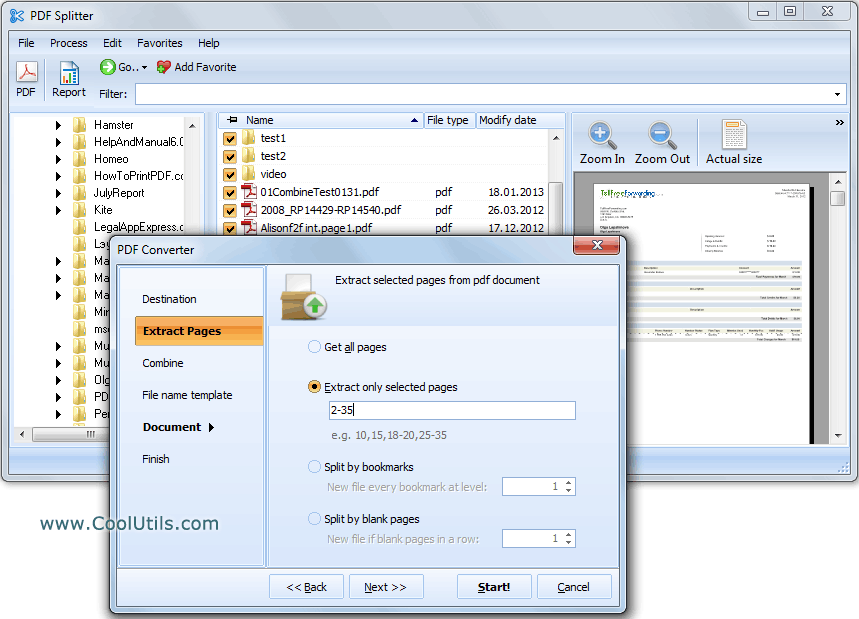
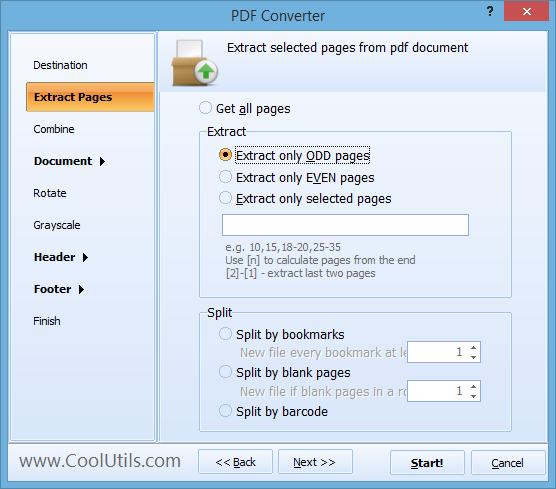
Quick answer: To extract pages from a PDF, install PDF Splitter, add your PDF files, choose the Extract pages mode and type the page numbers you need (for example 1, 3, 7-15), set an output naming template, then click Start. The selected pages are saved as new PDF files with the original layout, fonts, and images intact — entirely offline, in batch.
[Name].page#.pdf. You can start numbering from any digit or continue from the last number in the destination folder.When you extract pages from dozens of PDFs, file naming matters. PDF Splitter assigns names using a template you define. Default: Document.page1.pdf, Document.page2.pdf, etc. You can start numbering from any digit. If the destination folder already contains 10 files, the next extracted page can be automatically named Document.page11.pdf — no manual renaming.
PDF Splitter includes a command-line interface for automation. Example:
PDFSplitter.exe "C:\Docs\report.pdf" /extract "1,3,7-15" /out "C:\Extracted\"
Wrap the command in a .bat script to extract specific pages on a schedule or integrate with a document management system. The command line supports all split modes: by pages, bookmarks, blank pages, and barcode.
| Feature | PDF Splitter | Online Tools |
|---|---|---|
| File size limit | No limit | Usually 50–100 MB |
| Batch processing | Yes, unlimited files | One file at a time |
| Split by bookmarks | Yes, any level | Rarely |
| Split by blank pages | Yes | No |
| Split by barcode / text | Yes (Pro) | No |
| Custom file renaming | Template-based | No |
| Command-line automation | Yes | No |
| Privacy | Files stay on your PC | Uploaded to a server |
For server-side or programmatic use, PDF Splitter X provides an ActiveX interface without a GUI. Integrate PDF splitting into web applications, Windows services, or automated pipelines.
Licenses start at $59.90. Download the free 30-day trial and test it with your own files.
Download free trial and convert your files in minutes.
No credit card or email required.