Need help? Reach us at 

 +1 (855) 418-2323
Need help? Reach us at
+1 (855) 418-2323

 TIFF and PDF apps
Multiple invoices combined into one PDF present a pretty tricky problem when it comes to getting through your admin tasks. Ideally you want everything nicely split out into different files but with invoices of potentially varying page length involved, it is not necessarily an easy task.
This is just one of the many situations where our PDF Splitter Pro software stands to save you considerable time and frustration with its advanced PDF splitting functionality. It is not only capable of analyzing the contents of your file to identify distinct sections via invoice numbers, you can also extract those numbers and include them in the generated file names. Let's take a step-by-step look at how to split PDF by invoice number and add numbers to the file names.
Quick answer: To split a PDF by invoice number, open the combined file in PDF Splitter Pro, choose Page part, select a sample invoice number so the program learns the pattern, add the [Part] shortcode to the file name template, and click Start. Each invoice becomes its own PDF named after its number in under a minute.
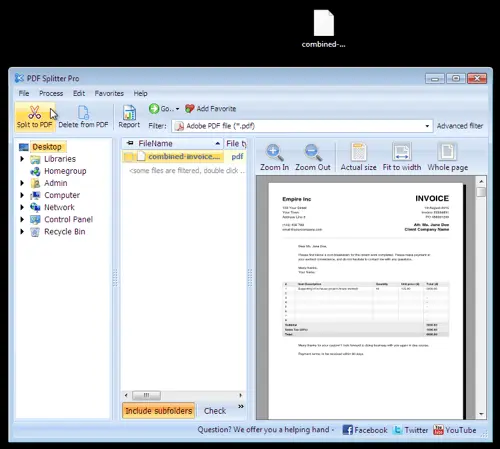
Step 1: Open up PDF Splitter Pro and select your invoice. In this case we have a file called combined-invoice.pdf on the desktop.
Step 2: Select Page part to begin identifying your invoice numbers.
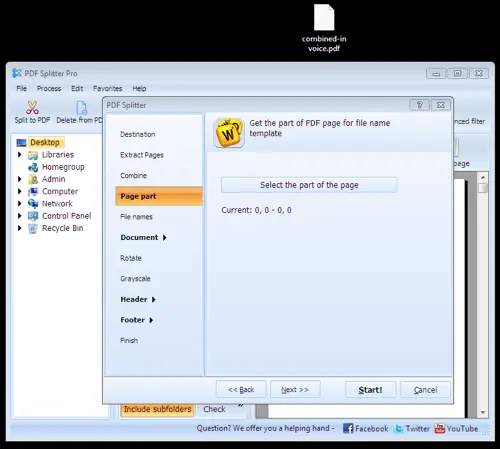
Step 3: Select a sample invoice number to give PDF Splitter Pro something to analyze.
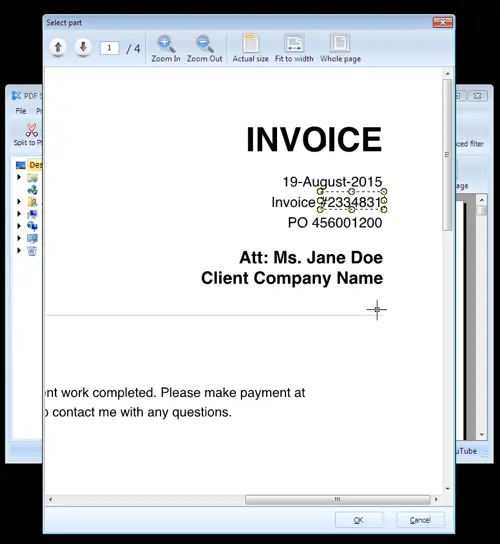
Step 4: You can now use the [Part] shortcode to include the analyzed invoice numbers in your outputted file names. Go to File names and insert your shortcode where you want it.
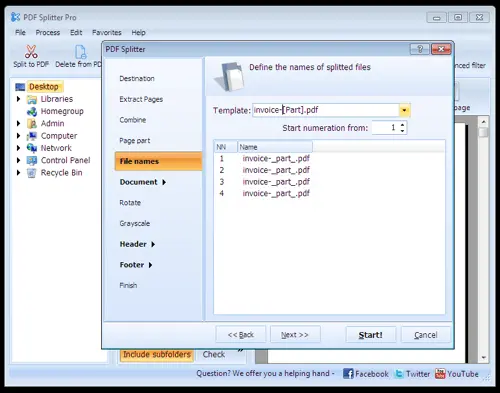
Step 5: Hit Start! and let PDF Splitter Pro perform its magic. You will be given an overview of the results when it is finished and have the option of saving the results to a log.
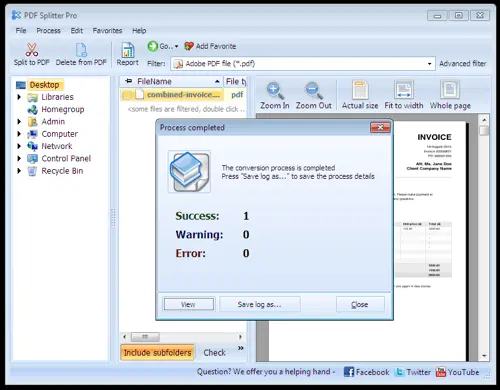
As you can see here in our example, PDF Splitter Pro has successfully isolated the individual parts of the combined invoice PDF and split them out into different files with the relevant invoices as part of the file names.
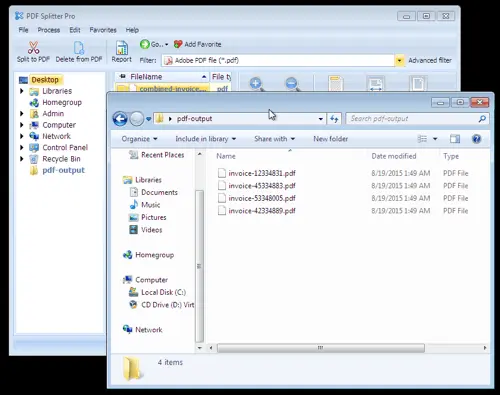
An awkward task that could have chewed up a considerable part of your valuable time has been smoothly carried out in under a minute and you can get on with your day.
This is just one example of the many situations where PDF Splitter Pro will save you both time and money when it comes to processing PDF files. Download a fully functional 30-day trial of the software today and start discovering the difference it can make for yourself!
Download free trial and convert your files in minutes.
No credit card or email required.