Need help? Reach us at 

 +1 (855) 418-2323
Need help? Reach us at
+1 (855) 418-2323

 File Converters
The client wants PDFs, not DWG files — and there are hundreds of drawings to hand over. Buying an AutoCAD seat for every machine that needs to export them is not the answer. Two converters turn CAD drawings into PDF without AutoCAD: Total CAD Converter and AutoDWG.
Quick answer: Both convert DWG and DXF to PDF in batch without AutoCAD. AutoDWG sells focused single-purpose utilities — DWG to PDF, PDF to DWG — each bought separately; Total CAD Converter is one tool that reads 19+ CAD formats and writes PDF, TIFF, JPEG, SVG, and DXF, with command line in its $99 desktop edition. Pick AutoDWG for deep DWG-to-PDF and the reverse PDF-to-DWG job; pick Total CAD Converter for one tool across many formats.
Every fact below about Total CAD Converter comes from the product itself and its command-line reference. AutoDWG figures are taken from the current AutoDWG DWG to PDF Converter product and store pages. Both read DWG geometry directly, so neither needs AutoCAD or any DWG editor installed.
| Feature | Total CAD Converter | AutoDWG DWG to PDF |
|---|---|---|
| Input formats | DWG, DXF, DWF, DWFX, PLT, HPGL, HPGL2, CGM, SVG, SPL (19+) | DWG, DXF, DWF |
| Output formats | PDF, TIFF, JPEG, PNG, BMP, SVG, DXF, CGM, HPGL, PS | |
| Batch folders with subfolders | Yes | Yes |
| Combine into one document | PDF and TIFF | |
| AutoCAD required | No | No |
| Command line | Yes — in the $99 desktop edition | Server edition only ($990) |
| Paper size, orientation, fit-to-page | Yes (A0–A5, Letter, custom) | Yes |
| Black-and-white, grayscale, line-weight scaling | Yes | — |
| Resize, crop, rotate | Yes | — |
| Watermarks (text or image) | Yes | Yes |
| PDF back to editable DWG | No — converts CAD out, not in | Yes — separate AutoDWG tool |
| Price (one-time) | $99 desktop; $950 server SDK | $99; Pro $129; Server $990 |
| Trial | 30-day, no registration | Trial available |
| OS | Windows 7/8/10/11 | Windows |
A dash means the feature is not listed for that product. AutoDWG prices are single-user; SDK and multi-user tiers differ.
AutoDWG is a CAD specialist, and its DWG to PDF engine is mature. It preserves TrueType fonts as selectable, searchable text in the finished PDF, and it lets you convert only chosen layouts or layers instead of the whole drawing. It supports AutoCAD versions from R14 through the current release. If your entire workflow is DWG to PDF and you care about pixel-accurate, text-searchable output, that focus shows.
AutoDWG's real edge is the reverse direction. Its separate PDF to DWG Converter turns PDF drawings — including scanned raster sheets — back into editable DWG and DXF. Total CAD Converter converts CAD out to PDF and images; it does not vectorize PDFs back into CAD. If you need PDF-to-DWG round-tripping, AutoDWG has a dedicated product for it. Licenses on both sides are perpetual one-time purchases.
AutoDWG splits its work across separate products: DWG to PDF, PDF to DWG, DWG to image, a viewer, an SDK. Total CAD Converter reads DWG, DXF, DWF, DWFX, PLT, HPGL, CGM, SVG, and SPL and writes PDF, TIFF, JPEG, PNG, BMP, SVG, and DXF from one window. DWG to PDF, PLT to TIFF, DWG to DXF, and SVG to PNG all come from the same license.
AutoDWG puts command-line automation in its $990 Server edition. Total CAD Converter ships CADConverter.exe with the $99 desktop license. You can script nightly folder conversions without paying server pricing.
Beyond PDF, Total CAD Converter writes TIFF with real compression control (LZW, G4 fax), plus JPEG, PNG, BMP, and SVG. When a drawing has to land in documentation, an image pipeline, or a web page, you export it directly instead of converting to PDF first.
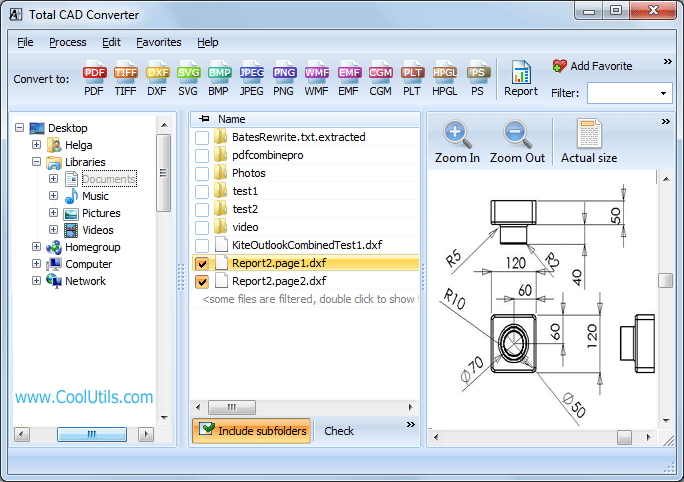
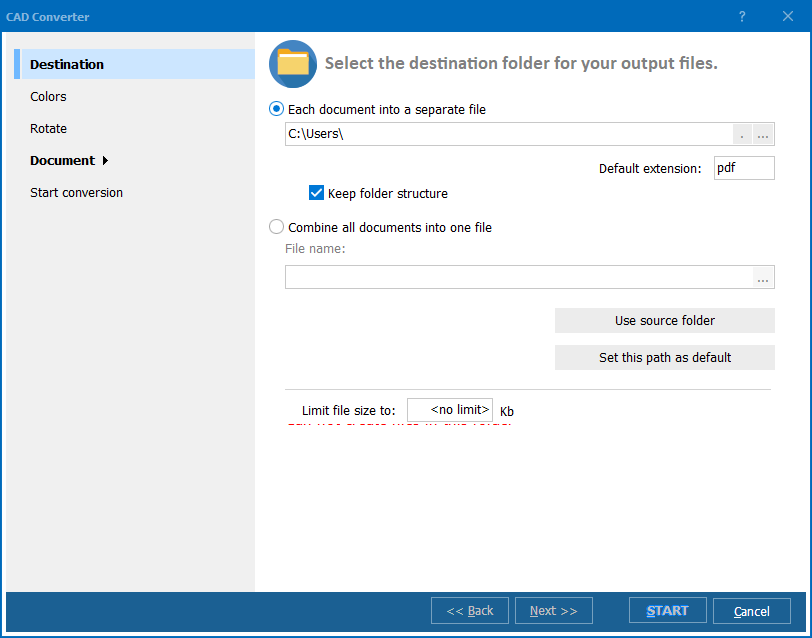
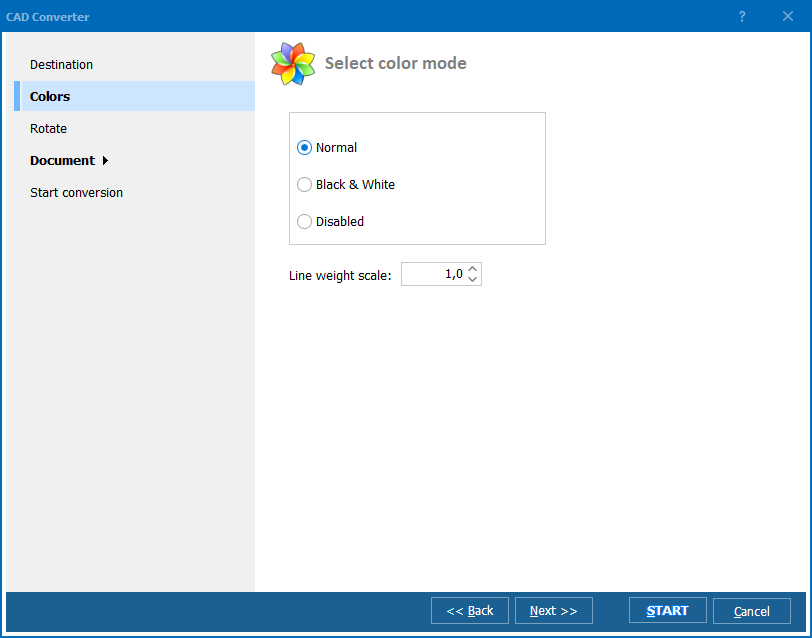
Point it at a folder, include subfolders, and keep the folder structure on output. Combine a set of drawings into one multi-page PDF or TIFF, force black-and-white or grayscale, scale line weight up for readability, set the paper size, and stamp a watermark — all across the whole batch in one run.
Install Total CAD Converter, add your DWG files or point it at a folder, choose PDF as the output, set the paper size and orientation, and click Start. It reads the DWG geometry directly, so no AutoCAD or DWG editor has to be installed. The same run also outputs TIFF, JPEG, PNG, SVG, or DXF if you need those instead. AutoDWG's desktop tool converts DWG to PDF without AutoCAD as well; the difference is the range of formats Total CAD Converter produces from one job.
Yes. Add a whole folder, turn on subfolders, and Total CAD Converter processes every drawing in one pass. From the command line it looks like this:
CADConverter.exe C:\Drawings\*.dwg C:\Output\ -c PDF -Recurse -ps A3 -po Landscape -fitpage
To merge a folder of drawings into a single multi-page PDF, add -combine. AutoDWG batches too, but folder-level command-line automation lives in its Server edition, while Total CAD Converter includes it in the $99 desktop license.
Yes. Total CAD Converter keeps the drawing layout and lets you scale line weight up so thin lines stay visible in the PDF. You can force color, grayscale, or pure black-and-white output, choose paper size from A0 to A5 or Letter, set portrait or landscape, and fit the drawing to the page. Watermarks, margins, and DPI are all adjustable per batch.
See Total CAD Converter, or step up to Total CAD Converter X for server-side conversion with ActiveX. For a one-off in the browser, try the free DWG to PDF and DWG to DXF online tools — no install, no signup.
Download free trial and convert your files in minutes.
No credit card or email required.