Need help? Reach us at 

 +1 (855) 418-2323
Need help? Reach us at
+1 (855) 418-2323

 File Converters
Watermark protection is still one of the most popular measures against illegal use of documents. Total HTML Converter features this option for converting web pages to PDF format. You can do both conversion and watermarking in one action.
Quick answer: To convert HTML to PDF and add a watermark, install Total HTML Converter, add your HTML files, set PDF as the target, open the watermark settings, choose a text or image watermark (author, date, title, logo, QR code or page counters), pick its position, font and color, then click Start. All files are converted and watermarked in one batch.
Watermarks can be text or images:
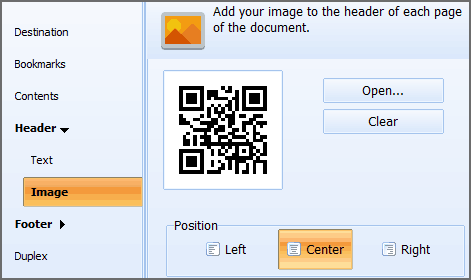
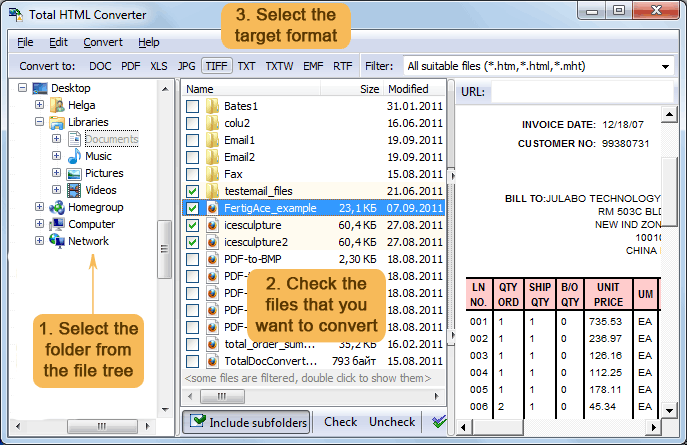
Total HTML Converter supports batch files processing, and you can convert all HTML pages together. This way you can watermark all files by one click.
Total HTML Converter is very flexible. You can choose the position of your watermark. If you are using a text watermark you can select font, color and the size of your text.
After settings are made, you only need to press Start! and get the files converted. Conversion to PDF also allows encryption and signing by digital signature. It will provide the required security level. In order to cut PDF copies in size, apply one of the available conversion modes. Set separate quality level for graphics. These settings are optional, therefore you can simply skip them.
Total HTML Converter supports both HTML and xHTML, and can convert these files into DOC, JPEG, RTF, TIFF, TXT and many other formats. Download a trial version for 1 month of free use!
Windows 2000/2003/Vista/7/8/10/11
Download free trial and convert your files in minutes.
No credit card or email required.

Related Topics
Total HTML Converter
