Logo
Home Products Support Contact About Us
arrow1 File Converters
arrow1 TIFF and PDF apps
arrow1 Forensic
arrow1 Freeware

How to convert HTML to Doc


When you want to convert HTML to DOC, it is important to understand the difference between the two file formats. HTML is a markup language that is used to create web pages.DOC is a document format that is used by Microsoft Word. While both formats can be opened in a text editor, they are not the same. HTML uses tags to structure content, while DOC uses a more traditional document format.

To convert HTML to DOC, you can use the CoolUtils converter. This converter is free to use and can be found at coolutils.com.

How to convert HTML to Doc by Coolutils software?


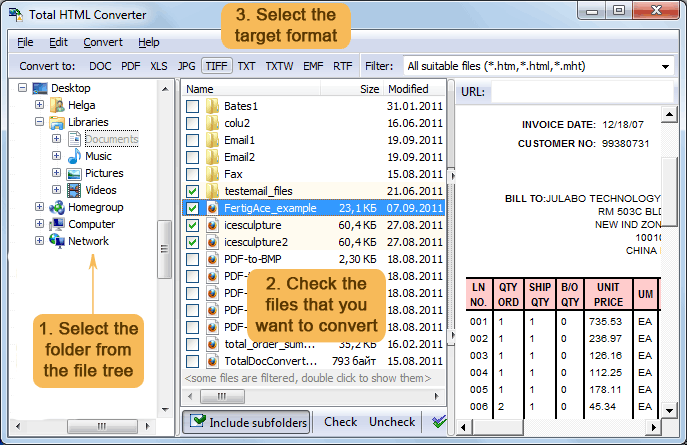
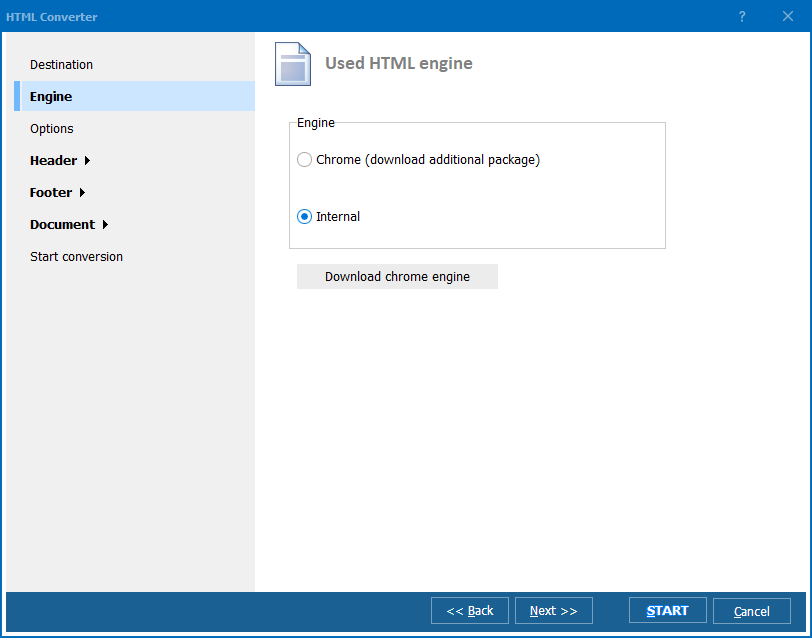
Step One: Download and install CoolUtils HTML Converter
Step Two: Upload your HTML file and select DOC as the output format
Step Three: The converter will then create a DOC file that you can download and open in Microsoft Word.

Converting HTML to DOC is a quick and easy way to create documents that are compatible with Microsoft Word. By using the CoolUtils converter, you can ensure that your document will be correctly formatted and will look great when opened in Word. Try it today!

quote

Total HTML Converter Customer Reviews 2026

Rate It
Rated 4.8/5 based on customer reviews
5 Star

"We convert product specification pages from our internal web app to DOC for distribution to sales teams. Total HTML Converter handles the CSS tables perfectly. Batch mode processes 200+ pages in under a minute."

5 Star Elena Vasquez Content Manager, Medline Industries

"Clinical guidelines published as HTML need to be editable in Word for localization. Total HTML Converter preserves the formatting accurately. Command-line integration into our workflow was straightforward."

5 Star James Crawford IT Support, Canterbury District Health Board

"Technical manuals stored as MHT web archives needed conversion to DOC for our review process. Total HTML Converter handled MHT natively without extracting files first. Saves us a manual step on every document."

4.5 Star Sophie Lefevre Documentation Lead, Airbus Defence

FAQ: Converting HTML to DOC ▼

Open Total HTML Converter, select your HTML files, click DOC in the format toolbar, set the destination folder, and press Start. The converter creates DOC files that open in Microsoft Word.
Yes. Total HTML Converter renders CSS styles, tables, images, and links. The resulting DOC file retains the original layout as closely as the Word format allows.
Yes. Select an entire folder of HTML files and convert them all in one batch run. Each HTML file becomes a separate DOC document.
Yes. Total HTML Converter handles HTML, HTM, MHT, XHTML, ePub, FB2, CHM, and Markdown. All can be converted to DOC.
Yes. The command-line interface supports all options available in the GUI. Automate conversions with .BAT scripts or Windows Task Scheduler.
Yes. The 30-day trial has full functionality with no limitations. No credit card or email required.


Start working now!

Download free trial and convert your files in minutes.
No credit card or email required.

⬇ Download Free Trial Windows 7/8/10/11 • 100 MB

Friday Sale
HTML Converter Preview1
HTML Converter Preview2

Latest News

Newsletter Subscribe

No worries, we don't spam.


© 2026. All rights reserved. CoolUtils File Converters

Cards