Need help? Reach us at 

 +1 (855) 418-2323
Need help? Reach us at
+1 (855) 418-2323

 File Converters TIFF and PDF apps Forensic Freeware
You need to turn Word documents into images — for web publishing, email previews, presentations, or archiving pages as pictures. DOCX files require Word or a compatible viewer, but a JPEG opens everywhere: browsers, phones, image viewers, social media. Total Doc Converter reads DOCX files, renders each page as a JPEG image with full formatting, and processes entire folders in a single batch.
Quick answer: To convert DOCX to JPEG, open Total Doc Converter, navigate to the folder with your DOCX files, tick the documents or click Check All, click the JPEG button, set the quality, DPI, and page range, then click Start. Each page is rendered as a JPEG image in one batch — offline, with no upload and no Microsoft Office required.
DOCX is a ZIP-based XML format used by Microsoft Word since Office 2007. It stores editable text, styles, tables, images, headers, and footers. Opening a DOCX file requires Word, LibreOffice, or a compatible editor. The format is designed for editing and printing documents.
JPEG (Joint Photographic Experts Group) is the most widely used image format. Every device — computer, phone, tablet, TV — displays JPEGs natively. A JPEG is a flat image: text cannot be edited, but the visual layout is preserved exactly. JPEG uses lossy compression, which means you can trade file size for image quality.
| Feature | DOCX | JPEG |
|---|---|---|
| Format type | ZIP package with XML | Compressed raster image |
| Viewer | Word, LibreOffice | Any image viewer, browser |
| Editable text | Yes | No (flat image) |
| File size | Compact (ZIP compressed) | Varies with quality setting |
| Multi-page | Yes (single file) | One image per page |
| Web display | Needs conversion | Native in all browsers |
| Compression | Lossless (ZIP) | Lossy (adjustable quality) |
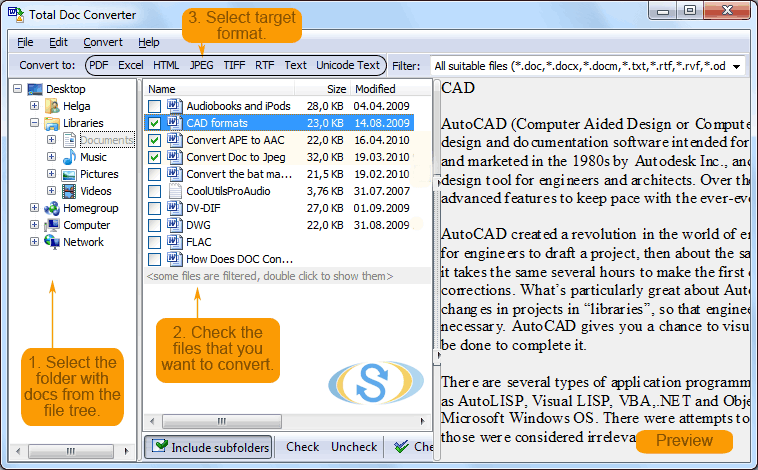
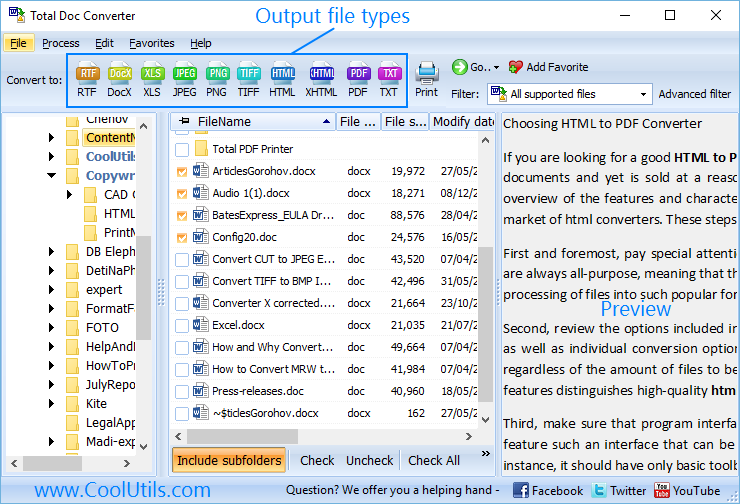
Launch Total Doc Converter. The folder tree on the left shows your local drives and network shares. Navigate to the directory containing your DOCX files. The file list displays each document with its name, page count, size, and modification date.
Tick individual DOCX files or click Check All to select the entire folder. Total Doc Converter handles batch processing — one file or thousands in the same operation.
Click the JPEG button on the toolbar. The settings wizard opens with image output options.
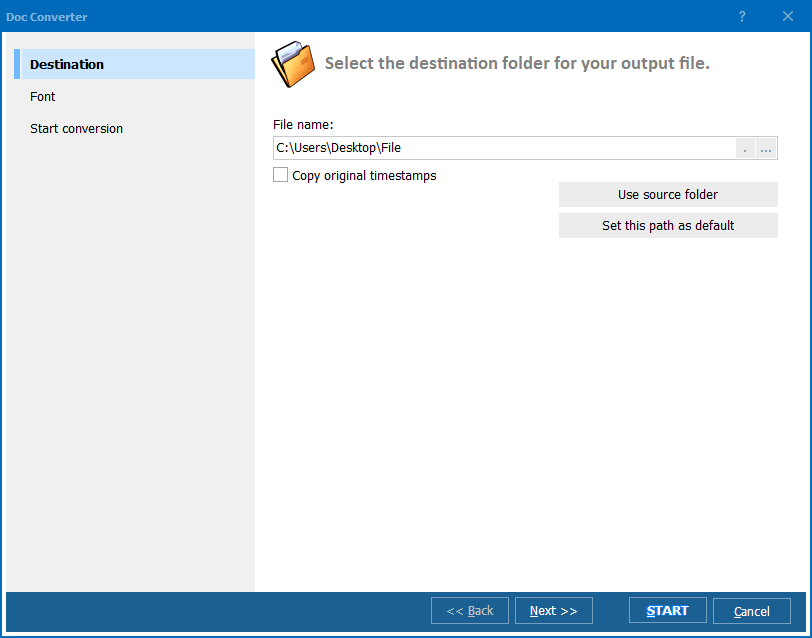
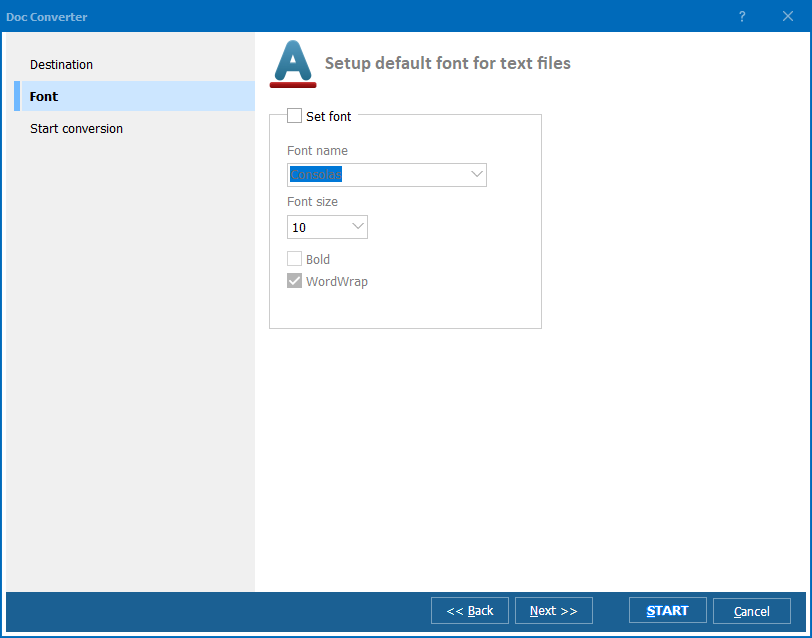
Set the output folder and file naming pattern. Configure the following:
Click Start. Each DOCX page is rendered as a JPEG image with text, tables, images, and formatting preserved. The conversion log shows the status of every file.
Total Doc Converter includes a command-line interface for automated workflows:
DocConverter.exe "C:\Documents\*.docx" -oJPEG -d "C:\Output\images\" -dpi 300 -quality 90
Parameters: source files (wildcards supported), -oJPEG sets the output format, -d specifies the destination folder, -dpi controls resolution, -quality sets JPEG compression. Schedule with Windows Task Scheduler for automated batch conversion.
The GUI generates ready-to-use command lines: configure settings in the wizard, and the program outputs the exact command for your .bat script.
| Feature | Online DOCX-to-JPEG Services | Total Doc Converter |
|---|---|---|
| Privacy | You upload documents to a third-party server. | Runs locally. No data leaves your computer. |
| Batch mode | One file at a time, manual upload. | Entire folders in one batch, hundreds of files. |
| DPI control | Fixed output resolution. | Custom DPI: 72, 150, 300, 600, or any value. |
| JPEG quality | No control over compression. | Adjustable quality from 0 to 100. |
| Page selection | All pages only. | All, specific range, or first page only. |
| Automation | Not available. | Command-line interface with scheduling. |
| Cost | Free for small files, paid subscriptions. | One-time purchase: $49.90. Free 30-day trial. |
Set JPEG quality from 0 (maximum compression, smallest file) to 100 (minimum compression, best quality). For documents with text and diagrams, quality 85–95 produces sharp, readable images at reasonable file sizes.
Choose 150 DPI for screen-resolution images (web, email, previews) or 300 DPI for print-quality output. The program supports any custom DPI value for specialized workflows.
Total Doc Converter uses its own DOCX parser. It does not call Word, does not need Office installed, and runs on clean Windows servers. Convert DOCX files without any Microsoft software dependency.
Select an entire folder of DOCX files and convert them all in one operation. No file-by-file uploads, no internet dependency, no file size limits. A 500-page document or 500 single-page files — same workflow.
Schedule nightly DOCX-to-JPEG conversions with a .bat script. Generate document thumbnails automatically when new files arrive, or integrate into document management workflows.
JPEG is one option among many. Total Doc Converter also exports DOCX to PDF, HTML, RTF, TXT, XLS, TIFF, PNG, and more. One tool for all document conversion tasks.
Download the free 30-day trial — no email or credit card required. A personal license costs $49.90 and includes one year of free upgrades. Works on Windows 7/8/10/11.
Download Free Trial Buy License — $49.90
Download free trial and convert your files in minutes.
No credit card or email required.

Related Topics
Convert ODT to PDF — Batch OpenDocument to PDF Converter