Need help? Reach us at 

 +1 (855) 418-2323
Need help? Reach us at
+1 (855) 418-2323

 File Converters TIFF and PDF apps Forensic Freeware
Do you need to convert PDF to TIFF? Wondering how to choose the best converter software? Here's everything you need to know.
PDF and TIFF are both image file formats, but they have different uses. PDF is mainly used for documents, while TIFF is widely used for images. If you need to convert a PDF document into an image, TIFF is a good format to use.
Why convert PDF to TIFF? There are several reasons. TIFF is a lossless format, meaning that no quality is lost when converting PDF to TIFF. This is important if you need to make high-quality prints of your document. TIFF is also a good format for editing images.

There are many PDF to TIFF converter software programs available. Some are free, while others are paid. When choosing a converter, make sure it is compatible with your operating system and has all the features you need. We recommend that you try the free version of our software and make sure of its quality.
Now that we know what PDF and TIFF are, let's convert PDF to Tiff with CoolUtils! Follow these easy steps:
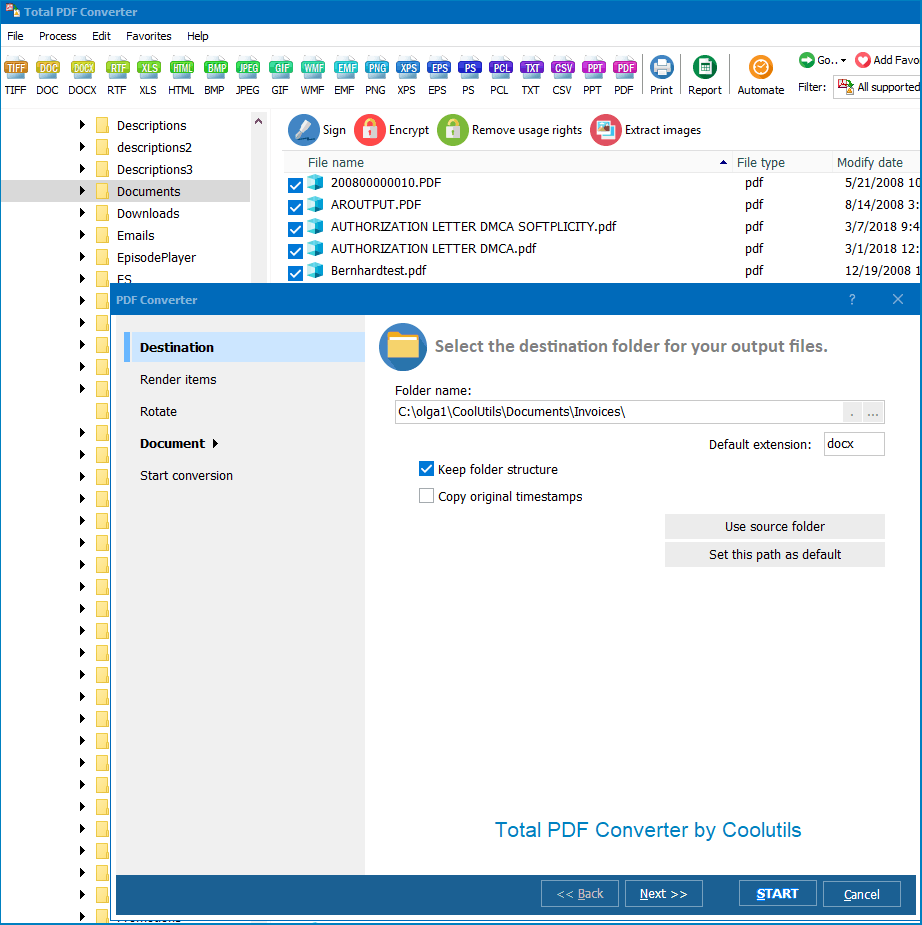
It's that easy! With CoolUtils, you can convert PDF to TIFF in just four easy steps. So why wait? Try CoolUtils today and see how easy it is to convert PDF to TIFF. You won't be disappointed.
Total PDF Converter is an all-purpose tool for personal and professional use. It converts PDFs to a wide variety of formats, including TIFF. Generate high-quality images easily in a few steps. Batch conversion will allow you to process as many files as you like simultaneously!
If you have multiple documents, transforming them separately can take ages. Save time and spare yourself the trouble of one-by-one conversion. Just open our all-purpose tool, choose the source files, and let this batch PDF to TIFF converter handle the rest. You can also fine-tune the output in a variety of ways.
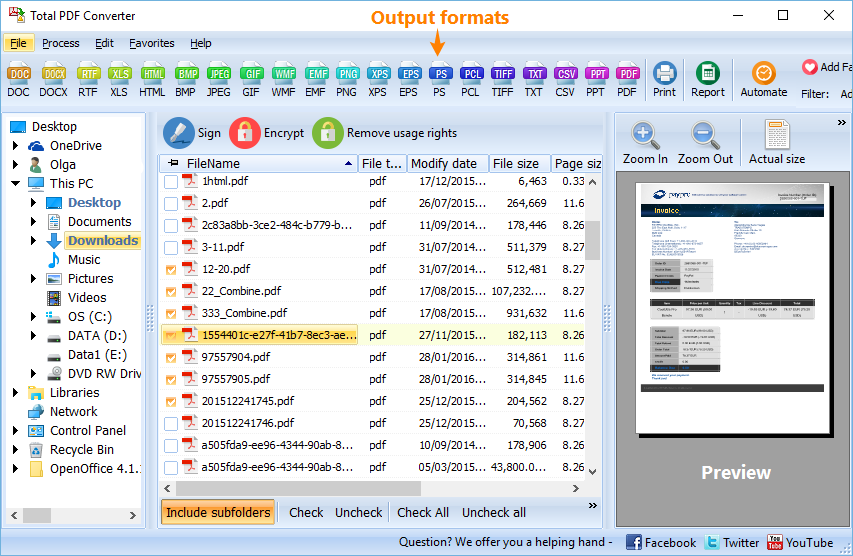
After launching the converter, browse to the folder containing your PDF documents. The batch mode allows you to generate separate TIFF files or merge the data into a single one. Here are the settings:
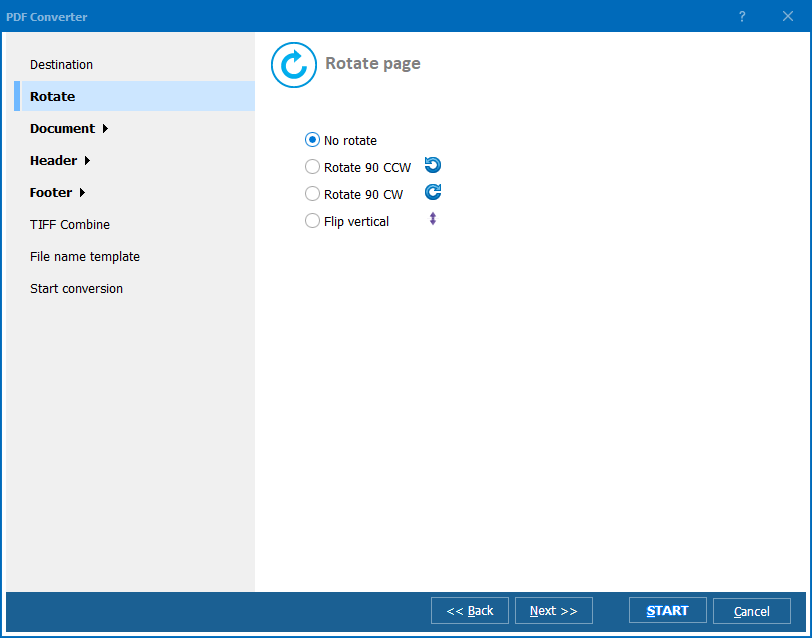
Now you are ready to batch convert PDF to TIFF. Revise the settings and click on the "Start!" button. Note that if you stick to the default parameters, you will get TIFF copies with the same formatting as the PDFs.
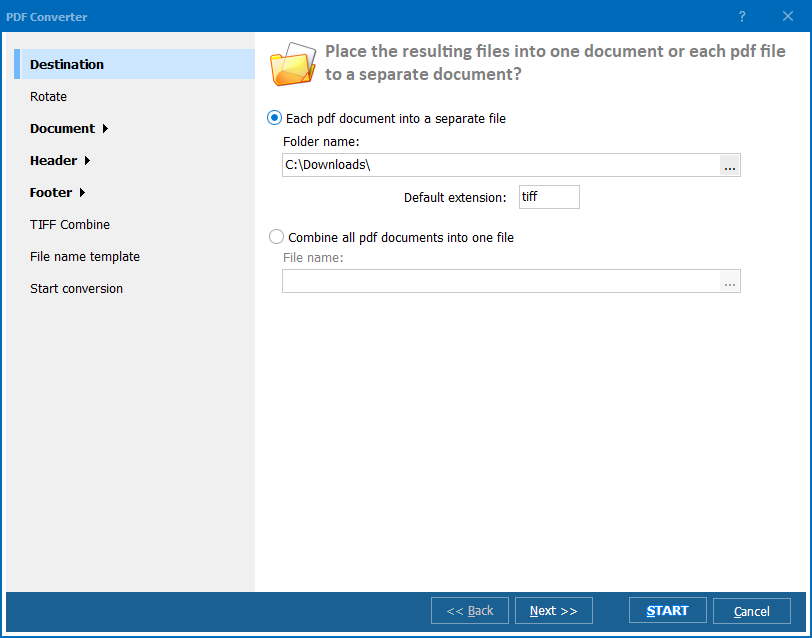
Try the demo version of our tool and batch convert PDF to TIFF for 30 days free of charge! Total PDF Converter can also turn your documents into separate TIFF files and a plethora of other formats:
Download free trial and convert your files in minutes.
No credit card or email required.

Related Topics
