Logo
Home Products Support Contact About Us
arrow1 File Converters
arrow1 TIFF and PDF apps
arrow1 Forensic
arrow1 Freeware

Effortless CDA to MP3 Conversion with CoolUtils


CDA (Compact Disc Audio) and MP3 are two prevalent audio formats used for storing music digitally. While CDA is the standard format found on audio CDs, MP3 offers compressed audio files that are widely compatible with various devices and software platforms.

Download Now!

(includes 30 day FREE trial)

Buy License

(only $59.90)

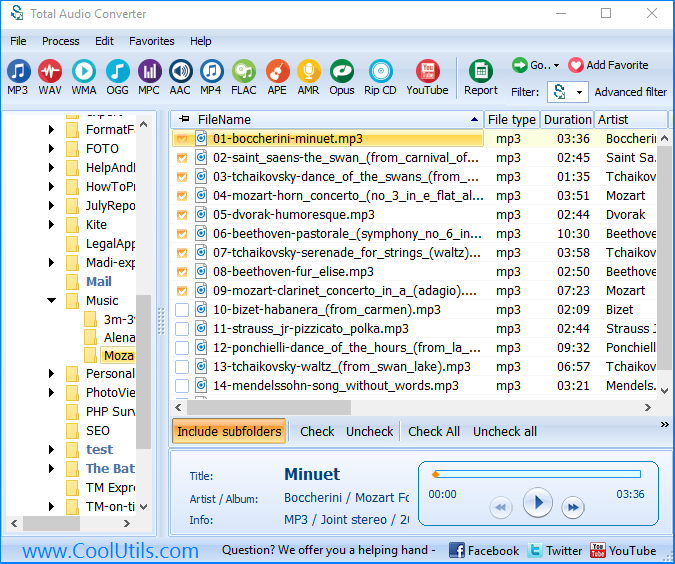
How to Convert CDA to MP3 Using Total Audio Converter

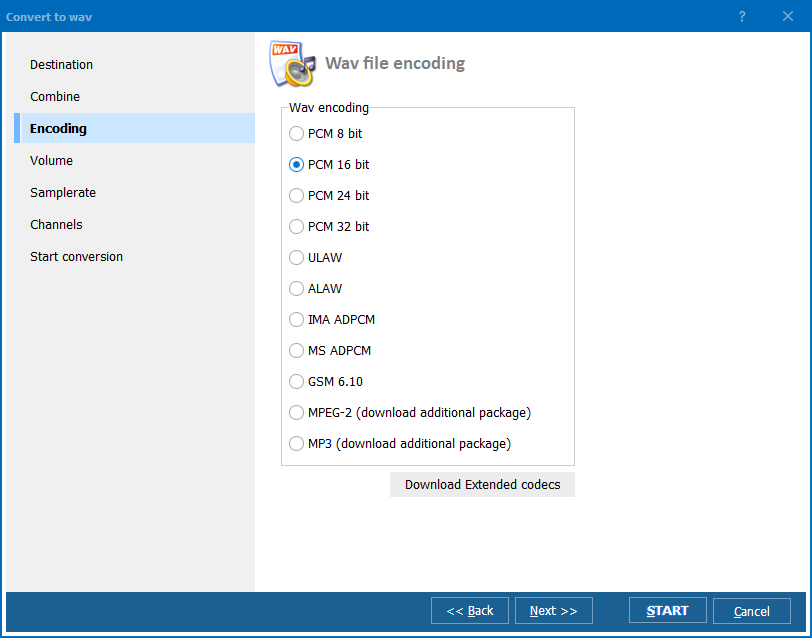
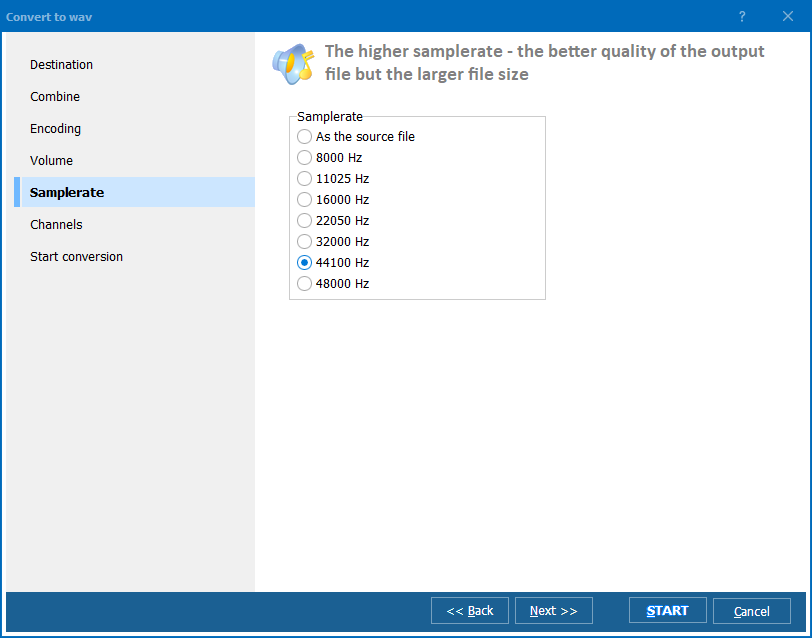
Total Audio Converter provides a user-friendly solution for converting CDA to MP3 efficiently. With Total Audio Converter, you have the flexibility to customize conversion parameters such as bitrate and frequency to achieve the desired audio quality.

Step-by-Step Guide to Convert CDA to MP3 with Total Audio Converter:

  1. Launch Total Audio Converter on your computer.
  2. Select the CDA files you wish to convert to MP3.
  3. Choose the desired output format (MP3).
  4. Customize additional settings such as bitrate and frequency if needed.
  5. Initiate the conversion process.
  6. Once the conversion is complete, your CDA files will be transformed into MP3 format.

Or you could check the video guidance below:

Why Convert CDA to MP3?

Converting CDA to MP3 offers several advantages. Firstly, CDA files cannot be directly copied from CDs to computers using conventional file management methods. Additionally, even if you manage to copy them, CDA files typically cannot be played directly on your computer. By converting them to MP3, you ensure compatibility with a wide range of devices and media players.

Advanced FeaturesDescription
CD Ripping and ConversionTotal Audio Converter offers advanced CD ripping capabilities, allowing users to convert CDA files from CDs to MP3 format efficiently. This ensures compatibility and accessibility of audio files across various devices and platforms.
Customizable Conversion ParametersUsers have the flexibility to customize conversion parameters such as bitrate and frequency, ensuring optimal audio quality tailored to individual preferences.
Integration with FreeDBTotal Audio Converter seamlessly integrates with FreeDB, an online database of CD disks, to retrieve accurate MP3 tags. This feature enhances organization and metadata retrieval for a streamlined music management experience.
Wide CompatibilityMP3 format is universally supported by all known audio applications, including the standard Windows Media Player, as well as modern cell phones. Total Audio Converter ensures compatibility across various devices and platforms.

Editing and Enhancing Your MP3 Files Post-Conversion

After completing the conversion process, Total Audio Converter empowers users to further refine their MP3 files with advanced editing and enhancement features. With intuitive tools, users can effortlessly trim, merge, or apply various effects to their MP3 files, ensuring a personalized listening experience. Moreover, Total Audio Converter seamlessly integrates with FreeDB, an online database of CD disks, to retrieve accurate MP3 tags. This ensures that your MP3 files are properly labeled and organized, enhancing the overall music management experience. Whether you're adjusting audio levels, adding metadata, or enhancing sound quality, Total Audio Converter provides the comprehensive tools needed to perfect your MP3 collection

Compatibility and System Requirements

Total Audio Converter is compatible with Windows Vista/7/8/10/11 operating systems, ensuring broad accessibility for users. Whether you're using an older version of Windows or the latest Windows 11, Total Audio Converter delivers consistent performance.
FeatureAvailable
Convert CDA to MP3
User-friendly interface
Customizable conversion parameters
Edit and enhance MP3 files
Compatibility with Windows OS
Support for Windows 11
Conversion of multiple audio formats
Free trial/download
Purchase option

Convert CDA Soundtracks to MP3 Files

Enhance your music listening experience by converting CDA soundtracks to MP3 files with Total Audio Converter. Download now to unlock the full potential of your audio collection!

Download Now!

(includes 30 day FREE trial)

Buy License

(only $59.90)

FAQ

Can you convert a CDA file to MP3?

Yes, you can convert CDA files to MP3 using various audio conversion software, including Total Audio Converter.

How do I convert CDA to MP3 in Windows 11?

In Windows 11, you can convert CDA to MP3 using Total Audio Converter or other compatible software. Simply follow the step-by-step guide provided by the chosen software to complete the conversion process.

How do I copy CDA files from CD to PC?

To copy CDA files from a CD to your PC, you can use software like Windows Media Player or Total Audio Converter. Insert the CD into your computer, select the desired CDA files, and choose the option to copy them to your PC.

Is CDA the same as WAV?

No, CDA and WAV are different audio formats. CDA is a file extension for audio files found on CDs, while WAV (Waveform Audio File Format) is a standard audio file format used for storing uncompressed audio data.

quote

Total Audio Converter Customer Reviews 2026

Rate It
Rated 4.8/5 based on customer reviews
5 Star

"I have 500+ CDs that needed digitizing. Total Audio Converter rips each disc to MP3 in minutes with proper track names and album art. The batch workflow is much faster than iTunes or Windows Media Player."

5 Star Robert Kim Music Collector

"Vinyl-era CDs need to be ripped to high-quality MP3 for my sets. Total Audio Converter gives me 320 kbps with correct metadata. Ripping an entire collection took a weekend instead of weeks."

5 Star Helen Parker DJ, Club Fusion Berlin

"We rip audio CDs to FLAC for archival and MP3 for online access. Total Audio Converter handles both formats in one pass. CD-Text metadata is preserved correctly."

4.5 Star David Morrison Archivist, National Library of Scotland

FAQ: Ripping CD to MP3 ▼

Insert the CD, open Total Audio Converter, select the CDA tracks, click MP3, set bitrate, and press Start. The program rips and converts in one step.
320 kbps MP3 for near-CD quality, 256 kbps for a good balance, or convert to FLAC for true lossless copies. Total Audio Converter supports all options.
Yes. Select all tracks and convert them in one batch. Each track becomes a separate MP3 file.
Yes. Total Audio Converter reads CD-Text and can use online databases to populate ID3 tags with artist, album, and track information.
Yes. Convert CDA tracks to WAV, FLAC, OGG, AAC, WMA, APE, or any other supported format.
Yes. Automate CD ripping with command-line parameters for batch workflows.


Start working now!

Download free trial and convert your files in minutes.
No credit card or email required.

⬇ Download Free Trial Windows 7/8/10/11 • 78 MB

Support
Audio Converter Preview1
Audio Converter Preview2
Audio Converter Preview3

Latest News

Newsletter Subscribe

No worries, we don't spam.


© 2026. All rights reserved. CoolUtils File Converters

Cards