Need help? Reach us at 

 +1 (855) 418-2323
Need help? Reach us at
+1 (855) 418-2323

 TIFF and PDF apps
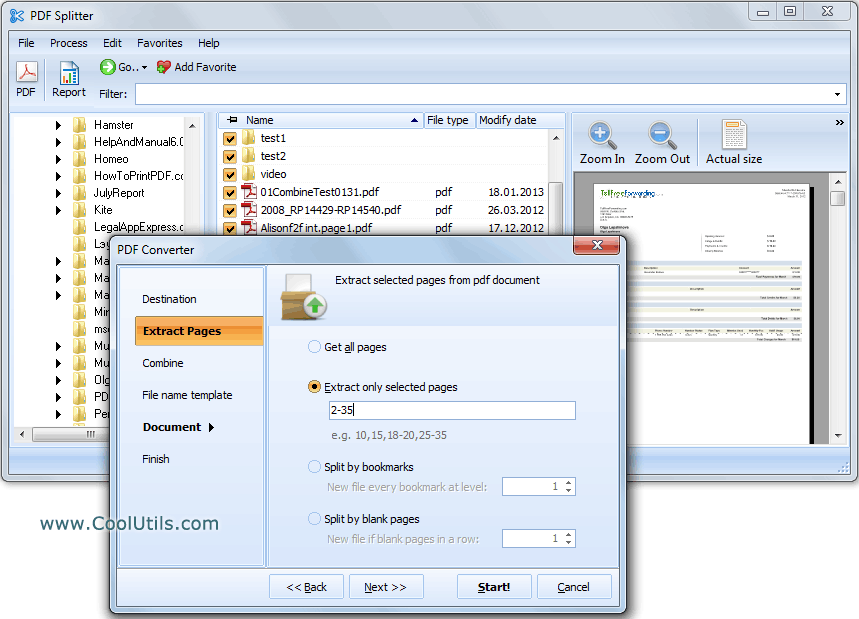
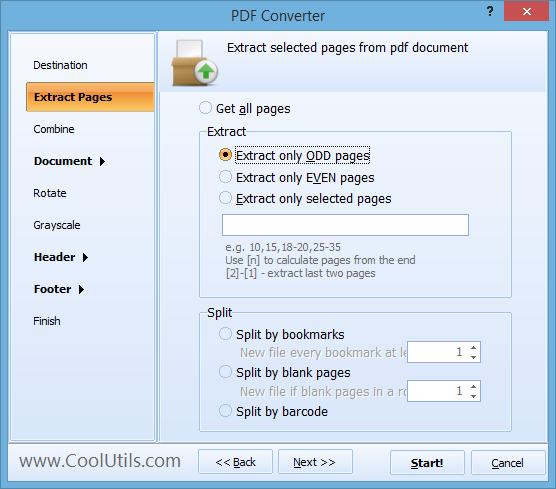
A 200-page report lands on your desk, but you only need pages 12–18 for the meeting. Or a scanned contract arrives as one giant PDF and each section must go to a different department. Copying text from a viewer and pasting it into a new file loses formatting, headers, and signatures. PDF Splitter extracts the exact pages you need into separate PDF files — original layout, fonts, and images intact.
[Name].page#.pdf. You can start numbering from any digit or continue from the last number in the destination folder.When you extract pages from dozens of PDFs, file naming matters. PDF Splitter assigns names using a template you define. Default: Document.page1.pdf, Document.page2.pdf, etc. You can start numbering from any digit. If the destination folder already contains 10 files, the next extracted page can be automatically named Document.page11.pdf — no manual renaming.
PDF Splitter includes a command-line interface for automation. Example:
PDFSplitter.exe "C:\Docs\report.pdf" /extract "1,3,7-15" /out "C:\Extracted\"
Wrap the command in a .bat script to extract specific pages on a schedule or integrate with a document management system. The command line supports all split modes: by pages, bookmarks, blank pages, and barcode.
| Feature | PDF Splitter | Online Tools |
|---|---|---|
| File size limit | No limit | Usually 50–100 MB |
| Batch processing | Yes, unlimited files | One file at a time |
| Split by bookmarks | Yes, any level | Rarely |
| Split by blank pages | Yes | No |
| Split by barcode / text | Yes (Pro) | No |
| Custom file renaming | Template-based | No |
| Command-line automation | Yes | No |
| Privacy | Files stay on your PC | Uploaded to a server |
For server-side or programmatic use, PDF Splitter X provides an ActiveX interface without a GUI. Integrate PDF splitting into web applications, Windows services, or automated pipelines.
Licenses start at $59.90. Download the free 30-day trial and test it with your own files.
"We receive contracts as single PDF files with 50 to 300 pages. Each department needs only its relevant sections. PDF Splitter extracts the exact pages by number, names the output files with a template, and the whole batch is done in minutes. Before this tool, I spent half a day on it manually."
 Catherine Moreau Paralegal, Corporate Law Firm
"Our standardized test results arrive as one massive PDF per school. I use PDF Splitter to extract each student's score pages and send them to the right counselor. The bookmark-based split is a lifesaver — the testing vendor bookmarks by student name, and the tool does the rest."
Derek Shaw IT Coordinator, School District
"Our suppliers send combined monthly invoices in a single PDF. PDF Splitter Pro splits them by invoice number found on each page and names each output file accordingly. We integrated it via command line into our ERP import script. Works reliably with hundreds of pages every month."
 Anna Bergkvist Accounts Payable, Manufacturing Company
Download free trial and convert your files in minutes.
No credit card or email required.