Need help? Reach us at 

 +1 (855) 418-2323
Need help? Reach us at
+1 (855) 418-2323

 TIFF and PDF apps
You need to split a PDF full of client contracts, discovery documents, or patient records — and the first advice Google serves is to upload it to a website. For confidential files that is exactly the wrong move: an NDA or compliance policy often forbids handing them to a third party at all. Here is how the two most popular online splitters, iLovePDF and Smallpdf, compare against a desktop tool, CoolUtils PDF Splitter.
Quick answer: iLovePDF and Smallpdf are the quick picks for an occasional, non-confidential PDF — free for light tasks, in the browser, on any OS. For contracts, legal discovery, or medical records, PDF Splitter processes everything locally on Windows: no upload, batches of hundreds of files, splitting by pages, ranges, bookmarks, blank pages, or barcodes — and the Pro version splits by invoice number or any text line and adds Bates stamps.
| PDF Splitter | iLovePDF | Smallpdf | |
|---|---|---|---|
| Where files are processed | Locally on your PC — nothing is uploaded | Uploaded to iLovePDF servers | Uploaded to Smallpdf servers |
| Batch of hundreds of files | Yes — point it at a whole folder | Built around one document per task in the browser | Built around one document per task in the browser |
| Split modes | Single pages, page ranges, odd/even, bookmarks, blank pages, barcodes, max file size; Pro: any text line such as invoice numbers | Page ranges, page extraction | Page ranges, page extraction |
| Works offline | Yes — fully functional with no connection | Not the web tool; a separate desktop app exists | Not the web tool; a separate desktop app exists |
| Command line | Yes — documented switches, .bat friendly | No — cloud API for developers instead | No — cloud API for developers instead |
| Price model | $59.90 one-time license; Pro $99 | Free tier + Premium subscription | Free tier + Pro subscription |
| Free tier limits | 30-day trial, full features, no registration | Caps file size and tasks per day | Caps file size and tasks per day |
| Operating system | Windows 7/8/10/11 | Any OS with a browser | Any OS with a browser |
Both services are genuinely convenient. Splitting a small, non-sensitive PDF costs nothing and needs no installation: open the site, drop the file, download the parts. They run in any browser, so they work on macOS, Linux, tablets, and locked-down office machines where you cannot install software. Both vendors state that uploads travel over an encrypted connection and that files are deleted from their servers automatically after processing, and both also offer desktop apps.
For a student splitting lecture notes or anyone extracting a page from a public brochure, they are the sensible choice.
For everyday documents — mostly yes. iLovePDF and Smallpdf publish deletion policies and encrypt transfers, and for a flyer or a public report that is protection enough. The problem is categorical: with contracts under NDA, court exhibits, or patient records, uploading to any third-party service is often prohibited outright, no matter how good the vendor's policy is. Local processing does not shrink that risk — it removes it, and it also sidesteps upload caps and slow connections.
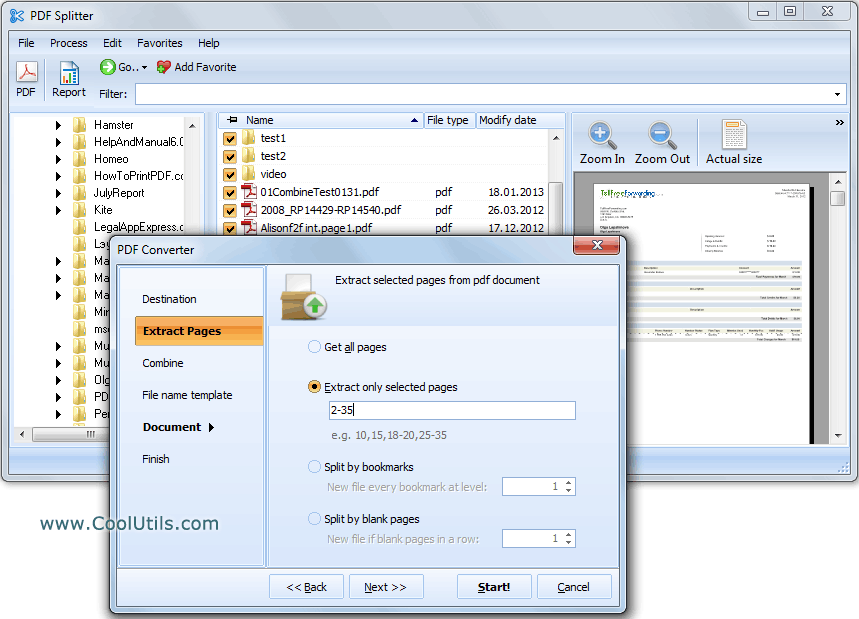
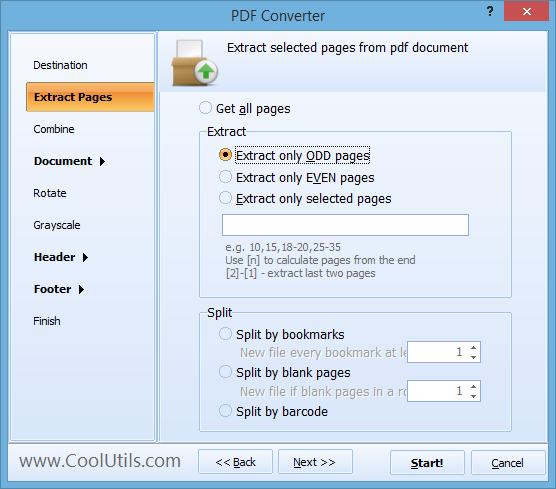
Install the free 30-day trial of PDF Splitter, open your PDF, pick how to split it — into single pages, custom page ranges, chapters by bookmarks, blank pages, or barcodes — and click Split. The same job runs from the command line:
PDFSplitter.exe C:\PDF\Example2.pdf C:\Pages\ -p "2-3"
PDFSplitter.exe C:\PDF\Example3.pdf C:\Pages\ -em bookmarks -b 3
The first command extracts only the pages you list; the second splits the file by bookmarks down to level 3. Switches like -list (take files from a list), -Recurse (include subfolders), and -log (write errors to a log file) make unattended runs practical.
Yes — this is the scenario desktop software is built for. PDF Splitter takes a whole folder of PDFs in one batch and applies the same splitting rule to every file. The built-in renamer keeps the output tidy: templates like [Name].page#.pdf, numbering that starts from any value or continues from the files already in the destination folder. Accounting teams use the Pro version to split one scanned stack of invoices into separate files by invoice number, each named accordingly.
PDF Splitter costs $59.90 as a one-time license; PDF Splitter Pro is $99. The 30-day trial is fully functional and requires no registration or credit card — test it on a real folder of confidential files that you would rather not upload anywhere.
Download free trial and convert your files in minutes.
No credit card or email required.