Logo
Home Products Support Contact About Us

Batch Print DXF Files on Windows


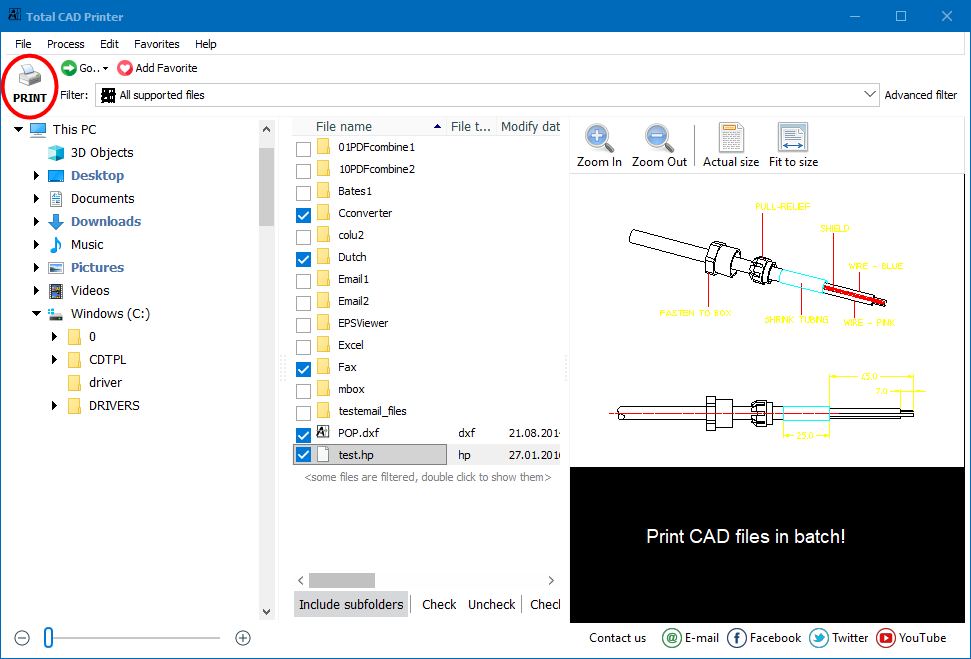
Printing DXF drawings one at a time means opening a CAD application, loading each file, setting the page, and clicking Print again and again. For a folder of a hundred drawings that is an afternoon lost. With Total CAD Printer you point the program at a folder, check the files, and print the whole batch in a few clicks. No AutoCAD, no opening files by hand.

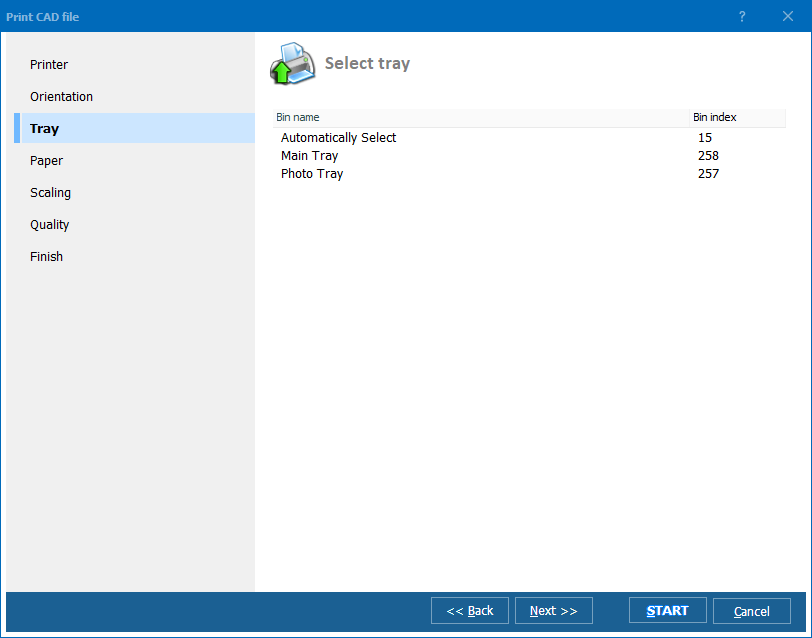
Quick answer: To batch-print DXF files, install Total CAD Printer, choose the folder with your drawings in the left panel, check the DXF files in the list, click Print, set the printer, tray, orientation and scaling in the Wizard, then click Start. The whole folder prints unattended on Windows without AutoCAD installed.

How do I print a whole folder of DXF drawings?

Run Total CAD Printer and choose a folder in the left-hand panel. Every drawing in that folder shows up in the file list. Check the DXF files you want and click Print. The Wizard walks you through the settings, then Start sends the batch to the printer. You never open a single file in a CAD editor.

  • Print an entire folder of DXF drawings in one job
  • Allocate files across several printers at once
  • Pick paper orientation with the AutoRotate options
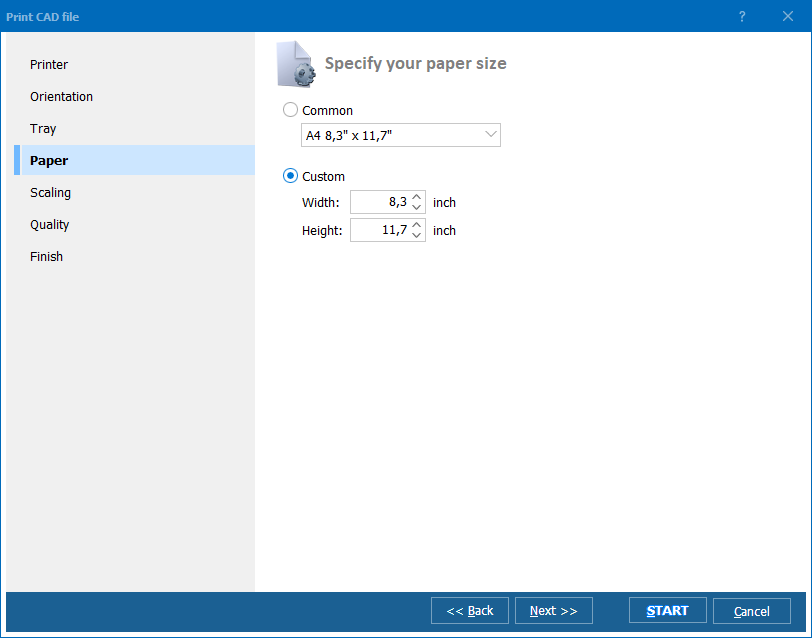
  • Choose the tray, page size and print quality
  • Scale drawings to the sheet with Fit to Page
  • Save frequent folders with Add Favourite for one-click access

Do I need AutoCAD to print DXF?

No. Total CAD Printer reads DXF on its own, so you print without AutoCAD or any other CAD suite on the machine. Alongside DXF it also prints DWG, PLT, HG, HGL, HPG, PLO, HP, HPGL, HPL, HP2, HPGL2, GL2, SPL, PRN, SVG and CGM, so a mixed folder of CAD formats goes to the printer in the same run.

Can I print DXF from the command line?

Yes. Total CAD Printer runs from both a GUI and the command line, so you can wire batch printing into a .bat script or a scheduled task and let a server push drawings to the printer unattended. The task optimization tool spreads the load across the printers you have.

If you need editable copies or other output formats instead of paper, its companion Total CAD Converter turns the same drawings into PDF, JPEG, SVG and more.

The evaluation version is fully functional for 30 days with no email or credit card. Download Total CAD Printer and clear your DXF print queue in minutes.


quote

Total CAD Printer Customer Reviews 2026

Rate It
Rated 4.7/5 based on customer reviews
5 Star

"We receive DXF drawing sets from a dozen clients and used to open each one in a CAD viewer to print. Total CAD Printer prints the whole folder in one pass, and splitting the job across our two plotters from the task tool cut our turnaround in half."

5 Star Gerald Ashby Print Room Manager, Ashby Reprographics

"Nobody at my desk has an AutoCAD seat, yet I still have to print DXF drawings for site reviews. This prints them straight from the folder without any CAD software, and Fit to Page keeps every sheet inside the margins. It just works."

5 Star Meiling Chen Project Engineer, Chen Structural Group

"I set up a scheduled command-line job so the night shift drawings print to the shop printer before the crew arrives. Configuring the .bat took a little reading, but once running it has printed batches of DXF and DWG files for months with no attention."

4 Star Roland Vandermeer IT Administrator, Vandermeer Fabrication

Print DXF in Batch — FAQ ▼

How do I print DXF files in batch?

Install Total CAD Printer, choose the folder with your drawings in the left panel, check the DXF files in the list, and click Print. The Wizard lets you set the printer, tray, orientation and scaling, then Start prints the whole batch at once.

Can I print DXF without AutoCAD?

Yes. Total CAD Printer reads DXF on its own and never launches a CAD application, so you do not need AutoCAD or any other CAD suite installed. That is what lets it print a whole folder of drawings unattended.

Which CAD formats can Total CAD Printer print?

Besides DXF, it prints DWG, PLT, HG, HGL, HPG, PLO, HP, HPGL, HPL, HP2, HPGL2, GL2, SPL, PRN, SVG and CGM. A mixed folder of these formats prints in one job.

Can I scale DXF drawings to fit the page?

Yes. The Fit to Page option scales each drawing to the sheet, and the AutoRotate options set the orientation. You can also pick the tray, page size and print quality in the Wizard before printing.

Can I print DXF from the command line?

Yes. Total CAD Printer works from both a GUI and the command line, so you can add batch printing to a .bat script or a scheduled task and run it on a server without anyone at the keyboard.

Is Total CAD Printer free?

Total CAD Printer offers a fully functional 30-day evaluation with no email or credit card required. A license unlocks unlimited use plus free support and upgrades after the trial.


Start working now!

Download free trial and convert your files in minutes.
No credit card or email required.

⬇ Download Free Trial Windows 7/8/10/11 • 22 MB

Support
Total CAD Printer Preview1
Total CAD Printer Preview2
Total CAD Printer Preview3

Related Topics

Latest News

Newsletter Subscribe

No worries, we don't spam.


© 2026. All rights reserved. CoolUtils File Converters

Cards