Need help? Reach us at 

 +1 (855) 418-2323
Need help? Reach us at
+1 (855) 418-2323

 File Converters TIFF and PDF apps Forensic Freeware
Print CAD files in batches via command line.
Windows
2000/2003/Vista
7/8/10/11/Citrix
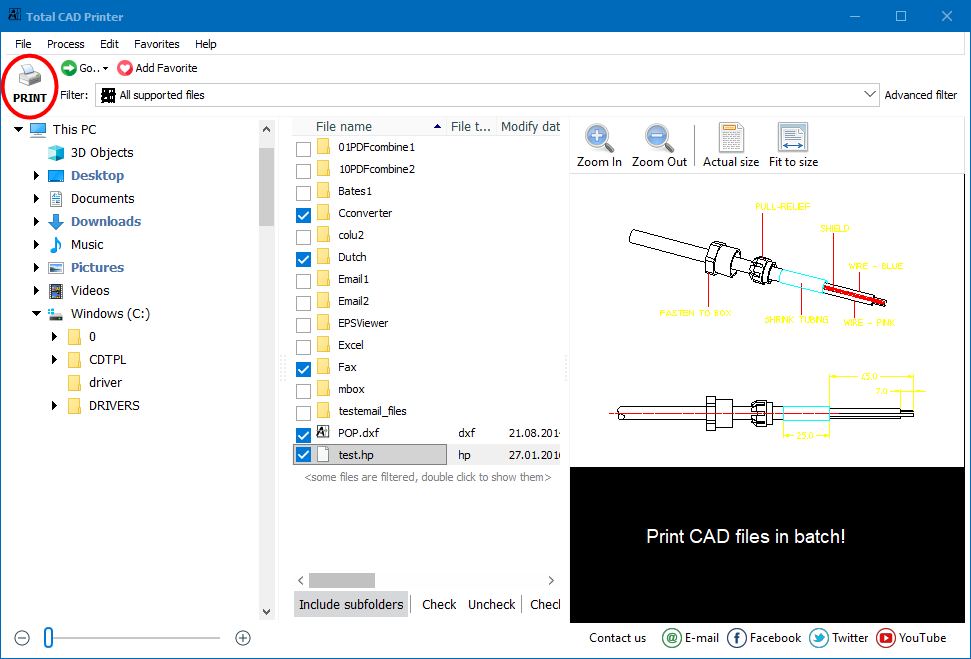
Everybody working with CAD files dreams to automatically optimize printing tasks. Total CAD Printer allows you to print out folders of DWG or DXF files in few clicks. And there is no need for AutoCAD.
Quick answer: Total CAD Printer batch-prints CAD drawings — DWG, DXF, PLT, HPGL, SVG, CGM and more — without AutoCAD. Install it, add your drawings or a whole folder, pick a printer or port, set orientation, paper size and quality, then click Print. It even prints oversized A1 sheets by parts on an A4 plotter, saving time and ink.
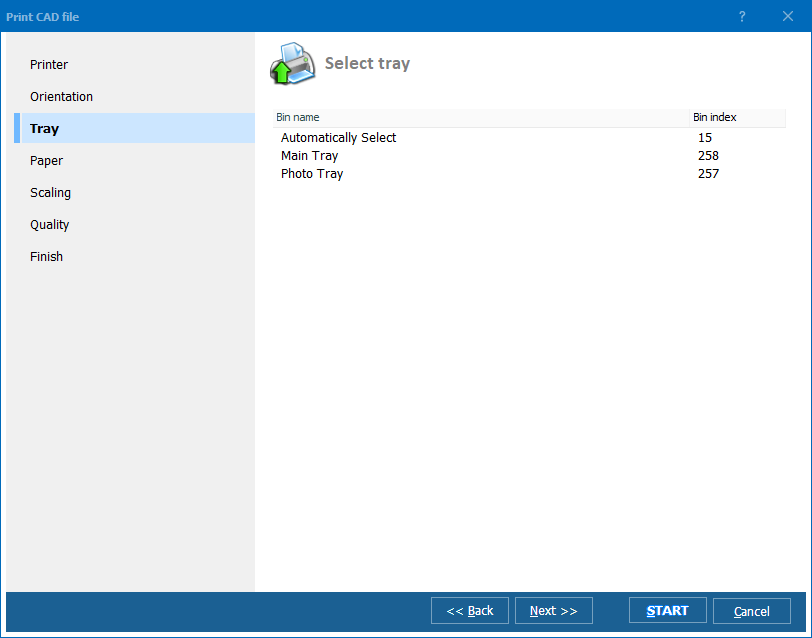
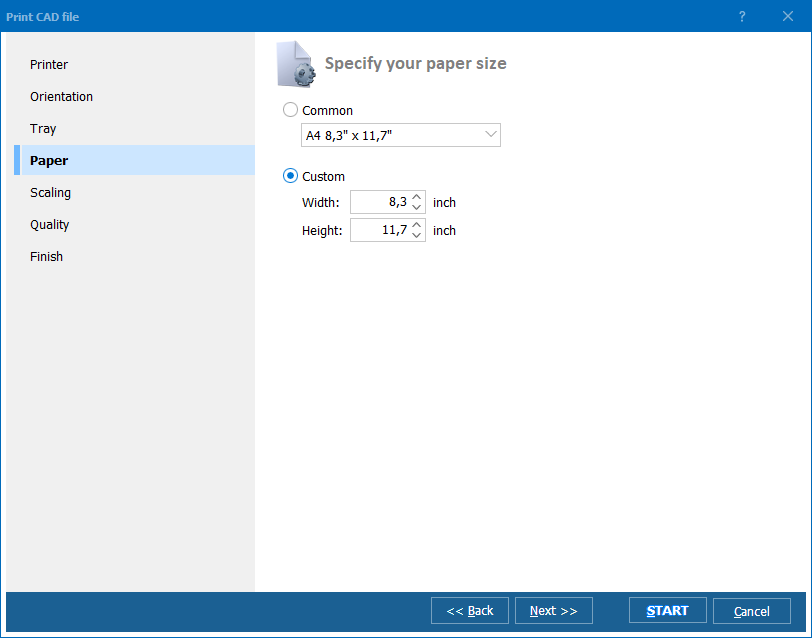
If you have several printers Total CAD Printer will send any CAD file to a specified printer or port. You may select AutoRotate option or set one orientation for all files (portrait or landscape). You also select tray and specify paper size. Total CAD Printer may scale the drawing for you before printing, just check Fit to Page option. CAD drawings often exceed A4 size. If your CAD files are of different sizes and you have different plotters Total CAD Printer will automatically print them the right way.
The unique option of our printer is printing by parts. In case you need to print A1 file but you have only A4 plotter available Total CAD Printer will print it by A4 segments.
Total CAD Printer saves you time. On top of that it saves your ink. It suggests 4 levels of printing quality for CAD files - from high to draft.
Total CAD Printer has transparent interface that is very easy-to-follow. Alternatively it can be run via command line. Automate large print jobs today - download evaluation copy of Total CAD Printer and print folders of CAD files in few clicks.
(includes 30 day FREE trial)
(only $149.90)

"TotalCADPrinter is awesome. I purchased it, had it installed and was printing CAD drawings within minutes. It does exactly what was promised. I would like to see some examples of command line usage on the command line screen just to make it clear how the command lines should be formatted."
 John Fleming
Durham Furniture Inc | www.durhamfurniture.com
John Fleming
Durham Furniture Inc | www.durhamfurniture.com
"We are happy to utilize Total CAD Printer in our printing tasks. It works fast and the price was competitive. Thank you!"
 Eric Nok
Engineers and teams that batch-print DWG, DXF, HPGL, and other CAD drawings without AutoCAD
Print entire folders of DWG and DXF drawings in one go
Architects and engineers print complete drawing sets by selecting a project folder and clicking Print once. Total CAD Printer handles mixed page sizes with AutoRotate and Fit to Page, sending each drawing to the correct plotter automatically — no AutoCAD installation required.
Print A1 drawings on A4 printers by tiled segments
Construction site offices and field teams use the unique print-by-parts feature to tile oversized CAD drawings onto smaller paper. An A1 drawing is automatically split into A4 segments, so crews without large-format plotters can still review full-size plans on standard office printers.
Batch-print PLT and HPGL plotter files for production
Manufacturing teams print PLT, HPGL, and CGM plotter files in batch for shop floor operators. Route different CAD files to different printers or trays based on paper size, choose from four quality levels to save ink on internal drafts, and reserve high-resolution mode for client deliverables.
Print archived CAD files for inspections and maintenance
Facility managers print as-built DWG, DXF, and SVG drawings when needed for inspections, maintenance work, or regulatory audits. Total CAD Printer scales drawings to fit the available paper size and handles files of varying dimensions in a single batch — no manual adjustment needed.
Schedule hands-free CAD printing via command line
IT departments automate CAD printing by calling Total CAD Printer from scripts and scheduled tasks. New drawings deposited into shared folders are printed automatically on the designated plotter — with orientation, scaling, and quality preset via command line parameters.
Updated Wed, 07 Oct 2026
(only $149.90)
Download free trial and convert your files in minutes.
No credit card or email required.



