Need help? Reach us at 

 +1 (855) 418-2323
Need help? Reach us at
+1 (855) 418-2323

 File Converters TIFF and PDF apps Forensic Freeware
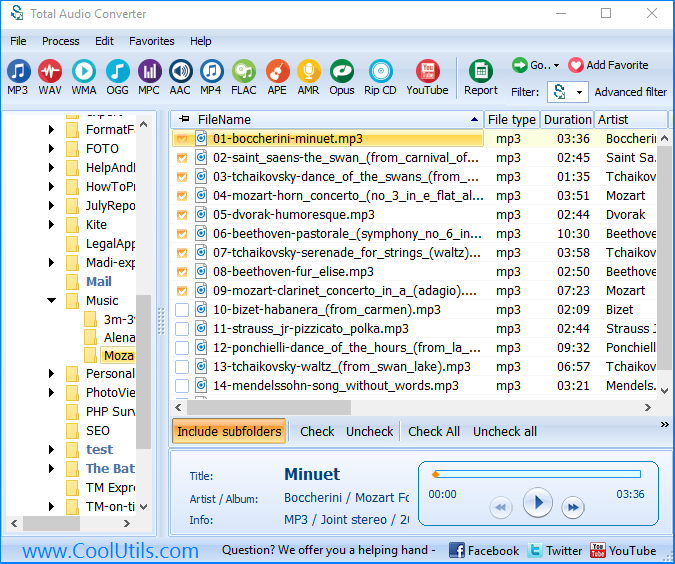
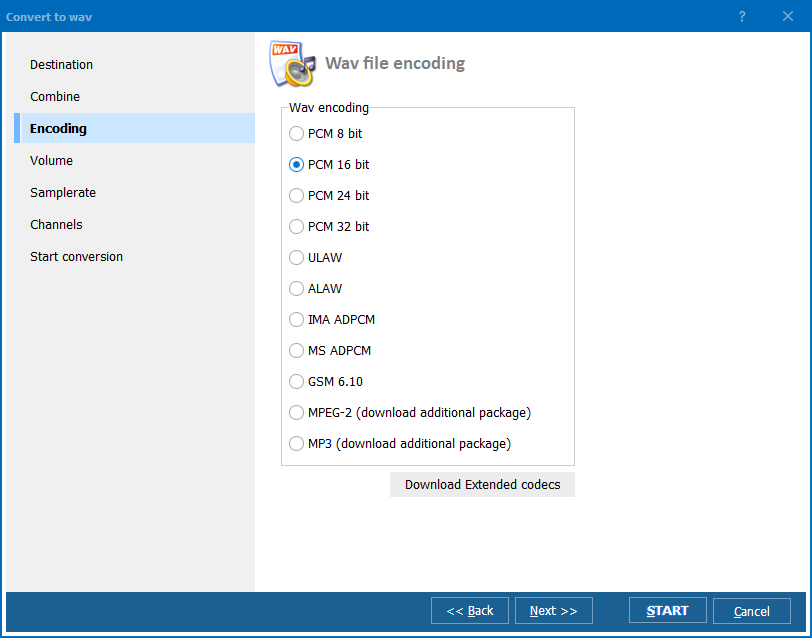
Quick answer: A CUE sheet is a text file listing the tracks inside one large audio file, so the real job is splitting that album rather than converting the CUE. In Total Audio Converter you select the FLAC or APE source with its CUE, click WAV, then press Start to get separate tracks. Free 30-day trial.
CUE files can be a bit mysterious to the uninitiated. Though they are used with audio files, they are simply a flat text file containing information about particular tracks on an audio file and other metadata such as the artist name.

Where they are incredibly useful is when it comes to conversion or splitting out larger files. Rather than looking to convert CUE to WAV for example, what you are typically looking to do is to use the information contained in a CUE file to process the audio file in a particular way.
You might, for example, be looking to convert FLAC with CUE to WAV, or trying to do something similar like convert APE with CUE to WAV.
What this usually means is that you have an album stored as a single file that you would like to split into individual tracks. CUE files give you the information to do that and our Total Audio Converter gives you the power to carry out the task quickly and with minimum fuss. You can also use it to combine individual tracks back into a single file.
The software is designed for speed and bulk processing so even if you are looking to convert a large amount of files, it will be more than up to the job.
Alongside FLAC, WAV and APE files, Total Audio Converter also handles over twenty five other audio formats ranging from common formats such as MP3, OGG and WMA to more obscure options such as TTA and XM. Whatever your audio conversion needs, you can be certain Total Audio Converter has you covered.
Total Audio Converter is also a fully featured CD ripper and comes complete with its own built-in audio player. You can even make use of it to capture audio direct from YouTube by simply entering a URL and letting the software take care of the rest.
Fans of the terminal can call Total Audio Converter directly from the command line with just a few keystrokes. The less technically inclined, on the other hand, will appreciate the effort that is gone into making the software's user-friendly graphical interface as simple to get to grips with as possible.
Over ten years of continuous development have gone into making Total Audio Converter the most fully featured audio conversion solution on the market. It is a professional tool available for just a fraction of the price of most competing offers.
Discover Total Audio Converter's power and ease of use for yourself by downloading a completely free, 30-day trial version of the software today!
Windows Vista/7/8/10/11
Download free trial and convert your files in minutes.
No credit card or email required.