Need help? Reach us at 

 +1 (855) 418-2323
Need help? Reach us at
+1 (855) 418-2323

 File Converters TIFF and PDF apps Forensic Freeware
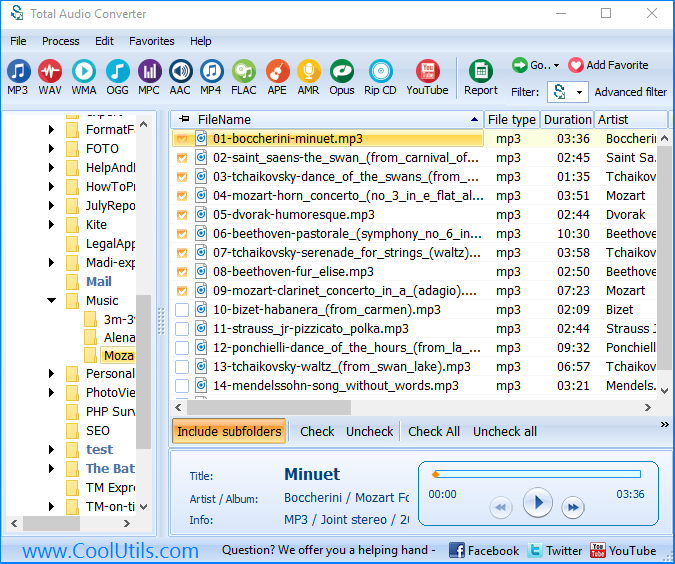
Some software simply will not touch MP3 — older audio editors, certain broadcast systems, and most CD-burning tools expect uncompressed WAV. Total Audio Converter converts MP3 to WAV in batch — point it at a folder and every file comes out as a standard WAV that any editor, sampler, or burning program accepts.
Quick answer: To convert MP3 to WAV, install Total Audio Converter, select your MP3 files, choose WAV as the output format, then click Start. The whole folder converts offline in one batch, with no file-count limit and no quality lost beyond what the original MP3 already discarded.
(includes 30 day FREE trial)
(only $24.90)
MP3 is a compressed, lossy format — it discards audio data to keep files small. Once that data is gone, it cannot be recovered. WAV is an uncompressed container: no further data is lost when you convert to it, but the file also will not shrink or improve beyond the quality already baked into the source MP3.
Converting MP3 to WAV does not restore lost audio detail — it repackages the existing MP3 audio into a format that older or professional software can actually open, edit, or burn to disc. This is the standard first step before importing audio into a DAW, a video editor, or a CD-burning tool that does not read MP3 directly.
Each MP3 file becomes a separate WAV. The original files are never modified, and you can convert hundreds of files in a single pass.
Total Audio Converter includes a command-line interface for converting MP3 without the GUI. Example:
AudioConverter.exe C:\Music\*.mp3 C:\Output\ -c WAV
Wrap this in a .bat file or a scheduled task to convert MP3 files automatically — useful for prepping a batch of files for a CD-burning tool or a DAW import.
 True batch conversion. Convert one MP3 file or a full folder in a single run. No opening files one by one.
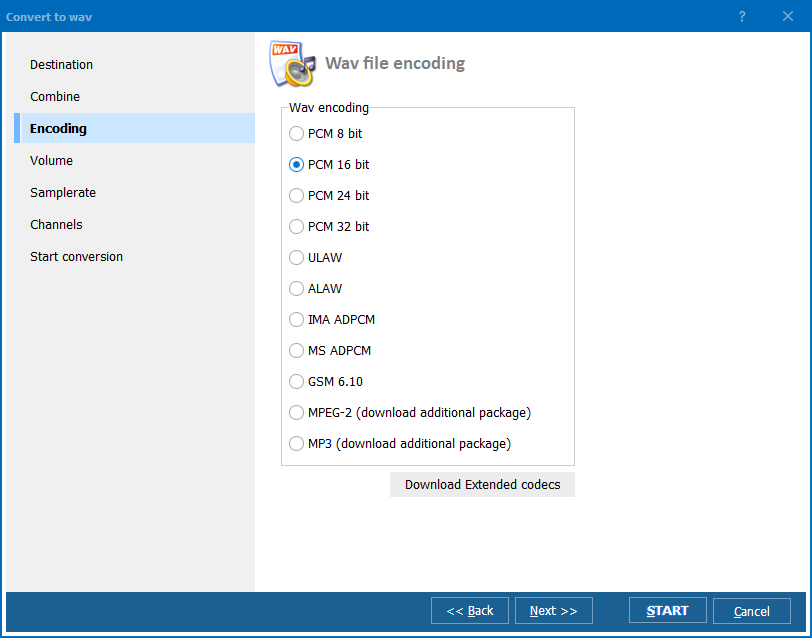
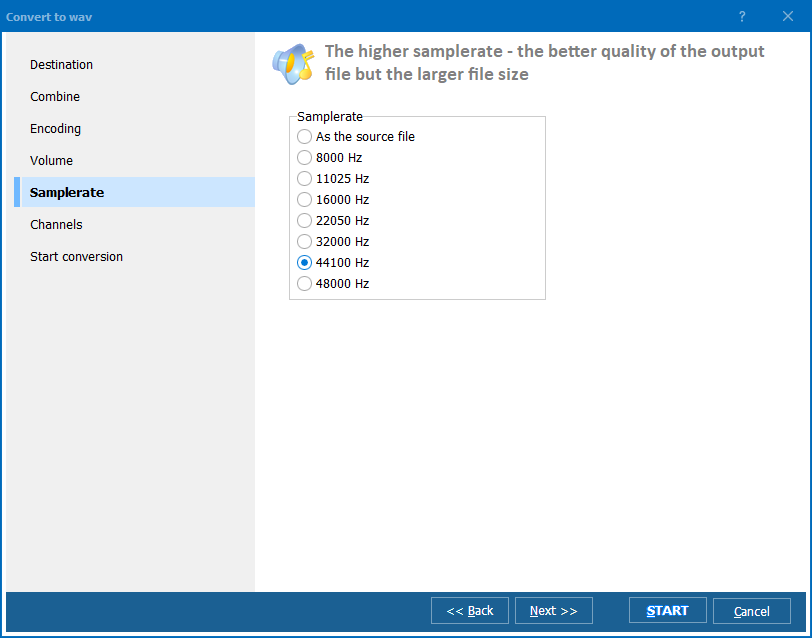
Sample rate and bit-depth control. Match the exact WAV specification your target software or hardware requires.
Tags preserved where supported. Metadata carries over into WAV where the format allows it.
100% offline. Your audio files never leave your PC. Nothing is uploaded to a cloud server.
30+ formats. Besides WAV, convert MP3 to FLAC, OGG, AAC, WMA, and more — all from the same program.
| Feature | Online Tools | Total Audio Converter |
|---|---|---|
| Files per job | 5–20 typical | Unlimited |
| File size limit | 10–50 MB | No limit |
| Privacy | Files uploaded to cloud | 100% offline |
| Sample rate control | Rarely | Full control |
| Automation | Manual only | Command line |
| Pricing | Subscription or per-file | One-time $24.90 |

(includes 30 day FREE trial)
(only $24.90)
Download free trial and convert your files in minutes.
No credit card or email required.