Need help? Reach us at 

 +1 (855) 418-2323
Need help? Reach us at
+1 (855) 418-2323

 File Converters
You have a folder of Word documents in Russian, Chinese, Arabic, or any other non-Latin script and need the raw text without formatting. A simple Save As → Plain Text drops special characters or replaces them with question marks because the default ANSI encoding cannot store them. Total Doc Converter exports DOC and DOCX files to Unicode plain text (UTF-8 or UTF-16) in batch — every character is preserved, every file is processed automatically.
Quick answer: To convert Word DOC to Unicode text, install Total Doc Converter, open the folder of DOC or DOCX files, tick the ones you need, click the Unicode Text button, pick UTF-8 or UTF-16 encoding, set the output folder, and click Start. The batch runs offline and every non-Latin character is preserved without replacement.
Microsoft Word's binary (DOC) and XML-based (DOCX) formats store text together with fonts, styles, images, tables, headers, footers, and macros. The files are editable in Word or compatible editors. The downside: DOC/DOCX files are heavy, require a compatible application to open, and carry formatting that is unnecessary when you only need the text content — for example, for indexing, data import, or NLP processing.
A Unicode text file contains raw characters with no formatting. UTF-8 uses 1–4 bytes per character and is the standard encoding on the web, in Linux, and in most modern applications. UTF-16 uses 2 or 4 bytes and is common in older Windows applications and some Asian-language workflows. Both encodings cover every script in the Unicode standard — Latin, Cyrillic, Chinese, Arabic, Devanagari, and all others.
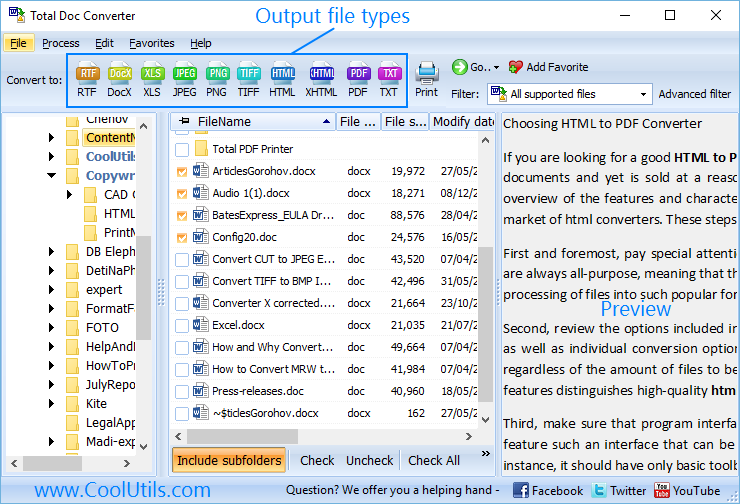
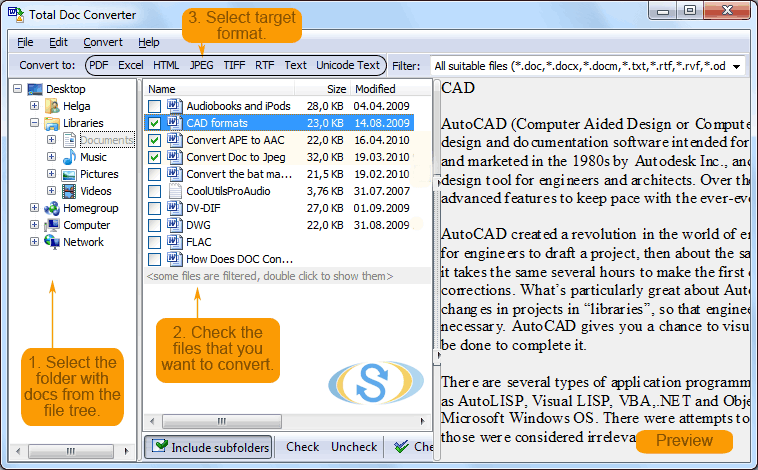
Launch Total Doc Converter. The folder tree on the left shows your drives. Navigate to the directory with DOC or DOCX files. The file list shows name, size, and date. Tick individual files or click Check to select all. Enable Include subfolders to process nested directories.
Click the Unicode Text button on the format toolbar at the top. The conversion wizard opens.
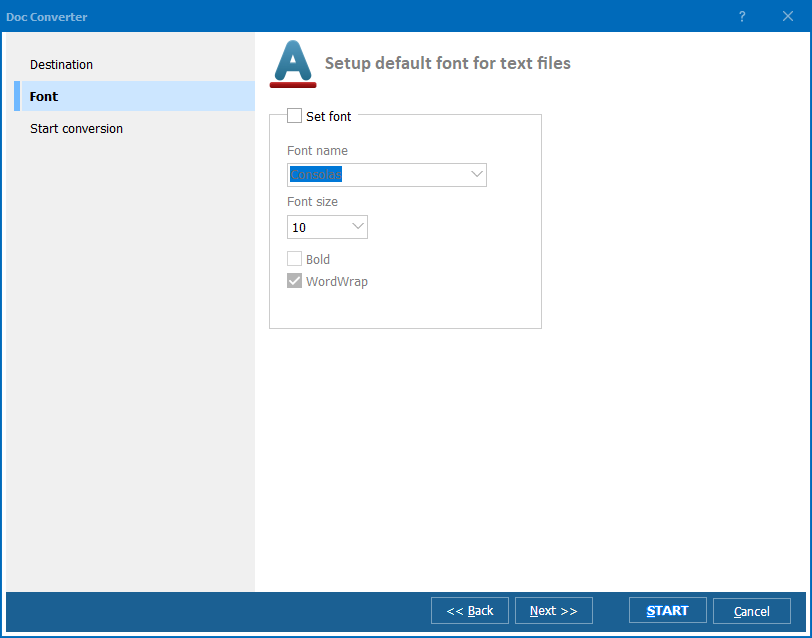
Choose the Unicode encoding:
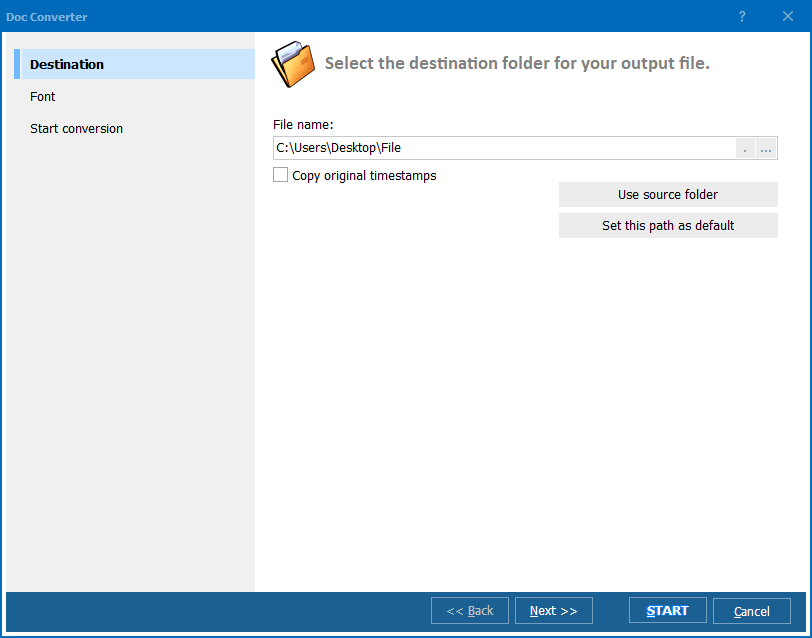
Specify the destination directory. Each DOC file produces one TXT file with the same base name. You can keep the original folder hierarchy or flatten everything into a single directory.
Press Start. Total Doc Converter reads each Word file, extracts the text content, applies the selected encoding, and writes a Unicode plain-text file. A progress log shows the status. Hundreds of files are processed without manual intervention.
Total Doc Converter includes a command-line interface for automated processing:
DocConverter.exe "C:\Docs\*.doc" "C:\Output\" -cTXT -eUTF8
Parameters: source path (wildcards supported), output directory, -cTXT sets the target format to plain text, -eUTF8 selects UTF-8 encoding. Replace with -eUTF16 for UTF-16 output. Save this in a .bat file and schedule it with Windows Task Scheduler for nightly batch conversion of incoming documents.
| Encoding | Bytes per Character | Best For | Compatibility |
|---|---|---|---|
| ANSI (Windows-1252) | 1 | English-only text | Legacy Windows apps. Loses non-Latin characters. |
| UTF-8 | 1–4 | Multilingual text, web, databases | Universal: Linux, macOS, Windows 10+, all modern software. |
| UTF-16 LE | 2 or 4 | Asian languages, legacy Windows tools | Windows Notepad (classic), some CJK applications. |
| UTF-16 BE | 2 or 4 | Network protocols, Java | Big-endian systems, Java internals. |
| Feature | Online DOC-to-TXT Tools | Total Doc Converter |
|---|---|---|
| Encoding selection | Rarely — most output ANSI or auto-detect | UTF-8, UTF-16 LE, UTF-16 BE, ANSI |
| Batch processing | 1–5 files at a time | Unlimited files, entire folder trees |
| Preserves all Unicode characters | Inconsistent — depends on the service | Yes — every character stored in the source DOC is preserved |
| Privacy | Files uploaded to third-party servers | 100% offline — files never leave your PC |
| Command-line automation | No | Yes — full CLI with all options |
| Handles DOC and DOCX | Usually DOCX only | DOC, DOCX, RTF, ODT, WPD, TXT |
| File size limit | 50–100 MB per file | No limit |
Total Doc Converter writes proper UTF-8 or UTF-16 with a correct BOM (Byte Order Mark). Every character from the source Word file — whether it is Latin, Cyrillic, Chinese, Arabic, Hebrew, or a mix of all — appears correctly in the output TXT. No replacement characters, no question marks, no garbled text.
Select 10 files or 10,000. Total Doc Converter processes the entire batch with the same settings. No need to open each file individually. Subfolders are included automatically when enabled.
The same tool converts DOC and DOCX to PDF, HTML, XLS, JPEG, TIFF, and RTF. One application covers all document-conversion needs. Switch the target format with a single click.
Schedule conversions with a .bat script and Windows Task Scheduler. A shared folder receives new Word files overnight; by morning, UTF-8 text versions are ready for the database import pipeline.
Total Doc Converter opens DOC (Word 97–2003), DOCX (Word 2007+), RTF, ODT (OpenDocument), WPD (WordPerfect), and plain TXT. Legacy archives with mixed formats are converted in one run.
Download the free 30-day trial — no email or credit card required. A personal license costs $49.90 and includes one year of free upgrades. Works on Windows 7/8/10/11.
Download Free Trial Buy License — $49.90
Download free trial and convert your files in minutes.
No credit card or email required.