Logo
Home Products Support Contact About Us
arrow1 File Converters
arrow1 TIFF and PDF apps
arrow1 Forensic
arrow1 Freeware

Convert VOX to MP4 Audio


VOX files come from phone systems, IVR platforms, and digital voice recorders. They store raw ADPCM audio with no file header, which means standard media players cannot identify them, let alone play them back. If you have a folder of VOX call recordings and need to listen to them on a phone, tablet, or any modern device, you need to convert them to a format those devices understand.

MP4 audio (AAC codec inside an MP4 container) plays natively on every iPhone, Android device, Windows PC, and Mac. Total Audio Converter converts VOX files to MP4 audio in batch — select a folder, pick the output format, click Convert. No file count limit, no upload, no manual work per file.

Download Now!

(includes 30 day FREE trial)

Buy License

(only $49.90)

Key Features

  • Batch conversion. Convert an entire folder of VOX recordings in one run. The converter works through files sequentially without any manual intervention between them.
  • Handles headerless VOX. Total Audio Converter reads raw ADPCM VOX data directly, including files from Dialogic, Rhetorex, and OKI ADPCM telephony systems.
  • Adjustable AAC bitrate and sample rate. Set the output bitrate (64–320 kbps) and upsample from VOX's native 8 kHz to 22 kHz or 44.1 kHz for better playback quality.
  • Command-line interface. Automate recurring exports with a single command or a .bat script. Useful for server-side processing of call archives.
  • Built-in audio preview. Play back any VOX file inside the converter before processing to confirm it contains the recording you expect.
  • No internet required. Conversion runs entirely on your local machine. Call recordings and voice archives never leave your computer.

VOX vs MP4 Audio: What Is the Difference?

VOX is a raw ADPCM (Adaptive Differential Pulse-Code Modulation) audio format used in telephony hardware and IVR software. It stores audio at 8 kHz mono with a 4-bit encoding per sample, producing very compact files. VOX has no file header — no codec identifier, no sample rate marker, no duration information. Because of this, media players cannot detect what the file contains or how to decode it. Opening a VOX file in Windows Media Player, VLC, or any mobile app results in an error or silence.

MP4 audio is an MPEG-4 container holding AAC-encoded audio. The container stores codec parameters, sample rate, channel count, and duration metadata. Any device or software that can play audio — smartphones, tablets, web browsers, media players — understands MP4/AAC natively. AAC at 128 kbps delivers noticeably better clarity than the original 8 kHz VOX source, and the format is accepted by virtually every podcast platform, cloud storage service, and communication app.

FeatureVOXMP4 Audio (AAC)
CodecADPCM (4-bit)AAC
Sample rate8 kHz (telephony standard)8–48 kHz (configurable)
ChannelsMonoMono or stereo
File headerNone (raw data only)Full metadata container
Native playback on phones/tabletsNoYes
Accepted by streaming / podcast platformsNoYes
Typical use caseIVR systems, call centersUniversal audio distribution

How to Convert VOX to MP4

  1. Download and install Total Audio Converter. The 30-day trial is fully functional — no email or credit card required.
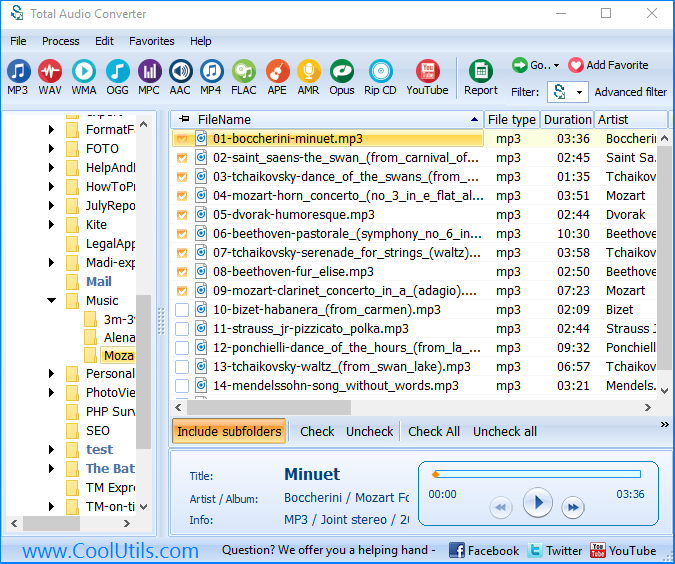
  2. Open the program. The left panel shows your folder tree. Navigate to the folder containing your VOX files.
  3. Check the boxes next to the files you want to convert. Use Ctrl+A to select all files in the current folder at once.
  4. Click MP4 in the format toolbar at the top of the window.
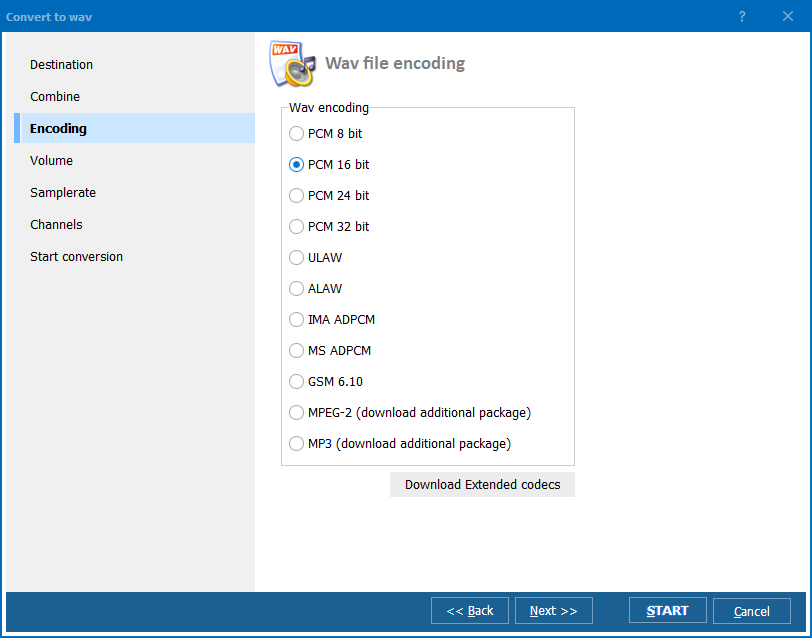
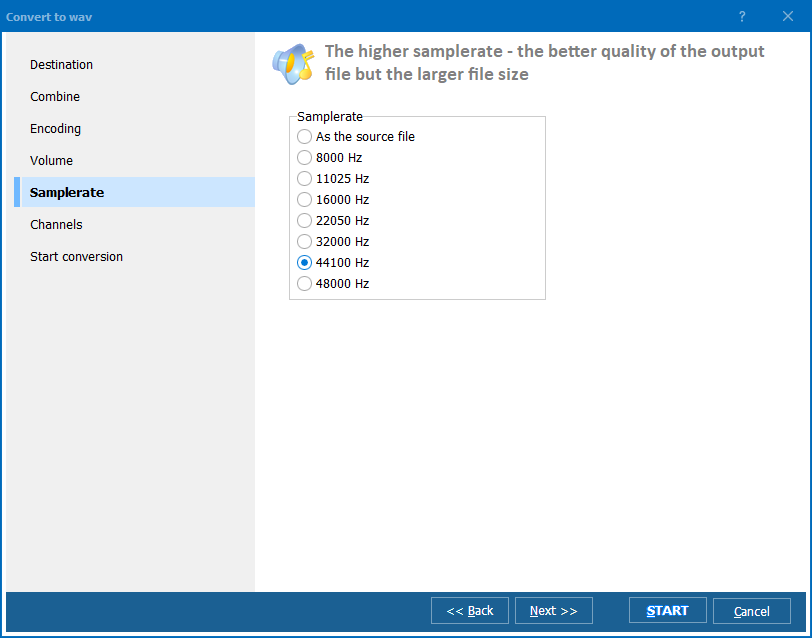
  5. In the conversion settings dialog, set the AAC bitrate and choose a destination folder. If your target device expects a specific sample rate, set it here. Click Start.
  6. The converter processes each VOX file and saves MP4 audio files to the output folder. A progress bar shows the status for each file.

Command-Line Conversion

Total Audio Converter includes a command-line version for server use and batch automation. Example command:

TotalAudioConverter.exe C:\CallRecordings\VOX\ C:\CallRecordings\MP4\ -c MP4 -b 128

This converts all VOX files in the source folder to MP4 audio at 128 kbps. You can wrap this in a .bat script and schedule it with Windows Task Scheduler to process new recordings automatically as they arrive. The command-line version accepts the same settings as the GUI, including sample rate, output folder naming, and recursive subfolder processing.

Why Use Total Audio Converter?

Reads VOX without configuration

VOX files from different telephony systems use slightly different ADPCM variants — Dialogic OKI ADPCM, Rhetorex ADPCM, and others. Total Audio Converter detects the encoding automatically and decodes the raw data correctly. You do not need to specify codec parameters or pre-process files before conversion.

Processes entire call archives in one pass

A typical IVR or call center archive contains hundreds or thousands of VOX files organized in date-stamped folders. Total Audio Converter processes entire folder trees in a single operation, preserving the subfolder structure in the output. Converting an archive manually, file by file, is not feasible at this scale.

You control output quality

The converter does not apply a fixed bitrate. You choose the AAC bitrate and the output sample rate independently. For voice recordings where intelligibility matters more than file size, 128 kbps at 22 kHz produces clear, natural-sounding audio from the 8 kHz source. For archival purposes where storage is a concern, 64 kbps still yields fully understandable speech.

Works without an internet connection

All processing is local. Your call recordings are never uploaded to a server. This is important when VOX files contain sensitive conversations — customer calls, legal depositions, or internal communications — that cannot be transmitted over a network without authorization.

Right-click integration in Windows Explorer

After installation, Total Audio Converter adds a context menu entry in Windows Explorer. Right-click any VOX file or a folder of VOX files, choose Convert, and select MP4. The conversion starts without opening the main application window — useful when you need to process a single recording quickly.

Online Converters vs Desktop Converter

FeatureOnline convertersTotal Audio Converter
Recognizes headerless VOX Rarely Yes
File size limitTypically 50–200 MBNo limit
Batch conversion Usually one file at a time Unlimited batch
Files uploaded to server Yes No — local only
Command-line / automation No Yes
Works offline No Yes
Suitable for sensitive call recordings No Yes

When Do You Need VOX to MP4 Conversion?

  • Reviewing call center recordings on a mobile device. Quality assurance teams often need to review archived VOX calls while away from the office. Standard phones cannot play VOX. Converting the recordings to MP4 lets supervisors listen on any device without carrying a laptop or specialized playback software.
  • Migrating an IVR archive to a cloud platform. When a business moves from a legacy PBX system to a cloud telephony provider, the old VOX recordings need to be in a format the new platform accepts. Cloud storage and unified communications systems work with MP4/AAC; none of them accept raw VOX.
  • Submitting call recordings as evidence or documentation. Legal proceedings, compliance audits, and HR investigations require audio files that can be played by anyone involved. A lawyer, compliance officer, or HR manager cannot be expected to install telephony software to play a VOX file. MP4 plays in any media player, email client, or web browser.
  • Archiving voice recordings for long-term storage. VOX is a proprietary telephony format tied to specific hardware. As telephony systems age and get replaced, the ability to decode VOX files may disappear. Converting to MP4/AAC produces a format supported by open standards that will remain accessible for decades.
  • Integrating recordings into transcription or AI pipelines. Speech-to-text services, call analytics platforms, and AI-based voice tools accept MP3, WAV, or MP4 as input. VOX is not on that list. Converting to MP4 is the prerequisite for feeding call recordings into any modern transcription or analysis workflow.
Download Now!

(includes 30 day FREE trial)

Buy License

(only $49.90)


quote

Total Audio Converter Customer Reviews 2026

Rate It
Rated 4.7/5 based on customer reviews
5 Star

"We had over 40,000 VOX files from a legacy Dialogic IVR system that needed to go into our new cloud archive. Nothing we tried could read them reliably. Total Audio Converter handled the entire batch overnight without a single error. The command-line mode made it easy to script. Exactly what we needed."

5 Star Marcus Holloway IT Administrator, Regional Call Center

"We needed to submit call recordings as part of a regulatory review and the files were all in VOX format. Our legal team could not play them. Total Audio Converter converted the relevant recordings to MP4 in minutes. The output played in every media player we tested. Simple, fast, no issues."

5 Star Sandra Ferreira Legal Compliance Officer

"Solid tool for VOX conversion. I tested it against files from three different PBX systems and it decoded all of them correctly. Batch mode works well and the command-line interface is clean. Would like a few more sample rate options in the GUI, but for the core task it does exactly what it says."

4 Star Tom Wickfield Telecom Systems Engineer

FAQ ▼

VOX is a raw ADPCM audio format used in telephony systems, IVR platforms, and digital voice recorders. It stores audio at 8 kHz mono with no file header, which is why standard media players cannot open it. The format is compact and was designed for phone-line audio quality, not general playback.
VOX files have no header — they contain only raw audio data with no codec identifier or sample rate information. Media players rely on the header to determine how to decode a file. Without it, they either reject the file or produce silence. Converting VOX to MP4 embeds all necessary metadata in the container so any player can read it correctly.
Yes. Total Audio Converter reads VOX files produced by Dialogic, Rhetorex, OKI, and other ADPCM telephony systems. The decoder handles the raw 4-bit ADPCM data directly without requiring you to specify codec parameters manually.
The source audio is captured at 8 kHz mono — telephony quality. Converting to MP4 with AAC encoding does not recover frequencies that were not recorded, but it does allow you to upsample to 22 kHz or 44.1 kHz and apply a higher bitrate, which can improve perceived clarity and eliminate artifacts from the ADPCM decoding process. The result will sound cleaner than the raw VOX output.
Yes. Select any number of files or navigate to a folder in Total Audio Converter, check all files with Ctrl+A, and start the conversion. The program processes the entire selection sequentially. There is no limit on file count or total size. For recursive folder processing, use the command-line version with the appropriate flag.
Yes. All conversion happens locally on your machine. No files are uploaded to any server. Your call recordings — customer conversations, legal depositions, or internal communications — never leave your computer during the process.
For voice recordings where intelligibility is the priority, 128 kbps AAC at 22 kHz is a practical choice. It produces clear, natural-sounding speech from the 8 kHz source and keeps file sizes manageable. If storage space is critical and you only need to understand the speech content, 64 kbps is sufficient for most call recordings.


Start working now!

Download free trial and convert your files in minutes.
No credit card or email required.

⬇ Download Free Trial Windows 7/8/10/11 • 78 MB

Support
Audio Converter Preview1
Audio Converter Preview2
Audio Converter Preview3

Latest News

Newsletter Subscribe

No worries, we don't spam.


© 2026. All rights reserved. CoolUtils File Converters

Cards