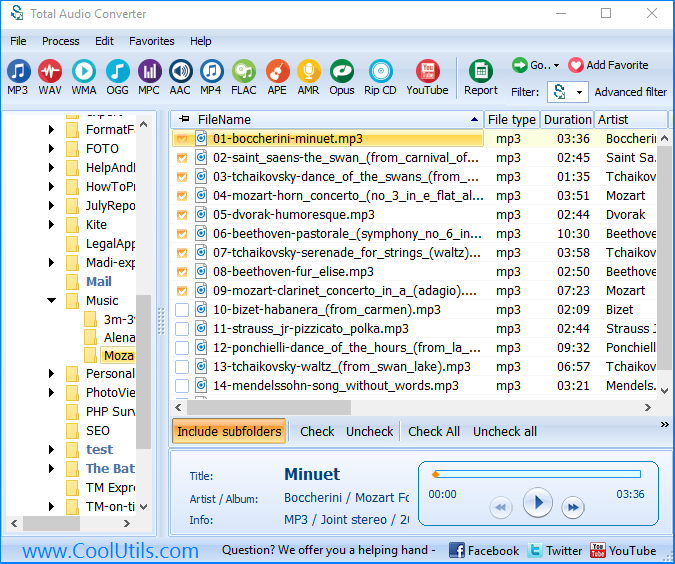
VOX files come from telephone systems, IVR platforms, and digital dictation machines — and they will not open in any standard media player. The format stores raw ADPCM audio with no header, so players have no way to determine the sample rate or channel count. Total Audio Converter reads VOX files directly and converts them to MP3, WAV, FLAC, or any other format you need.
(includes 30 day FREE trial)
(only $49.90)
VOX is a raw audio format used almost exclusively in telephony. It encodes audio using ADPCM (Adaptive Differential Pulse-Code Modulation), a codec designed for compressing voice at low bitrates. A typical VOX file stores mono audio at 8 kHz — the standard sampling rate for telephone-quality voice.
The defining characteristic of VOX is that it has no file header. Standard audio containers (WAV, MP3, FLAC) include a header block that identifies the codec, sample rate, channel count, and bit depth. VOX has none of this. The file is a bare stream of ADPCM-encoded samples. A media player that opens a VOX file has no information about how to decode it — which is why VLC, Windows Media Player, and most other players either refuse to open VOX files or produce distorted noise.
VOX files originate from IVR (Interactive Voice Response) systems, analog and digital dictation machines, telephony gateways, and call recording software. Formats like Dialogic VOX (used in Dialogic telephony boards) and Rhetorex VOX follow the same headerless ADPCM convention. The typical file extension is .vox, though some systems use .adpcm or even no extension at all.
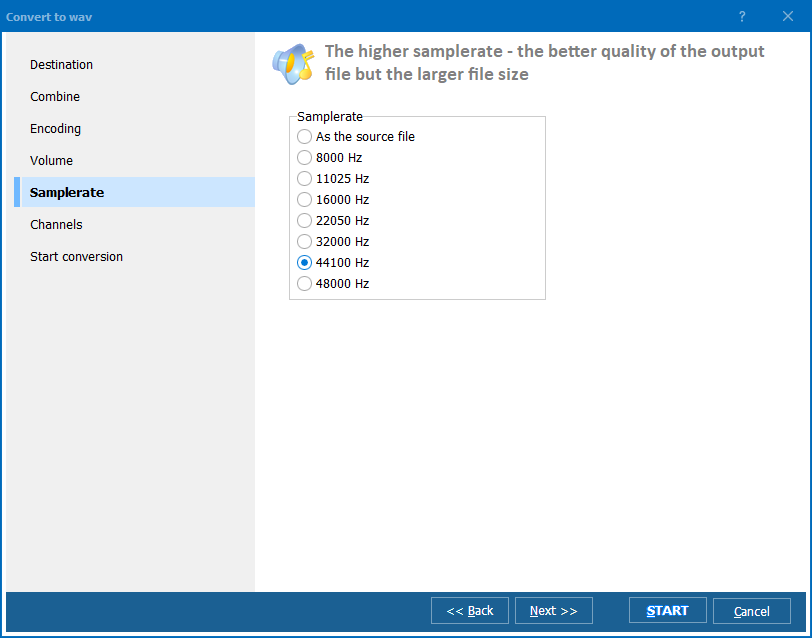
To decode a VOX file correctly, the player or converter must be told the sample rate (usually 8000 Hz) and that the audio is mono. Without those parameters, the decoded audio will play at the wrong speed or sound like scrambled noise.
| Property | VOX | WAV (PCM) |
| File header | None | RIFF header |
| Codec | ADPCM | PCM (uncompressed) |
| Typical sample rate | 8 kHz | 8–192 kHz |
| Channels | Mono | Mono or stereo |
| Playable in standard players | No | Yes |
| Primary use | Telephony, IVR, dictation | General audio |
| File size (1 min voice) | ~480 KB | ~960 KB (8 kHz mono PCM) |
Total Audio Converter includes a command-line version for server use and scripted automation. Example command:
TotalAudioConverter.exe C:\CallRecordings\VOX\ C:\CallRecordings\MP3\ -c MP3 -b 64 -freq 8000
This converts all VOX files in the source folder to MP3 at 64 kbps with an 8 kHz input sample rate. You can wrap this in a .bat file and run it with Windows Task Scheduler — useful when a call center system deposits new VOX files to a folder nightly and you need them archived as MP3 by morning.
Most audio tools fail on VOX files because there is no header to read. Total Audio Converter treats VOX as a raw ADPCM stream and uses the sample rate you specify. This produces correctly-paced audio, not the chipmunk-speed or slow-motion distortion that results from wrong rate assumptions. The setting is saved per conversion profile, so you only configure it once for a batch.
Call centers and dictation systems accumulate VOX files over months or years. Converting them individually is not a realistic option. Total Audio Converter processes entire folder trees in a single operation. Enable recursive mode and it descends into every subfolder, converting and replicating the directory structure in the output location.
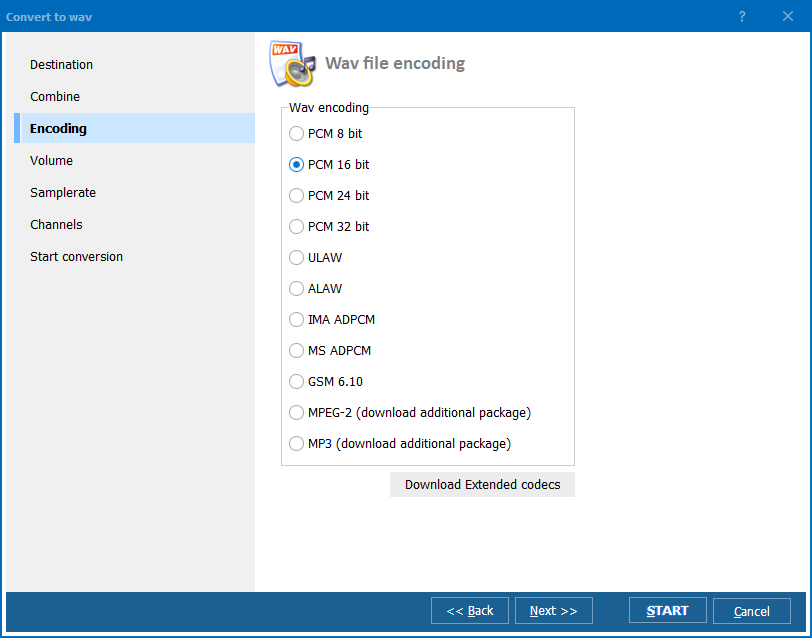
The default 8 kHz source audio is telephone quality — adequate for voice intelligibility but not ideal for archiving or editing. Total Audio Converter lets you upsample to 16 kHz or 44.1 kHz WAV for use in audio editors. For storage-efficient archives, 64 kbps MP3 mono preserves voice quality at a fraction of the WAV file size.
Call recordings often contain sensitive business or medical information. Total Audio Converter runs entirely on your machine. No files are uploaded to any server. This is a practical requirement for healthcare, legal, and financial environments where data residency matters.
The command-line interface accepts all conversion parameters as arguments. You can build a fully automated pipeline: IVR system writes VOX files to a watch folder, a scheduled .bat script converts them to MP3, and the MP3 files are moved to a playback or archiving location. No manual steps, no GUI required.
| Feature | Online converters | Total Audio Converter |
| VOX file support | Rare — most do not recognize VOX | ✓ Full support |
| Sample rate configuration | Usually fixed or unavailable | ✓ Configurable per conversion |
| File size limit | Typically 50–200 MB | No limit |
| Batch conversion | ✘ Usually one file at a time | ✓ Unlimited batch |
| Files uploaded to server | ✘ Yes — privacy risk | ✓ No — local only |
| Command-line / automation | ✘ No | ✓ Yes |
| Works offline | ✘ No | ✓ Yes |
| Suitable for sensitive recordings | ✘ No | ✓ Yes |
(includes 30 day FREE trial)
(only $49.90)
"We had seven years of call recordings stored as VOX files from our old Dialogic system. The new platform uses MP3 exclusively and none of our compliance team could open the archived calls. Total Audio Converter batch-converted over 40,000 files in a weekend. Setting the sample rate to 8000 Hz in the profile was the key step — after that every file came out clean and playable. The command-line mode let us script the whole thing."
Sandra Kowalski Call Center Operations Manager
"The clinic switched dictation systems and left us with a backlog of VOX recordings that the new software could not read. I needed WAV files for our transcription service, which does not accept VOX. Total Audio Converter handled the conversion without any issues — I pointed it at the archive folder, set 8 kHz mono, chose WAV output, and let it run. Every recording transcribed correctly afterward. Straightforward and reliable."
Dr. Michael Reinhardt Medical Transcriptionist
"We manage an IVR system that generates VOX prompt files, and every time the marketing team wants to edit a prompt they send me a VOX file I have to convert before they can open it in Audacity. I set up a scheduled .bat script using Total Audio Converter's CLI that auto-converts any new VOX file dropped in a watch folder to WAV. Saved me from doing it manually. Would give 5 stars but the documentation for the command-line parameters could be more detailed."
James Oduya IT Administrator, Telecom Company
Download free trial and convert your files in minutes.
No credit card or email required.
© 2026. All rights reserved. CoolUtils File Converters