Logo
Home Products Support Contact About Us
arrow1 File Converters
arrow1 TIFF and PDF apps
arrow1 Forensic
arrow1 Freeware

ODS to XLSX Converter — Convert OpenDocument Spreadsheets to Excel


Need to convert ODS files to XLSX? Total Excel Converter handles the job quickly and accurately, keeping your data, formatting, and formulas intact. Our ODS to XLSX converter:
  • Preserves cell formatting, formulas, and charts
  • Converts hundreds of ODS files in one batch
  • Works offline — no files uploaded to the cloud
  • Provides command-line interface for automation
  • Includes a 30-day free trial with no limitations

Download Total Excel Converter and start converting OpenDocument spreadsheets to Excel today.


Download Now!

(includes 30 day FREE trial)

Buy License

(only $49.90)

ODS vs XLSX: What Is the Difference?

ODS (OpenDocument Spreadsheet) is an open standard format used by LibreOffice Calc, Apache OpenOffice Calc, and Google Sheets. It is part of the OASIS OpenDocument specification and stores spreadsheet data in a ZIP-compressed XML structure. ODS is widely used in government agencies, educational institutions, and organizations that prefer open-source software.

XLSX is the default spreadsheet format for Microsoft Excel since version 2007. It is an Office Open XML format that also uses ZIP-compressed XML internally. XLSX dominates in corporate environments, financial services, and any workflow built around the Microsoft Office ecosystem.

While both formats store similar data — cells, formulas, charts, and styles — they are not fully interchangeable. Opening an ODS file in Excel can cause formula errors, shifted layouts, or lost chart formatting. Converting ODS to XLSX with a dedicated tool ensures that every element transfers cleanly.
How to Convert ODS to XLSX

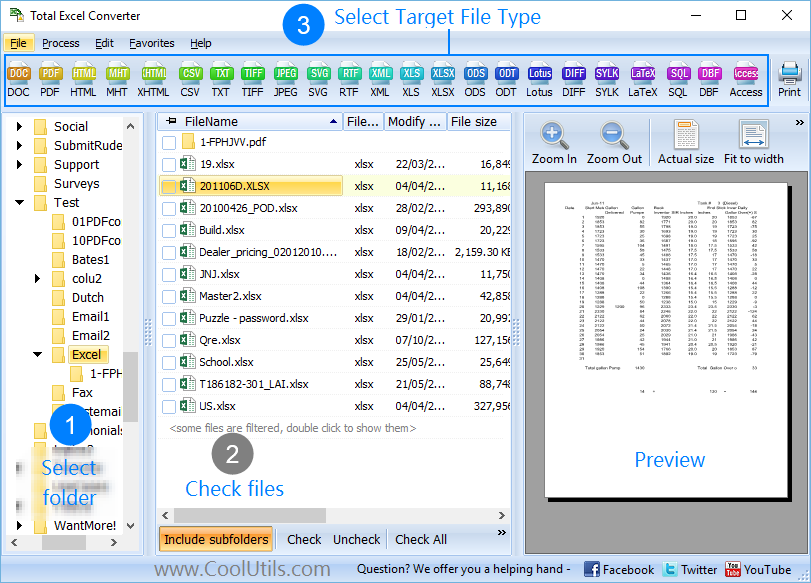
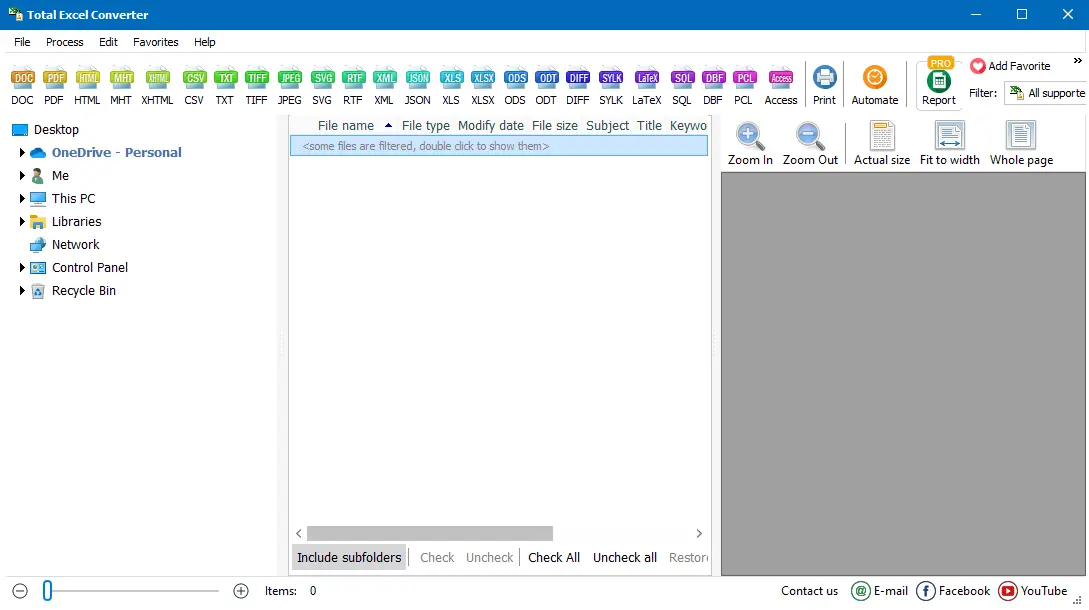
  • Step 1. Launch Total Excel Converter. The left panel displays a folder tree for quick navigation.
  • Step 2. Browse to the folder that contains your ODS files. The file list in the center shows all supported spreadsheets.
  • Step 3. Check the ODS files you want to convert. Use Check All to select every file in the folder for batch conversion.
  • Step 4. Click XLSX in the format toolbar at the top of the window.
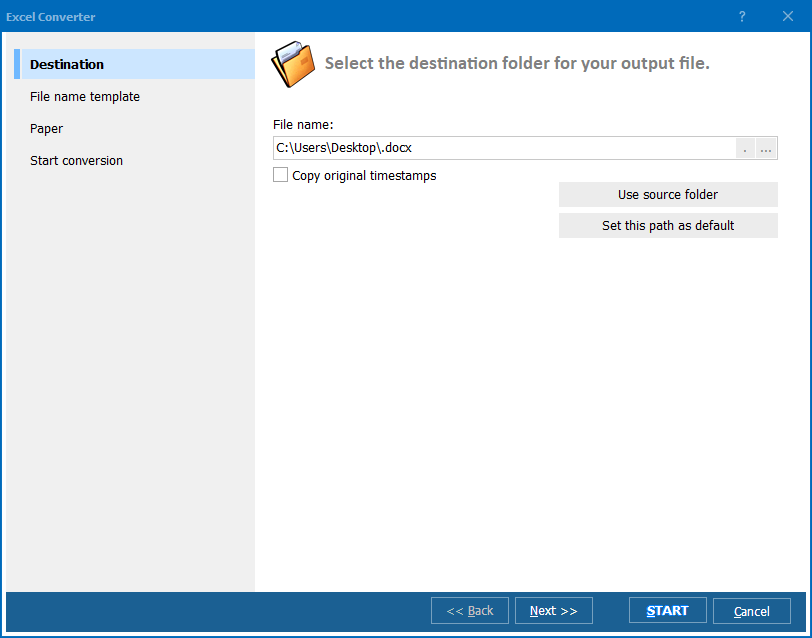
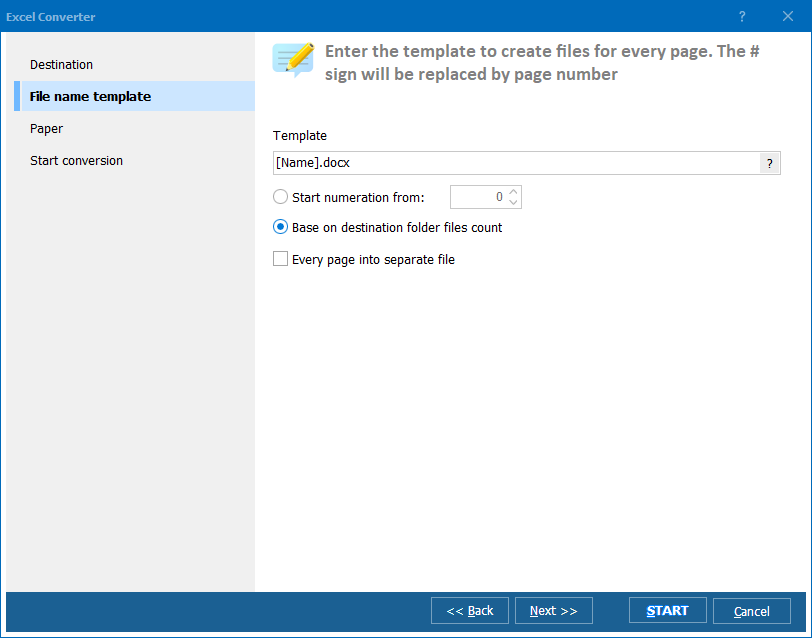
  • Step 5. Set the destination folder and adjust any settings in the conversion wizard (paper size, sheet selection, header/footer).
  • Step 6. Press Start. The converter processes all selected files and saves the XLSX output to your chosen folder.

Total Excel Converter - ODS to XLSX interface

The entire conversion takes seconds, even for large batches. Your original ODS files remain untouched.

Command-Line Conversion

Total Excel Converter includes a command-line interface that lets you convert ODS to XLSX from scripts, batch files, or scheduled tasks. Example:

ExcelConverter.exe C:\Data\report.ods C:\Output\report.xlsx

This makes it easy to integrate ODS-to-XLSX conversion into automated workflows, ETL pipelines, or server-side processes.

Why Use Total Excel Converter?

Green PlusBatch processing. Select hundreds of ODS files and convert them to XLSX in a single run. It won't take much longer for the program to process a thousand files than a single one.

Green PlusFormatting preservation. Fonts, cell colors, borders, merged cells, number formats, and conditional formatting survive the conversion. Your XLSX files look just like the ODS originals.

Green PlusFormula support. Cell formulas, cross-sheet references, and named ranges are translated from ODS syntax to Excel syntax automatically.

Green PlusBuilt-in viewer. Preview any spreadsheet before conversion to verify that the source data is correct.

Green PlusNo cloud uploads. All processing happens locally on your PC. Confidential financial data, HR spreadsheets, or trade secrets never leave your machine.

Green Plus20+ output formats. Besides XLSX, convert ODS to PDF, DOC, HTML, CSV, XML, SQL, DBF, LaTeX, DIFF, SYLK, and more — all from the same tool.

Online Converters vs Desktop Converter

FeatureOnline ToolsTotal Excel Converter
File size limit10–100 MBNo limit
Batch conversionLimited or paidUnlimited
PrivacyFiles uploaded to cloud100% offline
SpeedDepends on connectionInstant (local)
AutomationAPI (paid plans)Built-in command line
Formatting qualityBasicFull preservation
PricingSubscriptionOne-time $49.90

download ODS to XLSX converter

Windows 7/8/10/11 • 30-day free trial

When Do You Need ODS to XLSX Conversion?

There are several common scenarios where converting OpenDocument spreadsheets to Excel format is necessary:
  1. Corporate compatibility. Most enterprises standardize on Microsoft Office. If your team or clients use Excel, sending ODS files creates friction — formatting breaks, macros fail, and pivot tables may not render. Converting to XLSX eliminates these issues.
  2. Data analysis tools. Power BI, Power Query, and many business intelligence platforms import XLSX natively but have limited or no ODS support. Converting first ensures a clean data import.
  3. Collaboration. When sharing spreadsheets with external partners, XLSX is the safest choice. Nearly every spreadsheet application can open XLSX without compatibility warnings.
  4. Archiving. While ODS is an open standard, XLSX has become a de facto archiving format in many industries due to its ubiquity. Long-term storage in XLSX ensures that files remain accessible on virtually any system.
  5. Migration from LibreOffice. Organizations moving from LibreOffice to Microsoft 365 need to bulk-convert existing ODS archives. Total Excel Converter handles this migration in batch mode, preserving all data.


Download Now!

(includes 30 day FREE trial)

Buy License

(only $49.90)

FAQ ▼

Total Excel Converter offers a full-featured 30-day free trial with no limitations. During the trial you can convert as many ODS files to XLSX as you need. After the trial, a one-time license costs $49.90 — no subscription.
Yes. Cell formulas, cross-sheet references, named ranges, fonts, colors, borders, merged cells, and number formats are all converted from ODS to XLSX. The output file looks and works just like the original.
Absolutely. Total Excel Converter supports batch conversion. Select all ODS files in a folder (or use Check All), choose XLSX as the target format, and press Start. Hundreds of files are processed in seconds.
No. Total Excel Converter is a standalone application. It reads ODS files and writes XLSX files using its own engine — no Excel, LibreOffice, or any other office suite is required.
Besides XLSX, you can convert ODS to PDF, DOC, HTML, CSV, XML, TXT, SQL, DBF, LaTeX, DIFF, TEX, SYLK, Access, and more — over 20 output formats in total.
Yes. Total Excel Converter includes a built-in command-line interface. You can automate ODS-to-XLSX conversion in batch scripts, scheduled tasks, or server-side workflows without any GUI interaction.
Completely. Total Excel Converter processes files locally on your computer. No data is uploaded to any cloud service or external server. Your spreadsheets never leave your machine.


Start working now!

Download free trial and convert your files in minutes.
No credit card or email required.

⬇ Download Free Trial Windows 7/8/10/11 • 36 MB

Support
Excel Converter Preview1
Excel Converter Preview2
Excel Converter Preview3

Latest News

Newsletter Subscribe

No worries, we don't spam.


© 2026. All rights reserved. CoolUtils File Converters

Cards