Logo
Home Products Support Contact About Us
arrow1 File Converters
arrow1 TIFF and PDF apps
arrow1 Forensic
arrow1 Freeware

Total Excel Converter Video and Key Features


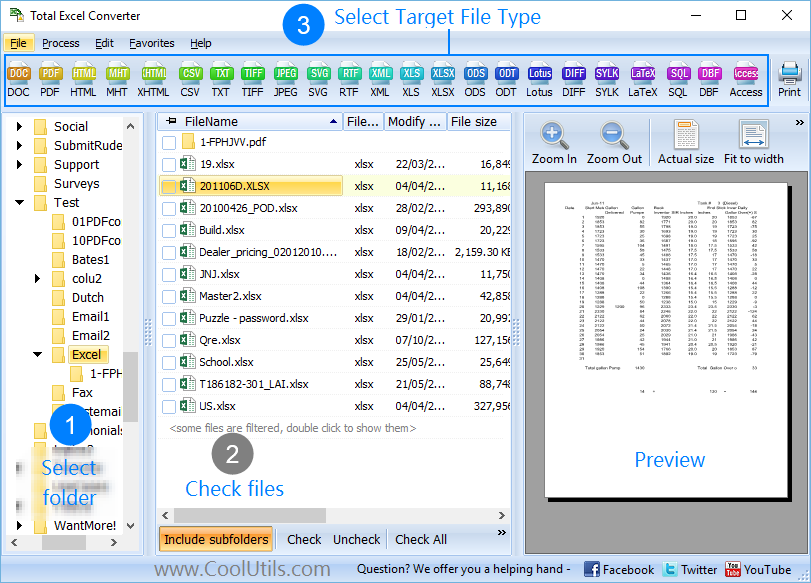
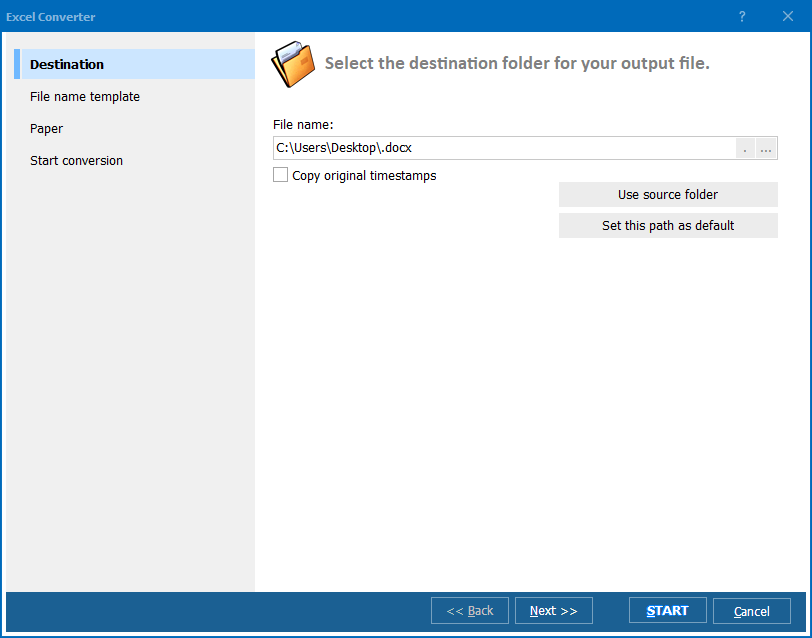
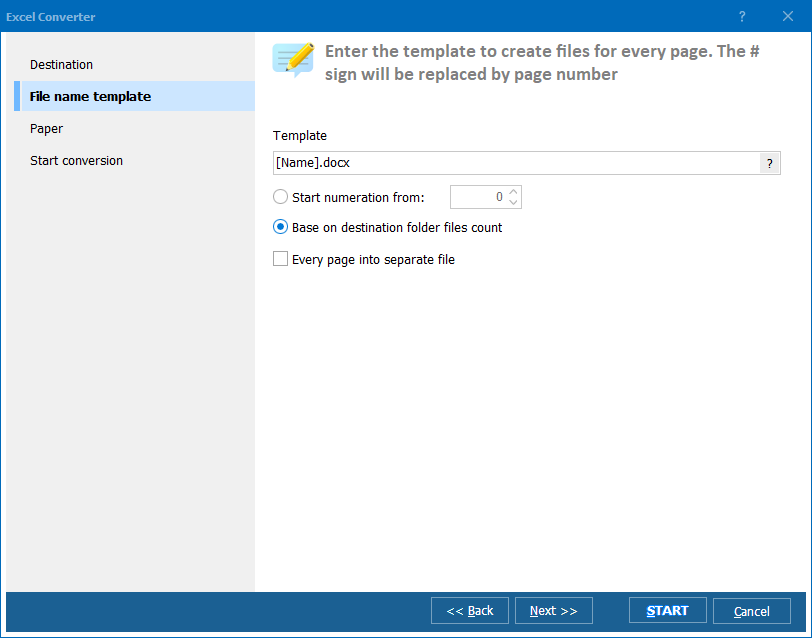
Quick answer: Total Excel Converter converts XLS, XLSX, XLSM, ET, and OpenOffice spreadsheets to PDF, DOC, HTML, JPEG, TIFF, EMF, TXT, and RTF. Install it, open the folder with your spreadsheets, check the files, click the target format button, set options, and press Start. It works in batch and from the command line, adds watermarks, and keeps folder structure.


Why Should You Try Total Excel Converter


  • Converts Excel to PDF, DOC, HTML, JPEG, TIFF, EMF, TXT, RTF, TXTW
  • Supports XLS, XLSX, ET, XLSM, ET files
  • Supports OpenOffice spreadsheets
  • Can convert each sheet into a new file
  • Can update all your old XLS files to the new format XLSX in one go.
  • Adds your watermark to the output document
  • Works in a batch mode and keeps folders' structure
  • Works via user interface and command line
  • A special server version with ActiveX is available
  • Free 30-day evaluation copy.


Total Excel Converter - FAQ ▼

Total Excel Converter exports XLS, XLSX, XLSM, ET, and OpenOffice spreadsheets to PDF, DOC, HTML, JPEG, TIFF, EMF, TXT, RTF, CSV, XML, and SQL. You select the target format from the toolbar and the rest of the steps stay the same.
It reads XLS, XLSX, XLSM, ET, and OpenOffice Calc spreadsheets. You can mix several input types in one folder and convert them all in a single batch run.
Yes. Total Excel Converter works in batch mode. Point it at a folder, check the files you want (or use Check All), and convert hundreds of spreadsheets in one run. It also keeps the original folder structure in the output.
Yes. Total Excel Converter can split a workbook so that each worksheet becomes its own output file. This is useful when a single XLSX holds many sheets that need to go out as individual PDFs or documents.
Yes. You can add a text or image watermark to the output document during conversion, which is handy for marking drafts or branding reports.
Yes. Besides the user interface, it offers a command-line version, and a special server edition with ActiveX is available for unattended and server-side automation.
Yes. Total Excel Converter comes with a free 30-day evaluation copy. A personal license costs $49.90, and it runs on Windows 7, 8, 10, and 11.


Start working now!

Download free trial and convert your files in minutes.
No credit card or email required.

⬇ Download Free Trial Windows 7/8/10/11 • 37 MB

Related Articles

Command line guide
Convert Excel sheets to PDF document
Convert XLSX to XML — Export Excel Spreadsheets to Structured XML Data
Convert Excel 2003 XML Files — Open Legacy SpreadsheetML in Modern Formats
Convert sheets from Excel to HTML
Convert Excel to JPEG free with Coolutils.
Convert WK1 to XLSX in batch
Convert QPW to XLSX in batch
Convert Apple Numbers to XLSX — Open Mac Spreadsheets in Excel
Convert Lotus 1-2-3 to XLSX
Convert ODS to XLSX — OpenDocument to Excel
Convert XLSM to XLSX — Remove Macros and Keep Your Data
Convert XLSX to PDF — Turn Excel Spreadsheets into PDF Documents
How to Convert Quattro Pro to XLSX
ODS to XLS Converter — Convert OpenDocument Spreadsheets to Excel 97-2003
Convert XLS to SQL in Batch — Export Excel Spreadsheets to SQL Database Dump
Convert ODS to SQL — Generate INSERT Statements from OpenDocument Spreadsheets
XLSX to XLS Converter — Convert Excel 2007+ Spreadsheets to Excel 97-2003
Convert XLSX to CSV — Export Excel Spreadsheets to CSV Files in Batch
Convert XLSX to HTML — Export Excel Spreadsheets to HTML Pages in Batch
Convert Excel-sheets to JPEG images
Convert XLSM to Access via GUI or Cmd
Convert Excel to XHTML with custom settings
Convert Excel to Access with comfort.
Convert Excel to XML with custom settings
Convert Excel to XLSX professionally.
Convert XLSX to DBF in batches professionally.
Convert XLSX to SQL automatically.
How to convert XLSX files to Text?
Convert XLSX to TIFF with Coolutils.
Convert XLSX to JPEG with comfort
The best way to convert XLS to PDF and add a digital signature
It's the best way to convert XLS to PDF and add a page counter
Convert XLS to PDF via command line. Save time, it's easy.

Support
Excel Converter Preview1
Excel Converter Preview2
Excel Converter Preview3

Latest News

Newsletter Subscribe

No worries, we don't spam.


© 2026. All rights reserved. CoolUtils File Converters

Cards