File conversion has never been easier: Today, there is a professional toolkit for MHT to Doc migration from CoolUtils. Many office workers experience difficulties when they need to quickly change the file format while keeping the structure of the Document the same. Leave your doubts and troubles behind, and learn how to convert MHT to Doc with CoolUtils in just a few seconds!
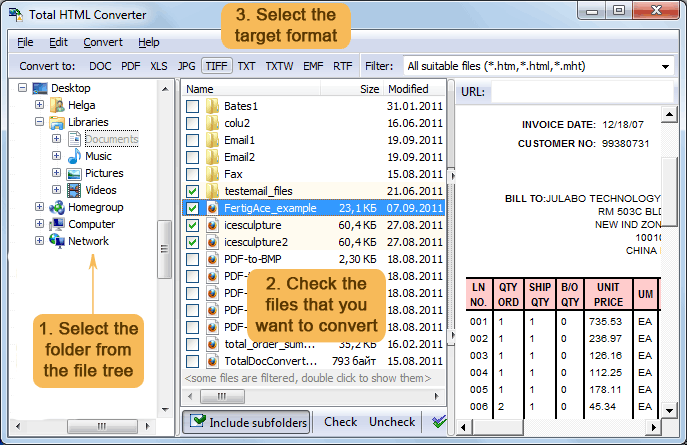
Quick answer: To convert MHT to Doc, install Total HTML Converter, launch the program, choose the folder and check the MHT files in the left-side menu, select DOC as the output format, then start the conversion. The whole batch converts offline into editable Word documents that keep the original structure, with no upload and no file-size limit.
Online Method
Online conversion is a handy, hassle-free method that you can use to transfer MHT to Doc. This option is suitable for clients who don't work with large volumes of data and just need to perform a one-time conversion. In such a situation, it is simply illogical to install any software on your PC, especially if you are not going to use it again. With such customers in mind, CoolUtils developers have introduced a convenient MHT to Doc converter. So, to convert MHT to Doc online, take the following steps:
- Open the CoolUtils MHT to Doc converter webpage;
- Upload the MHT file to convert (just drop it in the corresponding field or click to select);
- Choose the conversion format from the list;
- Download the converted file.
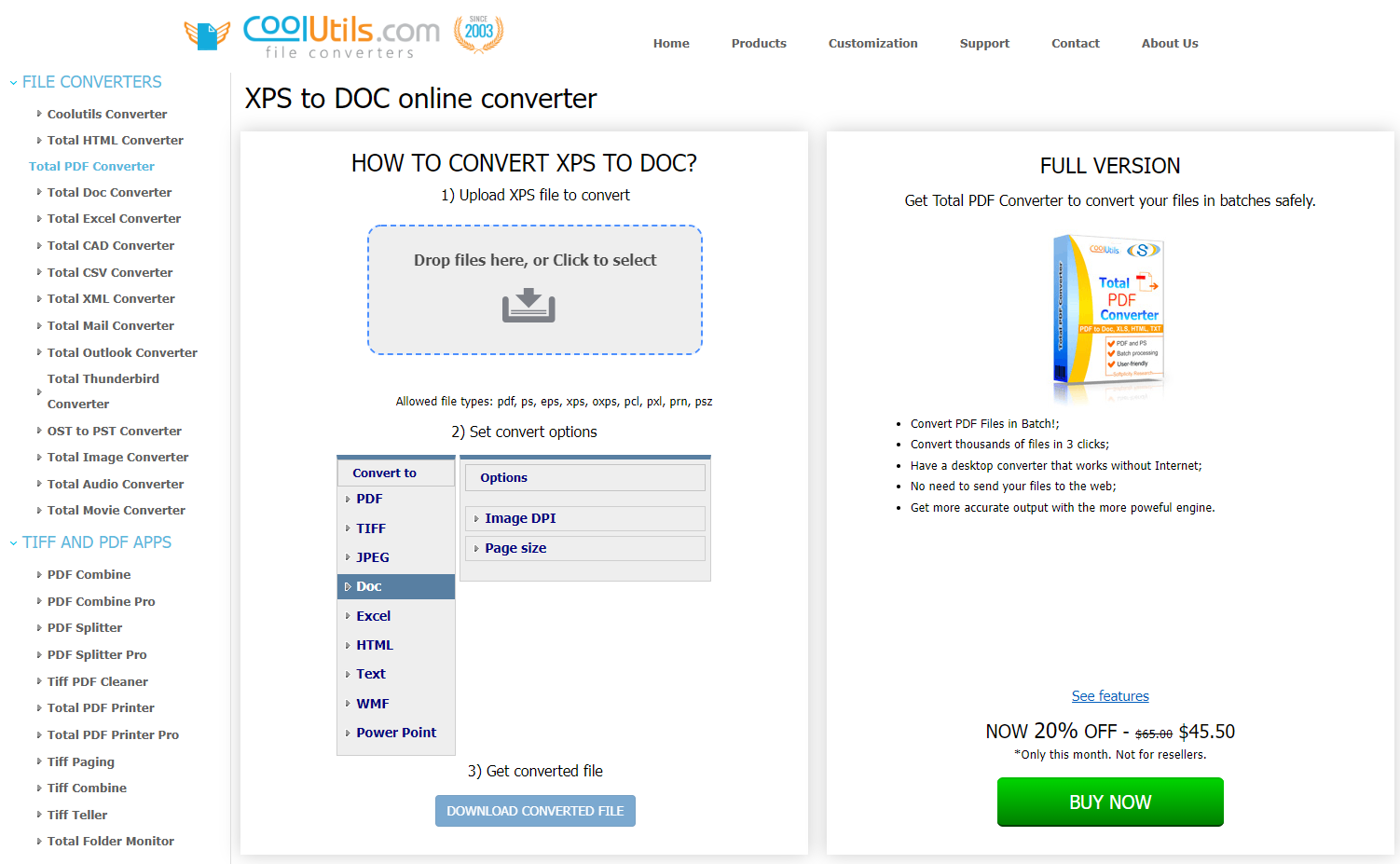
Yes, that's how easy it can be! No registration, no verification, no captcha Ц all you need to do is take these 4 simple steps. The online method works fine until you require professional software for bulk data conversion. In such a case, we recommend you consider installing the full desktop version.
How to convert MHT to Doc with our offline software
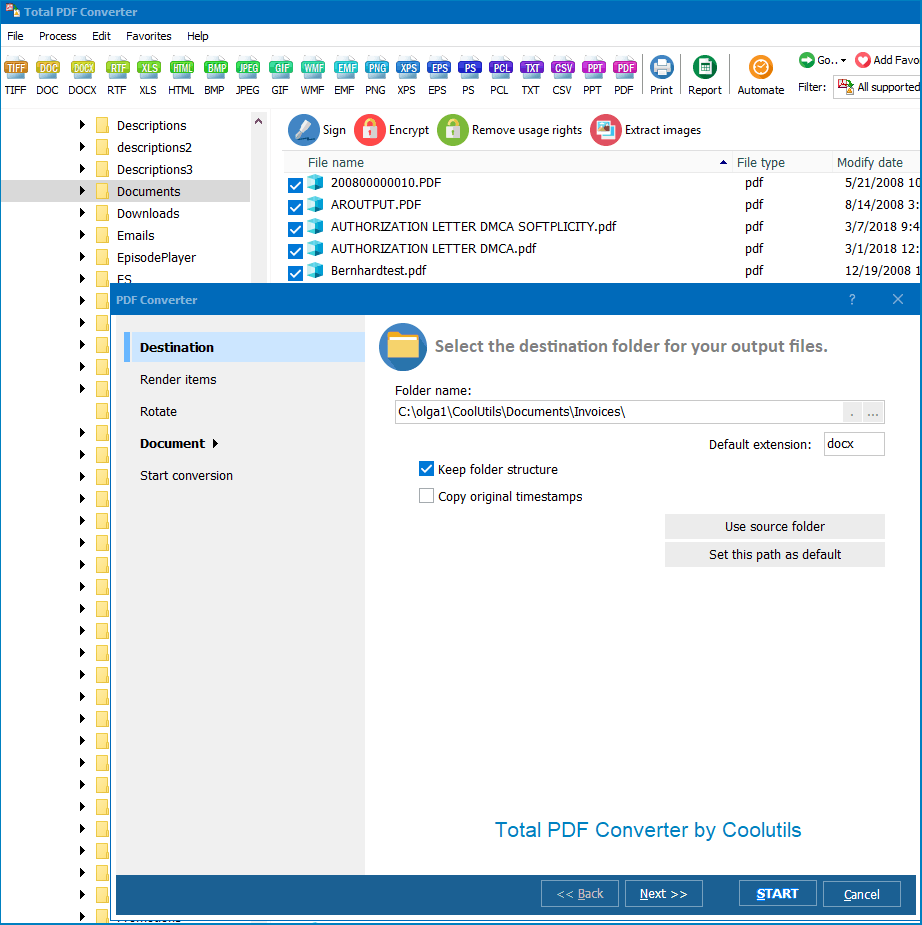
If you work with large volumes of data or provide these types of services to other people, you should definitely install the full version. MHT to Doc offline converter works under the same principles as the online analog, allowing you to process files in batches (up to thousands of files in just a few clicks). The main advantage of this program is that it works without an internet connection, so you don't need to send your files to the web. In terms of security, this is a 100% safer option, especially if you are hoping to convert vulnerable data. So, to get the job done, follow the below instructions:
- Install the CoolUtils MHT to Doc converter on your PC;
- Launch the program;
- In the left-side menu, choose the folder and the corresponding file/files for conversion;
- Select the appropriate conversion format from the list;
- Download the converted file/files.
You are not required to purchase the license immediately after installing the program. There is a 30-day free trial period that you can use to familiarize yourself with the software and decide if it meets your expectations. Take your time and enjoy hassle-free file conversion.


 +1 (855) 418-2323

 File Converters