Need help? Reach us at 

 +1 (855) 418-2323
Need help? Reach us at
+1 (855) 418-2323

 File Converters TIFF and PDF apps Forensic Freeware
MS Outlook messages can be easily exported to EML format for importing them to Outlook Express or other mail clients that use EML format for storing emails. When you convert Outlook to EML, it is important to transfer all the data correctly, not to break email structure or miss some important information from your mail history. Flawless email conversion is provided by Total Outlook Converter.
Quick answer: To convert Outlook to EML, install Total Outlook Converter, let it integrate with your mail account, check the emails you need (or use Check all), press the EML button in the format bar, adjust the settings, and click Start. Each message is saved as a separate EML file or combined into one, in a single offline batch with attachments preserved.
It is a program developed for wide use by those who experience problems moving from one mail client to another, when email format is not compatible with the new application. Within a few clicks you can export your email history to EML format. All you need to do is to:
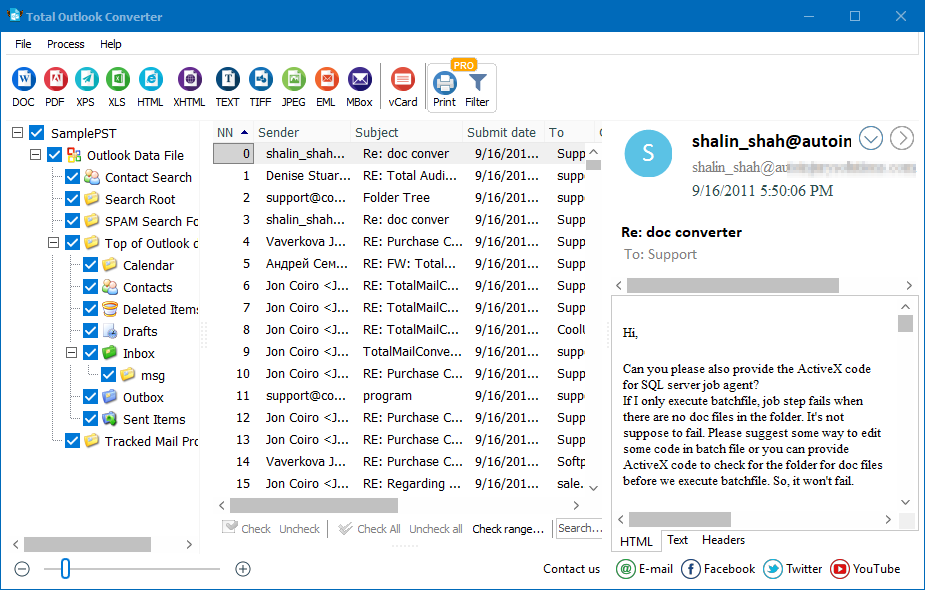
The process takes less than a minute but solves a big problem of emails incompatibility. You get rid of manual emails transfer that takes hours, especially if you have a big email history. This EML converter does the most of job by itself. When it is installed, it automatically finds your mail account and integrates with it. So you can view your mailbox content and check off sources for conversion right in the program window.

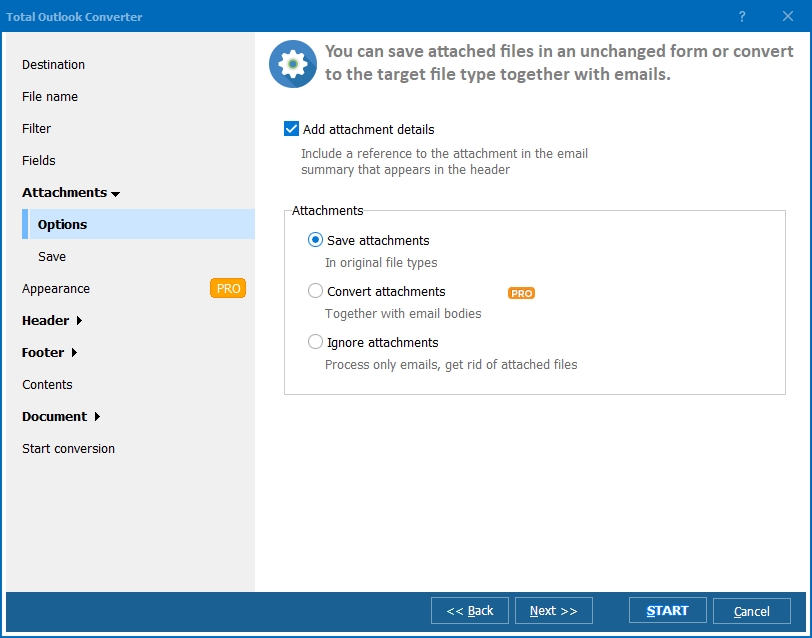
You have a few options for conversion. It is possible to convert each message to separate EML file or combine all checked source emails to one EML file. The settings wizard will also offer you a few variants of attachment processing. You can save them if needed or even convert. In such a way all important information you need will be saved during conversion.
CoolUtils offers Total Outlook Converter in free trial version for 30 days of use. The updated version is already available here!
Windows Vista/7/8/10/11
Download free trial and convert your files in minutes.
No credit card or email required.