Logo
Home Products Support Contact About Us
arrow1 File Converters
arrow1 TIFF and PDF apps
arrow1 Forensic
arrow1 Freeware

Convert Gmail to PDF


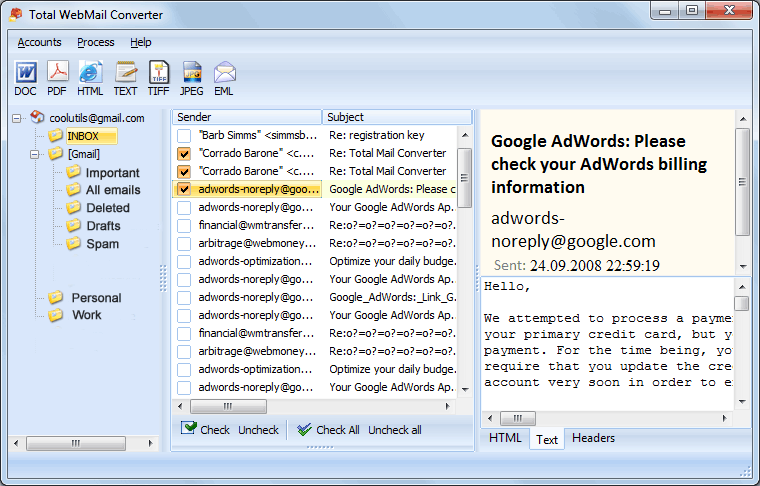
With our Total Webmail Converter, users can retrieve emails from their Gmail account and convert them to PDF files. Saving an email to a PDF formatted file with our Gmail converter app is a great way to make them accessible while offline.

Quick answer: To convert Gmail to PDF, install Total Webmail Converter, verify your Gmail account, pick the emails to export, click the PDF button, choose how attachments, headers, and footers are handled, then click Start. The app processes many emails in one batch, can combine them into a single PDF, and runs offline with a free 30-day trial.
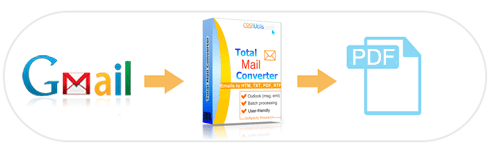
gmail to pdf

On top of that, you can add functionality to your emails that's otherwise exclusive to the PDF format. For example, when you save Gmail as PDF you can also:

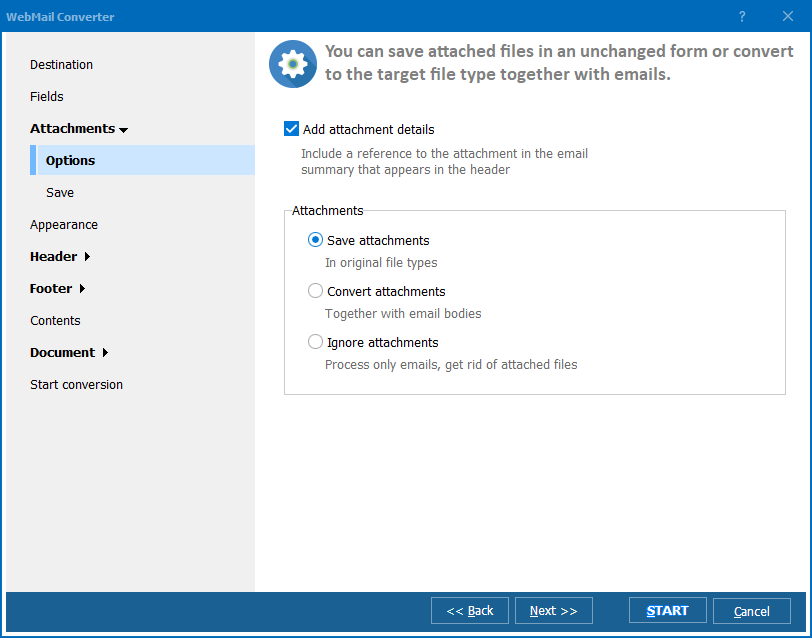
Green PlusProcess attachments in 5 different ways.

Green PlusCombine several emails into one PDF.

Green PlusAdd customized headers and footers (page numbers, counters, date etc).

Green PlusFine tune appearance using CSS.

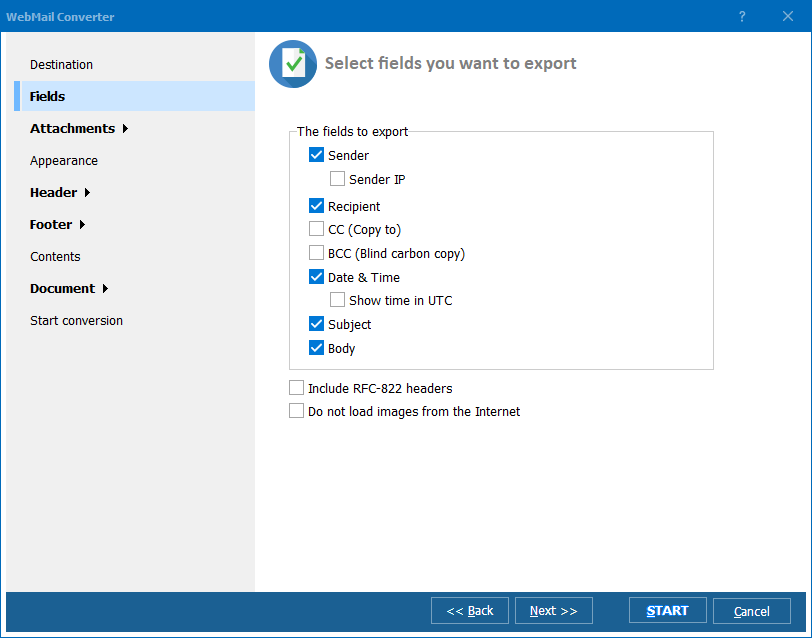
Green PlusGenerate reports using custom fields.

Green PlusCreate non-searchable and PDF/A documents.

Our easy-to-use GUI will walk you through it. All you need to do is verify your Gmail account and the Webmail Converter will do the rest. You will be able to export Gmail emails to PDF in no time at all.

For advanced users, we've included command line access that lets you convert Gmail to PDF behind the scenes with no interrupting messages.

download Gmail converter

Large job? No problem! The Webmail Converter lets you process lots of emails at once. All you need to do is choose your settings and let our app do the hard work. If you have settings that you know you will use repeatedly, you can even create a command (bat) file for future reference.

When it comes to email converters, no one does it better. Don't take out word for it though, see for yourself by downloading your own trial version. You'll have 30 days to decide if you like our app. When you want to upgrade to the full version, for just $49.90 you will receive lifetime access and free first year upgrades. Our tech support crew is ready to answer any questions you may have.


quote

Total WebMail Converter Customer Reviews 2026

Rate It
Rated 4.7/5 based on customer reviews
5 Star

"We needed to export a Gmail account full of applicant correspondence before closing it down. Total Webmail Converter connected to the account, pulled every message, and combined them into a single PDF with headers preserved so nothing about the timeline got lost."

5 Star Danielle Ostrowski HR Coordinator, Ostrowski Staffing Partners

"Converting Gmail to PDF for tax records used to mean printing each email individually. This app verifies the Gmail account, lets me pick which messages to export, and runs the whole batch offline. Choosing how attachments are handled before clicking Start is a detail I appreciated."

5 Star Felix Brandt Small Business Owner, Brandt Consulting

"Having Gmail messages saved as PDF with footers intact makes our audit trail much easier to defend. The batch export ran overnight on a large account without issue. Account verification took a few extra steps compared to just uploading files, but it is a fair tradeoff for direct Gmail access."

4 Star Wendy Castillo Compliance Officer, Castillo Insurance Brokers

Gmail to PDF — FAQ ▼

How do I convert Gmail to PDF?

Install Total Webmail Converter, verify your Gmail account, select the emails, click the PDF button, set the options, and click Start. The app retrieves the messages and saves them as PDF files on your PC.

Can I save Gmail attachments when converting to PDF?

Yes. Total Webmail Converter processes attachments in 5 different ways along with the email body, so the attachment content is kept with the converted message.

Can I combine several Gmail emails into one PDF?

Yes. The app can save each email as a separate PDF or combine several emails into a single PDF document, depending on the option you choose.

Can I convert many Gmail emails to PDF at once?

Yes. Total Webmail Converter handles large jobs and processes lots of emails in one batch. Choose your settings once and let the app convert the whole selection.

Can I add page numbers and dates to the PDF?

Yes. You can add customized headers and footers with page numbers, counters, and dates, generate reports using custom fields, and fine tune the appearance with CSS.

Is the Gmail to PDF converter free?

A free 30-day trial is available with no credit card required. A full license costs $49.90 and includes lifetime access and free first-year upgrades.

Can I convert Gmail to PDF from the command line?

Yes. Total Webmail Converter includes command-line access, so you can save your settings to a bat file and convert Gmail to PDF in the background with no interrupting messages.


Start working now!

Download free trial and convert your files in minutes.
No credit card or email required.

⬇ Download Free Trial Windows 7/8/10/11 • 28 MB

Support
Total WebMail Converter Preview1
Total WebMail Converter Preview2
Total WebMail Converter Preview3

Latest News

Newsletter Subscribe

No worries, we don't spam.


© 2026. All rights reserved. CoolUtils File Converters

Cards