Logo
Home Products Support Contact About Us
arrow1 File Converters
arrow1 TIFF and PDF apps
arrow1 Forensic
arrow1 Freeware

Total Webmail Converter Video and Key Features


To get the idea of how the app works watch this short video walkthrough. Refer to the PDF help file for more details.

Quick answer: To convert webmail to PDF, install Total Webmail Converter, sign in to your Gmail, Yahoo, or other POP3/IMAP account, select the emails you want, click the PDF button, set how attachments and headers are handled, then click Start. The app downloads and converts whole mailboxes in one batch, runs offline on your PC, and ships a free 30-day trial.


Why Should You Try Total Webmail Converter


  • Converts emails from Yahoo. Gmail, Windows Live, Zimbra, Lotus and otehr POP3 accounts.
  • Output file types include PDF, DOC, HTML, JPEG, TIFF, TXT, RTF
  • Can convert each email into a new file or combine several emails into one file
  • Gives new descriptive names to saved emails and attachments
  • Adds your watermark to the output document
  • Helps you with archiving and migration
  • Easy-to-use interface
  • Free 30-day evaluation copy.


quote

Total WebMail Converter Customer Reviews 2026

Rate It
Rated 4.7/5 based on customer reviews
5 Star

"Watching the tutorial before starting saved me from fumbling through the Gmail sign-in step on my own. Total Webmail Converter downloaded an entire deceased client's mailbox and converted everything to PDF in one batch, headers and attachments included, which our probate filing required."

5 Star Miriam Goldstein Estate Administrator, Goldstein Legal Services

"I needed to pull years of Yahoo support correspondence into DOC files for a records audit, and the video walkthrough showed exactly where to configure attachment handling before running the job. The app then converted the whole mailbox offline in a single 30-day trial run without a single dropped message."

5 Star Anders Lindqvist Customer Support Lead, Lindqvist Retail Solutions

"Our donor communications lived across a Zimbra account nobody wanted to keep paying for, and the tutorial made setting up the POP3 connection painless. Converting the whole inbox to PDF in one batch was fast, though I wish the video covered IMAP folder selection in a bit more depth for less technical staff."

4 Star Grace Okonkwo Nonprofit Program Coordinator, Bright Path Foundation

Total Webmail Converter — FAQ ▼

How do I convert webmail emails to PDF?

Install Total Webmail Converter, connect your Gmail, Yahoo, or other POP3 or IMAP account, select the emails, click the PDF button, set the options, and click Start. The app downloads and converts the messages on your PC.

Which webmail services does Total Webmail Converter support?

It works with Gmail, Yahoo, Windows Live, Zimbra, Lotus, and other POP3 and IMAP accounts. You just enter the account details and the app pulls the messages directly from the server.

Can I convert emails to PDF in batch?

Yes. Total Webmail Converter processes many emails at once. Select a whole folder and convert the entire batch in a single run, with no per-message clicking.

What output formats besides PDF are available?

Total Webmail Converter exports to PDF, DOC, HTML, JPEG, TIFF, TXT, and RTF. You can also combine several emails into one file or save each email separately.

Does it convert email attachments too?

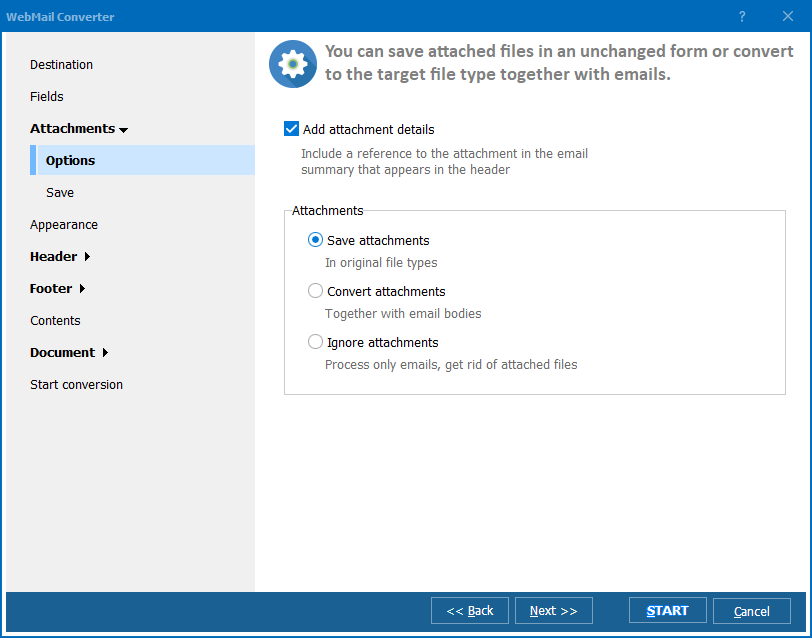
Yes. The app processes attachments along with the email body and can give both the saved messages and attachments new descriptive names. You can also add a watermark to the output document.

Is Total Webmail Converter free to try?

Yes. A free 30-day evaluation copy is available with no credit card required. A personal license starts at $49.90 and includes free updates and technical support.

Can I convert webmail to PDF from the command line?

Yes. Total Webmail Converter includes command-line access, so you can save your settings to a bat file and convert emails to PDF automatically for archiving and migration.


Start working now!

Download free trial and convert your files in minutes.
No credit card or email required.

⬇ Download Free Trial Windows 7/8/10/11 • 28 MB

Related Articles

Convert Gmail to PDF

Support
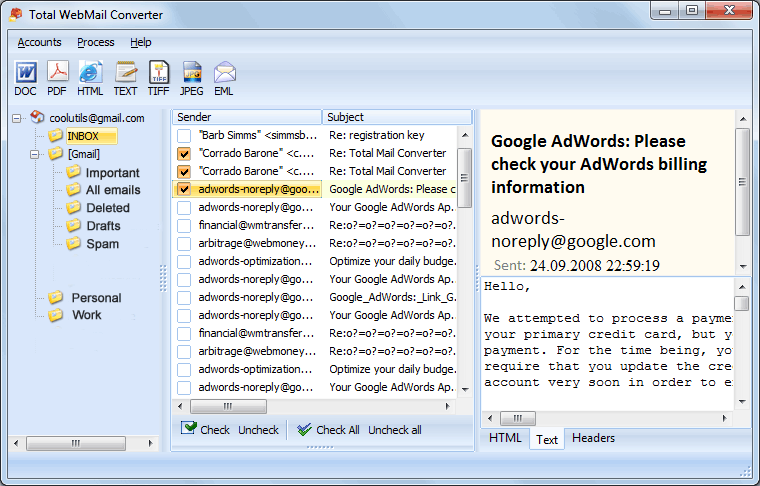
Total WebMail Converter Preview1
Total WebMail Converter Preview2
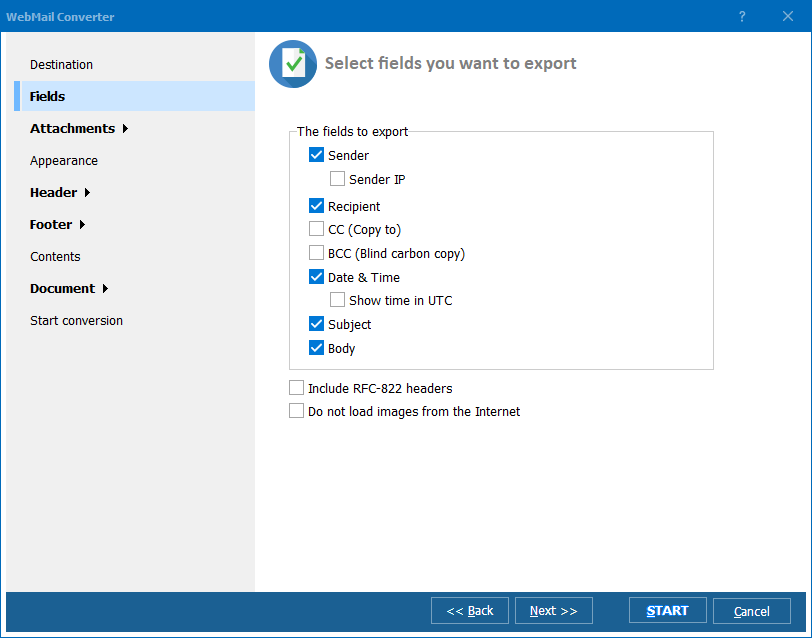
Total WebMail Converter Preview3

Latest News

Newsletter Subscribe

No worries, we don't spam.


© 2026. All rights reserved. CoolUtils File Converters

Cards