Need help? Reach us at 

 +1 (855) 418-2323
Need help? Reach us at
+1 (855) 418-2323

 File Converters TIFF and PDF apps Forensic Freeware
1) Upload DOTX file to convert
Drop files here, or Click to select
Allowed file types: one, ofd, docx, doc, wbk, rtf, rvf, odt, abw, txt, dotx, docm, hwp, wpd, wps, tmd, py, inp, ipynb
2) Set converting DOTX to DOCX options
3) Get converted file
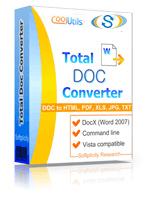
 Total Doc Converter
 Total Doc Converter supports DocX (the format of Word 2007 documents). Installed this free Microsoft Office Compatibility Pack to convert DocX files to HTML, PDF, XLS, JPG, TIFF, TXT with Total Doc Converter.Total Doc Converter converts Doc to PDF and allows you to add a digital signature to the final document.Convert and combine several documents into one multi-page file (PDF, DOC, TIFF or a very long TXT file). All done in one go!Total Doc Converter can convert Word 2010 to Word 2003 if you need a file compatible with older Microsoft Word.Have an outdated Microsoft Office 2003? Update all your old files to the new format in one go. Convert Doc files to DocX with our Total Doc Converter.Total Doc Converter allows setting your default font for text files.Total Doc Converter can print out, fax to send to OneNote any file you select. It will also create detailed reports on your Doc files in PDF, XLS, CSV, TXT formats. It's the esiest way to learn how many files you have and their parameters.Total Doc Converter has a clear, easy-to-follow interface. You won't get lost in settings!The widest list of supported file types: convert Word, Doc, DocX, DocM, RTF, RVF, or TXT files to RTF, DOCX, XLS, JPEG, PNG, TIFF, HTML, XHTML, PDF, TXT in a batch mode. It's a powerful all-in-one doc converter!Total Doc Converter supports several types of compression for TIFF. If you are at a loss the program will automatically choose the best value. Every document is displayed in Preview panel. You can zoom it or view the document full-sized. Use preview option to quickly find a file.Add your logo or any other image to the header or the footer of the output file.Do you want more order? Total Doc Converter will add page counters or a date to every page of the output files. The app is great for stamping legal bates too!Total Doc Converter can copy original time stamps if you want to keep them.Total Doc Converter offers a lot of additional settings for Doc to PDF conversions. Set user permissions, password-protect your files or sign with a digital signature. Get PDF, PDF/A and non-searchable PDFs.Total Doc Converter can be run via command line (get the ready-to-use command line from GUI).
💾 Upload Your File: Go to the site, click on «Upload File,» and select your DOTX file.
✍️ Set Conversion Options: Choose DOCX as the output format and adjust any additional options if needed.
Convert and Download: Click 👉«Download Converted File»👈 to get your DOCX file.




| File extension | .DOTX |
| Category | Document File |
| Description | DOTX is a template file format used in Microsoft Word, based on the Open XML standard. It allows users to create preformatted documents for consistent styling and structure. |
| Associated programs | Microsoft Word, LibreOffice Writer, WPS Office |
| Developed by | Microsoft |
| MIME type | application/vnd.openxmlformats-officedocument.wordprocessingml.template |
| Useful links | More detailed information on DOTX files |
| Conversion type | DOTX to DOCX |
| File extension | .DOCX |
| Category | Document File |
| Description | DOCX is an MS Office text format of new generation (starting from 2007 versions). It is a more open, more standardized version that allows various apps get easier access to data stored in Word files. DOCX files are lighter in size than DOC analogues due to a new, XML-based file structure. As opposite to DOC, a corrupted DOCX file still can be opened, and undamaged data still can be read and edited. Older Word versions can work with DOCX, if a free compatibility pack is installed and setup. |
| Associated programs | Microsoft Word 2007 Microsoft Word 2008 (MAC) OxygenOffice Professional (Linux) Word 2010 |
| Developed by | Microsoft |
| MIME type | application/vnd.openxmlformats-officedocument.wordprocessingml.document |
| Useful links |
In today's digital age, flexibility in file formats can significantly enhance productivity and streamline workflow processes. Our online DOTX to DOCX conversion tool provides an efficient solution for transforming template files into editable Word documents, facilitating a versatile approach to document management.
The DOTX format is predominantly used for Word templates, containing pre-defined settings such as styles, formatting, and layouts. However, when it comes to making modifications or customizing documents, conversion to the DOCX format becomes essential. DOCX files offer the flexibility necessary for editing and tailoring content to suit specific needs without altering the original template.
Utilizing our conversion tool is straightforward. With no software installation required, users can convert files directly in their browser, saving time and resources. Simply upload your DOTX file, and our tool will handle the conversion process with precision and speed, delivering a high-quality DOCX file ready for immediate use.
What sets our tool apart is its commitment to maintaining the integrity of the original document’s formatting and layout. Unlike other converters that may distort or alter document elements, our cutting-edge technology ensures that your converted files retain their original aesthetic and structural features.
Moreover, our platform prioritizes user privacy and data security. All file transfers and conversions are conducted over secure connections, guaranteeing that your information remains confidential and protected throughout the process.
Choose our DOTX to DOCX converter for a reliable, efficient, and secure document transformation experience. Whether for personal or professional use, our tool is designed to meet the varying needs of modern users, allowing for the seamless transition of template files into editable, versatile documents.
| Feature | Online Converters | CoolUtils Desktop | WinWord Built-in | Other Software |
|---|---|---|---|---|
| Batch Conversion | Limited | ✅ Unlimited | Manual only | Limited |
| File Size Limit | 1-5MB | ✅ No limits | System dependent | Varies |
| Privacy & Security | Upload required | ✅ 100% offline | ✅ Local only | Varies |
| Conversion Speed | Internet dependent | ✅ Fast local processing | Slow | Medium |
| Advanced Options | Basic | ✅ Full customization | Limited | Basic |
| Cost | Free/Premium | One-time purchase | Requires Office | Subscription |
| Formatting Preservation | Good | ✅ Excellent | Good | Varies |
| Multiple Formats Support | Limited | ✅ 40+ formats | Few formats | Limited |
Page updated
