Need help? Reach us at 

 +1 (855) 418-2323
Need help? Reach us at
+1 (855) 418-2323

 File Converters TIFF and PDF apps Forensic Freeware
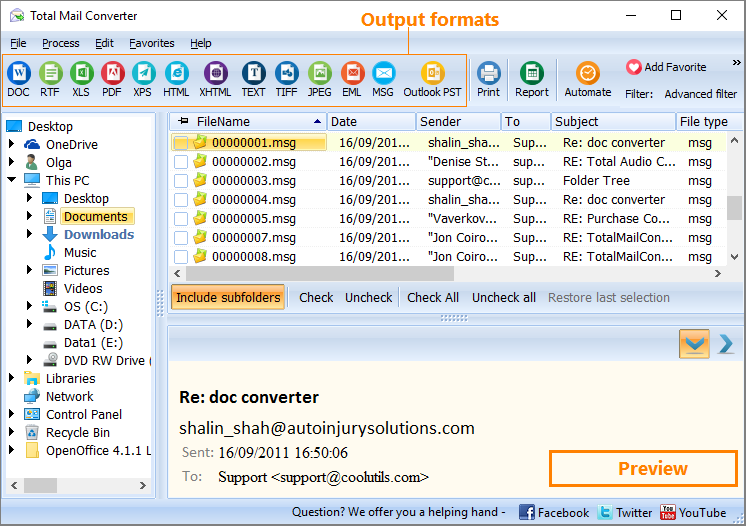
Download Total Mail Converter and convert your EML emails to JPEG today.
(includes 30 day FREE trial)
(only $59.90)
Quick answer: To convert EML to JPEG, install Total Mail Converter, click Add files or Add folder to load your .eml files, select them, click the JPEG button, set the image quality and a destination folder, then press Start. Each email is rendered as a clean JPEG page image in batch, offline and without an email client, with no file-count limit.
EML is a standard email format based on RFC 5322. Each .eml file is a plain-text MIME message containing headers (From, To, Subject, Date), the message body in plain text or HTML, inline images encoded as Base64, and file attachments. Thunderbird, Windows Mail, eM Client, and most non-Outlook email clients export messages as EML. The format is human-readable in a text editor, but rendering the HTML body with images and formatting requires an email client or MIME parser.
JPEG (Joint Photographic Experts Group) is the most widely used image format. A JPEG file stores a single raster image using lossy compression. JPEG files open on every device — phones, tablets, browsers, image viewers — with no special software. They can be embedded in documents, pasted into presentations, and uploaded to any web application.
Converting EML to JPEG renders the email body as a static page image. The result is a visual record of the email that anyone can view without an email client or MIME library. Formatting, inline images, and text layout are preserved exactly as they appear in the original message.
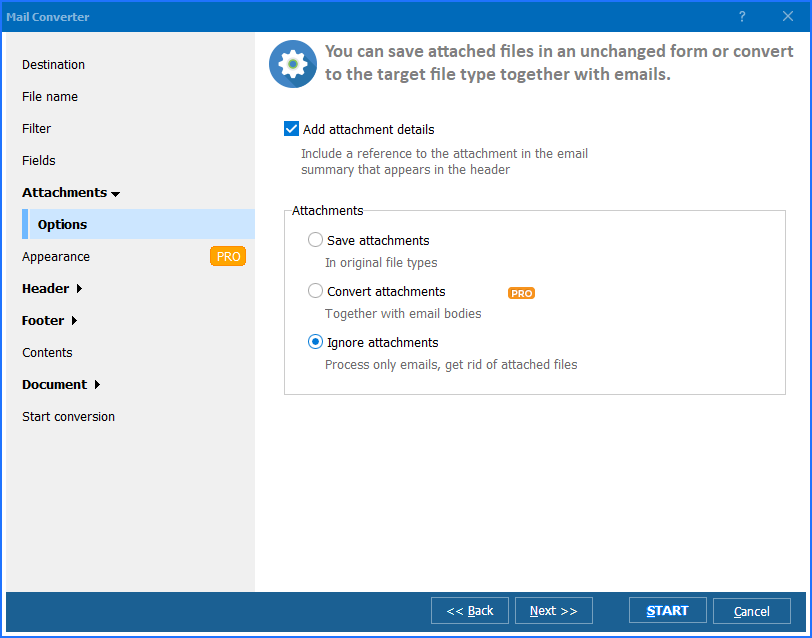
Each EML file produces one or more JPEG pages depending on the email length. Multi-page emails generate numbered files (email_1.jpg, email_2.jpg). Attachments are saved separately and not rendered into the image.
Total Mail Converter includes a command-line interface for scripting and automation:
MailConverter.exe "C:\Emails\*.eml" -sJPEG "C:\Output\Images\"
Specify the source path (wildcards supported), -sJPEG for the target format, and the destination folder. Add -jpegquality 90 to control compression. Save the command in a .bat file and schedule it with Windows Task Scheduler for unattended nightly exports.
 Visual email archiving. JPEG images are the simplest way to store a visual record of an email. No email client needed to view them. Drop them into a folder, a PDF report, or a case management system.
Batch processing. Convert hundreds or thousands of EML files in one session. Point Total Mail Converter at a folder and it processes every email it finds — no file-count limit.
Quality control. Set JPEG compression from 1 to 100. Use high quality (90+) for archival images that preserve fine text detail. Use lower quality for thumbnails or web previews where file size matters.
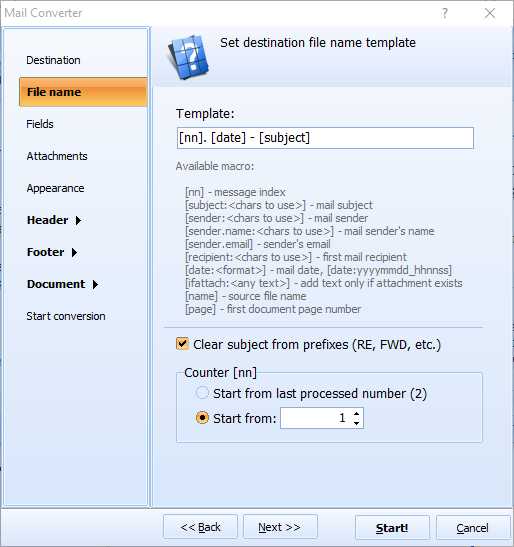
Customizable file naming. Name output files using date, sender, subject, or a custom template. A pattern like [Date]-[Subject].jpg produces filenames that sort chronologically and are easy to locate.
Handles MSG too. Total Mail Converter converts both EML (Thunderbird, Windows Mail) and MSG (Outlook) files to JPEG with the same settings. One tool covers all your email-to-image needs.
Multiple output formats. Besides JPEG, Total Mail Converter exports emails to PDF, DOC, HTML, TIFF, TXT, XLS, and more. One license covers every email conversion task.
| Feature | Online Converters | Total Mail Converter |
|---|---|---|
| Batch export | One file at a time | Entire folders at once |
| JPEG quality control | No control | Adjustable 1–100 |
| File naming | Generic names | Automatic templates (date, sender, subject) |
| Multi-page emails | First page only | All pages rendered |
| File size limit | 5–25 MB per upload | No limit |
| Speed (1,000 emails) | Hours of uploading | Minutes |
| Command-line automation | Not possible | Full CLI + .bat scripting |
| Privacy | Files uploaded to third-party servers | 100% offline — files stay on your PC |
| Pricing | Free with limits | One-time $59.90 |

(includes 30 day FREE trial)
(only $59.90)
message_1.jpg, message_2.jpg, and so on. Each page is a separate image file.-jpegquality 90 (or your preferred value)..bat file, and schedule it with Windows Task Scheduler. The converter runs unattended — no GUI interaction needed.
Download free trial and convert your files in minutes.
No credit card or email required.

Related Topics
Convert EML to Doc