Need help? Reach us at 

 +1 (855) 418-2323
Need help? Reach us at
+1 (855) 418-2323

 File Converters TIFF and PDF apps Forensic Freeware
Download Total Mail Converter and start importing your EML emails into Outlook today.
(includes 30 day FREE trial)
(only $59.90)
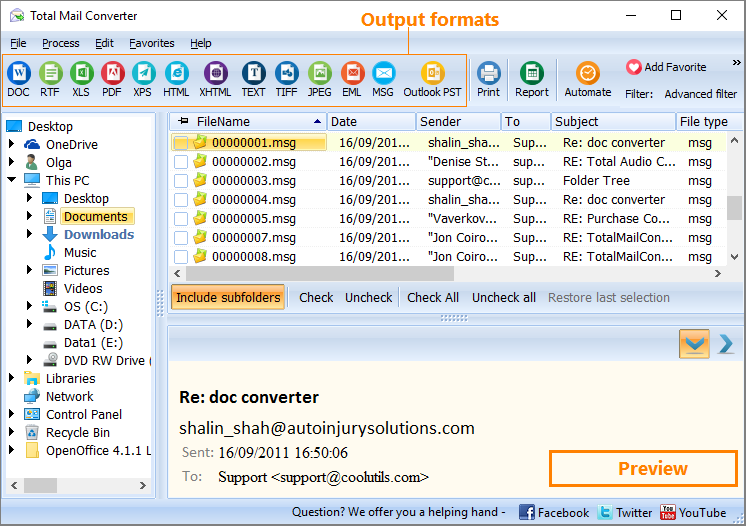
Quick answer: To convert EML to PST, install Total Mail Converter, click Add files or Add folder to load your EML files, check the messages or click Check All, click the PST button, pick the destination and choose to merge into one PST or keep separate files, then press Start. You get an Outlook-ready PST in one batch — no Outlook required on the conversion machine and no upload.
EML is a plain-text file format defined by RFC 5322. Each .eml file holds exactly one email message — headers, body, and MIME-encoded attachments. The format is human-readable: open any .eml in a text editor, and you see From, To, Subject, and Date lines followed by the message content. Thunderbird, Windows Mail, Windows Live Mail, eM Client, and dozens of other email programs use EML as their native or export format.
PST (Personal Storage Table) is a proprietary binary database used by Microsoft Outlook. A single PST file stores emails, contacts, calendar events, and tasks in a structured folder hierarchy. Outlook 2007 through 2024 use the Unicode PST format, supporting files up to 50 GB.
Outlook cannot import .eml files in bulk. You can drag one or two into a folder, but converting hundreds or thousands of EML files this way is impractical — you lose folder structure, metadata may change, and attachments sometimes detach. A dedicated converter reads the EML files, builds a proper PST structure, and produces a file Outlook imports cleanly.
When conversion finishes, open Outlook and go to File → Open & Export → Import/Export. Select "Import from another program or file," pick the PST, and map it to the folder where you want the messages. Your emails appear with their original metadata intact.
Total Mail Converter includes a command-line interface for scripted and automated conversions. Example:
MailConverter.exe "C:\Emails\*.eml" -sPST "C:\Output\archive.pst"
Use this in .bat scripts to schedule nightly EML-to-PST exports, process incoming mail drops, or convert archives across multiple folders unattended.
 Batch processing. Point the converter at a folder with thousands of .eml files and convert them all in one session. No manual selection, no drag-and-drop limits.
No Outlook required. The program generates valid PST files using its own built-in engine. Run the conversion on any Windows PC, then transfer the PST to the machine with Outlook.
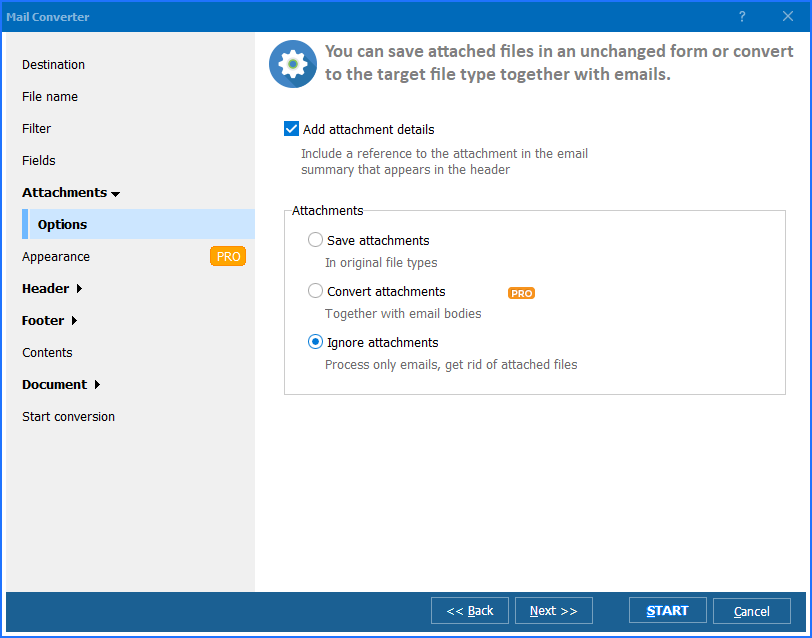
Attachment preservation. All attachments — documents, images, ZIP archives — are stored inside the PST exactly as they were in the original EML files. No re-encoding or data loss.
Folder structure. Organize output by source folder, merge everything into a single PST, or create one PST per EML. You control how the archive is structured.
Flexible file selection. Add files individually, scan entire directories, or use wildcard patterns on the command line. Drag and drop works too.
Multiple output formats. Besides PST, Total Mail Converter exports EML to PDF, DOC, HTML, TIFF, TXT, and MSG from the same interface.
| Feature | Online Converters | Total Mail Converter |
|---|---|---|
| Batch conversion | One file at a time | Thousands in one session |
| File size limit | 5–25 MB per upload | No limit |
| Privacy | Emails uploaded to third-party server | Local processing only |
| Outlook required | Varies | No |
| Attachments | Often stripped or corrupted | 100% preserved |
| Automation | Manual uploads | Command-line + .bat scripts |
| Speed | Depends on upload bandwidth | Thousands of EML per minute |
| Pricing | Free but limited | One-time $59.90 |

(includes 30 day FREE trial)
(only $59.90)
"We decommissioned a legacy mail system that left us with 60,000 EML files spread across department folders. Total Mail Converter processed the entire batch in under 20 minutes and produced clean PST files that imported into Outlook 365 without a single error. Folder structure and attachments came through intact. Saved us days of manual work."
 Robert Hargrove IT Administrator, Kelton & Associates
"We received a production of 14,000 EML files for an e-discovery case. The review platform required PST input. Total Mail Converter merged everything into one PST with all metadata preserved — dates, senders, CC fields, attachments. The legal team loaded it into Relativity the same afternoon. Reliable tool for compliance work."
Sandra Whitfield Litigation Support Specialist
"I had years of personal email exported as .eml from Thunderbird and needed to consolidate them into Outlook. The converter picked up every file from my backup folders and merged them into a single PST. Fast and straightforward. My only wish is a progress estimate for large batches — the progress bar shows percentage but not remaining time."
 James Petrov Software Developer
MailConverter.exe "C:\Emails\*.eml" -sPST "C:\Output\archive.pst" from a .bat script to schedule conversions, process incoming mail drops, or integrate the conversion step into a larger workflow.
Download free trial and convert your files in minutes.
No credit card or email required.

Related Topics
How to convert Email to PST format?

